 MetaTrader 5
 专家
专家
 指标
指标
 程序库
程序库
 实用工具
实用工具
 窗口小部件
窗口小部件
 规则
规则
适用于MetaTrader 4的EA交易和指标 - 59
 EA交易自动执行市场交易,而指标可使您更准确地分析报价并预测价格行为。
通过这些应用程序,您将能够更明智地在MetaTrader 4执行交易,抓住更多的交易机会。
EA交易自动执行市场交易,而指标可使您更准确地分析报价并预测价格行为。
通过这些应用程序,您将能够更明智地在MetaTrader 4执行交易,抓住更多的交易机会。 
This trading advisor works with strong movements of currency pairs. He can use different indicators for trading, calculate and draw trend lines according to the extremes of the price movement. It is a free, simplified version of ColdStream Expert Advisor, it has enough customizable parameters for optimization, but a little less than in the full version. Also, the maximum lot is limited to 0.1. Nevertheless, you can use almost any currency pairs and timeframes for trading. Do not forget to optimi
FREE

Follow The Labels 指标 — 这是一个多功能 MT4 指标,旨在为交易者提供跨多个维度的市场状况综合可视化概览。它将趋势分析、前一日的价格水平、随机指标动量以及拒绝信号整合到一个易于阅读的界面中。 主要功能: 多时间框架 MA200 趋势滤波器 (H1→M15) 显示 MA200(LWMA)在三个时间框架上的对齐情况:H1、M30、M15。 显示整体趋势标签:看涨、看跌或混合。 当趋势对齐发生变化时,可选择弹窗、推送或邮件提醒。 前一日趋势 + 随机指标摘要 + 拒绝箭头 整体趋势:看跌。 标签 1:前一日价格上涨。 标签 2:前一日随机指标下跌。 分析前一日的价格走势和随机指标生成摘要。 标签显示前一日是看涨、看跌还是中性。 拒绝箭头(买入/卖出)每天仅绘制一次,基于蜡烛影线行为。 标签在图表上保持可见,方便快速参考。 Ultimate Levels:前一日高/低 + 中线 + 垂直线 绘制前一日的最高价、最低价和中线。 添加标记前一日开始和当日结束的垂直线。 价格突破或测试这些水平时提供警报(弹窗、推送、邮件)。 Ultimate Stochastics(独立子窗
FREE
This indicator filters the Zigzag indicator to calculate the main support and resistance
levels.
Variables
minimum gap between peaks : is the distance (GAP) between the peaks of
the Zigzag
peaks sensitivity : Minimum number of nearby peaks
look back: it means that it has to test the last 50 peaks in the Zigzag
object name perfix: a prefix for level’s line name on chart
FREE

FORBEX Symbol Changer
One Click Away. If you experience any issues, have questions, or would like to learn more about the system and its methodology, please feel free to get in touch. Please contact me, and I will guide you through the entire installation process via AnyDesk to ensure everything is installed correctly and fully ready to use even before the purchase. FORBEX Philosophy Built by traders for traders, FORBEX tools focus on simplicity, efficiency, and practical workflow improvements
FREE

This EA is a free version of Vino EA . Unlike the full version, the parameters cannot be changed and the lot size is set to 0.01.
Description Vino EA is a grid Expert Advisor using mainly customized oscillators to analyze the market prices and volatility in order to identify trend reversals. It uses a grid of orders which increases the lot size only after the stop loss is reached. It includes an automatic stop loss, which computes the stop loss value based on the volatility of prices.
Require
FREE

Based on an analysis of over 20 years of historical data, a simple and formidable strategy. I have earned a total of €9,500 in real profits on my personal trading account over the past year using my bot. Forget about complex and risky approaches. Our strategy is based on robust statistics (the major pair market is a very liquid market that does not perform out of the ordinary and gives us the perfect opportunity to hedge while arbitraging the pairs that go in the opposite direction). A formidab
FREE

导出当前交易账户的交易历史。 该文件保存在 MQL4/文件 终端文件夹( 可以通过主终端菜单打开: 文件 -> 打开数据目录 (Ctrl+Shift+D) 并转到文件夹 MQL5/文件) 或在终端的 共同文件 文件夹。 文件名自动生成或通过脚本参数手动设置。 历史文件可用于使用 EA 在另一个交易服务器上模拟相同的交易序列 简单的历史接收器 . 文件名 :指定文件名或将该字段留空以自动生成文件名。 分隔符 :设置CSV文件中数据部分的分隔符(逗号','或分号';')和小数点(句点'.'或逗号',') 将文件保存到公用文件夹 :如果为 True,文件将保存到 Common/Files 文件夹。
文件格式 标题放在最前面(分隔符在参数中设置) DATE,TICKET,TYPE,SYMBOL,VOLUME,ENTRY,PRICE,STOPLOSS,TAKEPROFIT,PROFIT,COMMISSION,FEE,SWAP,MAGIC,C
FREE

MT4 vAccount Protector Basic Account Protector Basic is a streamlined risk management tool for MetaTrader 4 (MT4) that helps traders safeguard their accounts with clear, customizable limits.
Designed for simplicity and reliability, it ensures that trading remains disciplined and capital is protected. This EA closes all trades once the maximum loss is reached either in value or account percentage. It is especially useful for those trading prop funds account. Key Features:
Loss Selection You can
FREE

Time Based Close - 自動化交易管理 EA 概述
Time Based Close 是一款功能強大且易於使用的 MetaTrader 4 (MT4) 專家顧問(EA)。它通過基於用戶設定的持倉時間自動關閉交易,並提供動態回撤控制功能來保護您的帳戶。無論您是新手還是資深交易者,這款 EA 都能簡化您的交易策略並有效管理風險。 核心功能 基於時間的關閉 :根據設定的持倉時間(預設:29 分鐘,可調整)自動關閉交易。 回撤保護 :監控並管理回撤,當回撤達到設定的百分比閾值(預設:30%)時關閉所有交易。 互動式面板 :直觀的圖表面板,可開關功能(持倉時間、回撤控制),調整設置,並實時監控餘額、淨值和回撤等數據。 贈金調整 :準確計算回撤,考慮經紀商贈金,確保精準的風險管理。 商品過濾 :支援特定商品或所有商品,兼容經紀商的後綴設置。 優勢 風險管理 :通過自動回撤控制保護您的帳戶免受過大損失。 節省時間 :基於時間自動關閉交易,無需手動監控。 易於使用 :簡單的面板設計,實時更新數據,適合各級交易者。 經紀商兼容性 :已在 IC Markets 和 Vantage Int
FREE
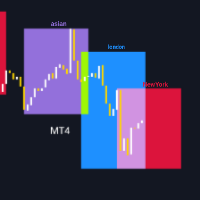
TradingSessionVisualizer – 交易者的必备工具! 在深入了解此指标的功能之前,请 评分 此产品, 留下评论 以分享您的体验,并 订阅 我的页面,以便随时了解最新的发布和工具。您的支持非常宝贵,帮助我不断改进我的创作! 描述: TradingSessionVisualizer 是一款强大的 MetaTrader 4 指标,旨在为您的图表提供清晰且可自定义的主要交易时段可视化。该工具允许您轻松区分亚洲、伦敦和纽约交易时段,帮助您更好地理解这些关键时期的市场走势。 主要功能: 交易时段显示: 使用彩色矩形在图表上清晰地可视化亚洲、伦敦和纽约的交易时段。 可自定义参数: 调整每个时段的颜色、线条宽度以及矩形是否填充。 动态显示: 指标会根据您选择显示的天数自动调整(最多可显示 3 天)。 易于管理: 该代码有效管理图形对象,删除旧的对象并更新新的对象。 指标参数: 天数数量: 显示最多 3 天的时段。 颜色和样式: 自定义时段的颜色和矩形边框样式。 矩形填充: 选择矩形是否应填充或仅显示边框。 使用方法: 安装: 下载并将指标安装到 MetaTrader 4 的指标文件
FREE
MACD Optimiser – AI-Enhanced MACD Settings for Smarter Trading The MACD Optimiser is an advanced tool that supercharges the classic MACD indicator by automatically finding the best parameter settings for different market conditions. Powered by AI and historical data analysis, it eliminates guesswork and helps traders make more precise, data-driven decisions. Why Use MACD Optimiser? Automated Optimization – No more trial-and-error. The tool fine-tunes the MACD’s fast EMA, slow EMA, and sign
FREE

您是否希望将您的股票交易提升到一个新的水平?
凭借其智能算法和专家订单,您可以确保自己始终处于领先地位。 从上涨和下跌的市场中获利,轻松预测趋势,并保持投资组合的领先地位 - 有了 Stock Flow,一切皆有可能!
输入和输出订单由可以在任何 MT4 平台上找到的两个指标的组合给出:MACD 信号、动量指标和资金流量指标。
指标的周期和水平值以最佳组合进行调整,以获得最佳净利润。
它还包含止损和止盈,在波动性增加的时候提供资金安全。
Expert 测试了 2021 年 1 月 1 日至 2023 年 1 月的 GBPUSD M30 历史数据(在 MT4 上回测 2 年)。
请自行下载测试。
您还可以使用 Metatrader 4 平台中的优化功能来寻找更好的 EA 版本。
推荐:
ü MaxLotSize - 最大允许交易手数。 仅当您真正了解自己在做什么时才更改此参数。
ü TakeProfit - 以点数获利。
ü StopLoss – 止损点数。
ü EAMagic - EA 的幻数,它允许顾问仅使用其位置。 每个图表必须有不同的值。
ü 本E
FREE

Please contact me at telegram https://t.me/smartforex7 After purchasing SmartForex Indicator then Use This Indicator...................... SMART EXIT PROFIT LINE Indicator is very Helpful with SmartForex Indicator ........................................ SMART EXIT PROFIT LINE Indicator Attach with SmartForex Indicator after then Red Line Show Exit buy Profit , Green Line show Exit Sell Profit................
FREE

VolumEdge Pro Scanner: индикатор статистического анализа объёмов и волатильности
VolumEdge Pro Scanner — профессиональный инструмент количественного анализа для трейдеров, использующих статистические аномалии для поиска высоковероятных торговых сетапов. В отличие от стандартных индикаторов объёма, отображающих сырые значения или простые скользящие средние, данная утилита рассчитывает точные процентные распределения и отслеживает последовательности однонаправленных свечей для фильтрации рыночно
FREE

This indicator is one of the useful tools for traders who trade on currency pairs and based on the strength of each currency they can make a correct decision or confirmation in the positions. It has been calculated for all the minor currency pairs supported by the broker and displays the values of the major currencies. These currencies are displayed horizontally or vertically according to the trader's config when executing the indicator. One of the trading strategies that can be used is to cho
FREE

Identification of support and resistance areas
A useful indicator for traders
completely free
Can be used in all symbols
Can be used in all time frames
It has three different trends: short term, medium term, long term
Settings:
Clr1,2: You can change the color of the lines
Type Trend: You can determine the trend
Message me for questions, criticism and suggestions
FREE
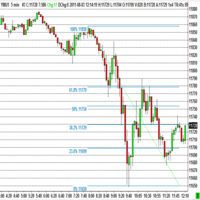
The program automatically draws fibonacci. This will save you a great deal of time in studying the chart. My intention is to facilitate those who carry out a study of the graph manually and use Fibonacci. In the screenshot you can see the result.The script applies to the chart of any currency pair or any stock. It will not open any purchase or sale operation because this program is limited only to drawing fibonacci.
FREE

In FX, signals from doji patterns can be effective in capturing potential trend developments. Therefore, setting pending orders simultaneously after the appearance of a doji can make it easier to capture the onset of a trend.
Setting stop-loss (SL) and take-profit (TP) levels more widely can enhance the probability of success, but it also increases the associated risk.
In the event of a loss, it is possible to recover by increasing the next position size through multi-lot trading, but this str
FREE
Check out other great products from https://www.mql5.com/en/users/augustinekamatu/seller
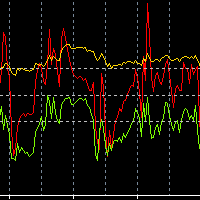
This indicator is the best so far at estimating reversal points especially on high time frames. It does not repaint and is based on a combination of moving averages computed using custom functions. No inputs required, it is simple plug and play. The principles used ensure that it can be used on CFDs, Commodities and Stock with incredibly great results. With proper money management and portfolio balancing
FREE

ForexFanclub(FFC) : For detailed instructions and our official website, please visit my profile !
PidPro is a fully-featured, professional bulk order closing tool provided by Forex Fanclub, designed to maximize the efficiency of position management. Whether you are a scalper needing lightning-fast exits or managing a basket of positions from an Expert Advisor, PidPro provides the ultimate control. [Key Features] 1. Flexible Target Selection:
Choose between "All Charts" to manage your entire
FREE

Stairs Storm EA works on the principle of increasing the trading volume in a trend movement. The Expert Advisor must set SL and TP. Every day we try to improve the work of our advisor, therefore, over time, it will only get better.
Stairs Storm shows excellent results in the tester for 5 years, not a single month in the red. Average profit from 10 to 50% per month.
Recommendations
We recommend placing the EA on ECN accounts, 5 digits.
Currency pair EURUSD
Time frame M5, H1 Min. Deposit
FREE

Free parabolic SAR expert advisor is a completely free expert advisor that trades using Parabolic SAR dots. It opens and closes trades based on the first dots of a new trend. The various settings are explained below.
Parameters NOTE: The default settings are just place holders and not necessarily the best. Use the settings that best suites you or your strategy. Lots - This is the lot size of the EAs trades. 0.1 is the default setting. StopLoss - Stop loss setting. AllowBuy - Set to true to allo
FREE

RaysFX StochRSI Presentiamo un indicatore MQL4 sviluppato da RaysFX, un rinomato sviluppatore nel campo del trading algoritmico. Questo indicatore è una combinazione semplice ma potente di due indicatori popolari: RSI e Stocastico. Caratteristiche principali: RSI : Un indicatore di momentum che misura la velocità e il cambiamento dei movimenti dei prezzi. Stocastico : Un indicatore di momentum che confronta il prezzo di chiusura di un titolo con la gamma dei suoi prezzi durante un certo periodo
FREE

Indicador "Supply and Demand Channels" para MetaTrader: Potencia tu Trading con Claridad y Precisión El indicador "Supply and Demand Channels" para MetaTrader es una herramienta avanzada diseñada para brindar a los traders una visión nítida y precisa de las zonas clave de oferta y demanda en el mercado. Basado en el principio fundamental de la ley de oferta y demanda, este indicador ofrece una interpretación gráfica única de las fuerzas que impulsan los movimientos de precios. Características De
FREE

The indicator plots an affine chart for the current instrument by subtracting the trend component from the price. When launched, creates a trend line in the main window. Position this line in the desired direction. The indicator plots an affine chart according to the specified trend.
Input parameters Maximum number of pictured bars - the maximum number of displayed bars. Trend line name - name of the trend line. Trend line color - color of the trend line. Black candle color - color of a bullish
FREE

The Stochastic RSI (StochRSI) is a technical indicator that combines the characteristics of the Relative Strength Index (RSI) with the Stochastic Oscillator, resulting in a more sensitive tool that generates a higher number of trading signals. Developed by Tushar Chande and Stanley Kroll, the indicator was designed to overcome a perceived limitation of the traditional RSI: the low frequency of overbought and oversold levels activation (commonly 80 and 20), especially in less volatile assets. How
FREE

----- Chinese / 中文说明 ----- KT 快速风控计算器 (KT Quick Risk Calculator) 是一款专为 MetaTrader 4 打造的专业级辅助工具。 它完美解决了 MT4 原生十字光标无法直接计算金额的痛点,旨在通过流畅的交互体验,大幅提升您的复盘与交易计划效率。 【核心功能】 本工具允许您以“所见即所得”的方式,在图表上交互式测量任意两点间的距离,并基于您设定的手数,即时显示该段距离在当前账户币种下的潜在盈亏价值(或风险金额)。 【主要特点】 智能交互 (Smart Interaction) :告别繁琐的菜单,只需按住键盘 [Ctrl] 键 + 鼠标左键拖拽,即可激活测量。 即时数据 (Instant Data) :在拖拽过程中,实时显示点数 (Points) 以及对应的账户货币价值 (Value)。 全品种支持 (Universal Support) :内置智能算法,完美支持黄金 (XAUUSD)、原油、股指及所有外汇货币对,无需手动配置合约参数。 图表整洁 (Clean Interface) :测量结束后松开鼠标,测量线与数据标签自动消失
FREE

Displays a digital clock in the chart in realtime.
Benefits: Current time always in sight for market open/close, economic data, etc. Displays accurate time (server/broker time) Clearly visible (set color, size, font, position) Always runs/refreshes even without new price tick Hint: To display the most accurate time, use the server (broker) clock setting combined with the time (hour) offset for your time zone.
FREE

After purchasing the Tpx Dash Supply Demand indicator, you must download this indicator which will link and feed market data to the Tpx Dash Supply Demand indicator and will provide all Supply Demand price signals, ATR Stop, VAH and VAL, trend values with the ADX, and POC prices and locations in the market. Just download it and Dash will locate the indicator to retrieve the information!
FREE
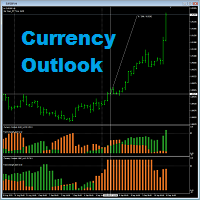
Currency Outlook is an indicator that can help us "Trade the right pair in the right direction and at the right time". This indicator analyzes prices of all cross currency pairs of the selected currency and report the result to us in form of double colours histogram diagram. The maximum height of the histogram diagram of the indicator is 100. The indicator is exclusively programming for AUD, CAD, CHF, EUR, GBP, JPY, NZD and USD. A feature for calculating trade lot size has been added to th
FREE

The Prospector Scalper EA is a fully automated Expert Advisor that scalps during high volatility periods using a hybrid lot multiplication algorithm. The EA trades using market orders and hides its decision making from the broker. This EA will work on any pair but works best on EURUSD and USDJPY on the M5 timeframe. A VPS is advisable when trading this system. Check the comments for back test results and optimized settings. Please note: I have made the decision to give this EA away and many more
FREE

The "Irisha" is an Expert Advisor, in which we attempted to implement the ability of trading on smaller timeframes (1-15 minutes). The main idea lies in opening frequent trades and in the ability to "cover" losing trades with profitable ones. However, we had to resort to the Martingale strategy to implement the idea. Due to this, it is recommended to have a large deposit and/or cent account for using this EA. Operation of the EA on a live account can be evaluated here: https://www.mql5.com/en/si
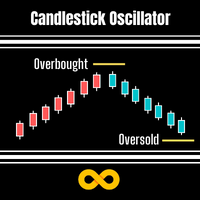
Candlestick Oscillator is a truly unique Oscillator that uses the concepts of within candlestick trading called the Record Session High. This is a method of analysing candlesticks to gauge when a trend might be wearing out and therefore ready for reversal or pause. We call it a record session high when we get 8 or more previous candles that have higher closes. We call it a record session low when we get 8 or more previous candles that have lower closes.
We don't rely on the typical Oscillation
FREE

[MT4] Upgrade Your Trading with Vondereich v1.3 – Powerful MT4 Expert Advisor Take your trading performance to the next level with Vondereich v1.3 , a fully automated MetaTrader 4 Expert Advisor designed for serious traders who want control, safety, and consistent growth. Key Features :
• Auto Compounding based on percentage
• Customizable trading session
• RSI indicator integration for smart entries
• Semi-Hedging (Auto) System
• Adjustable Pipstep and Lot Exponent
• Supports all major pa
FREE

该指标在图表上显示重要的技术水平。 这些水平充当价格走势的支撑或阻力。
最重要的等级是 100 和 50 分的倍数。 您还可以以 25 点的倍数显示级别。
当价格达到该水平时,将显示警报或推送通知。
MT5 版本 https://www.mql5.com/zh/market/product/69740 设置 Show Levels 100 pips - 以 100 点的倍数显示水平 Show Levels 50 pips - 以 50 点的倍数显示水平 Show Levels 25 pips - 以 25 点的倍数显示水平 Color Levels 100 pips - 可被 100 点整除的级别的线条颜色 Color Levels 50 pips - 可被 50 点整除的级别的线条颜色 Color Levels 25 pips - 可被 25 点整除的级别的线条颜色 Send Alert - 发送通知 Send Push - 发送推送通知
FREE

钱德动量振荡器(CMO)指标,支持多时间框架,可自定义视觉信号及可配置警报系统。
自由职业编程服务、更新和其他TrueTL产品可在我的 MQL5主页 获取。
非常欢迎您的反馈和评价!
什么是 CMO? 钱德动量振荡器(CMO)是由图沙尔·钱德(Tushar Chande)开发的动量指标,计算价格上涨总和减去价格下跌总和,再除以总移动幅度。CMO 的范围在 -100 到 +100 之间。高于 +50 表示超买状态,低于 -50 表示超卖状态。 零线作为多头和空头市场阶段之间的分界线。与其他振荡器不同,CMO 不使用平滑处理,使其更加灵敏但也更加波动。特别适合识别强趋势阶段和价格衰竭点。 功能特点: 带箭头和垂直线的视觉信号标记 三个具有可配置触发器的独立信号缓冲区 信号检测选项:方向变化、穿越水平线、峰值/谷值 每个信号的可配置警报功能(邮件、推送、声音、弹窗) 支持插值方法的多时间框架(MTF)功能 柱状图或折线图绘制模式 多种颜色模式(简单、基于方向、基于水平) 通过自定义指标调用(iCustom)访问缓冲区,支持 Expert Advisor(EA)集成 输入参数: 基本设置
FREE
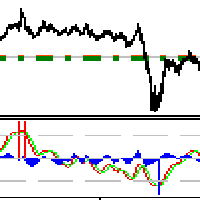
交易实用必备工具指标 波浪自动计算指标,通道趋势交易 完美的趋势-波浪自动计算通道计算 , MT4版本 完美的趋势-波浪自动计算通道计算 , MT5版本 本地跟单复制交易 Easy And Fast Copy , MT4版本 Easy And Fast Copy , MT5版本 本地跟单复制交易 模拟试用 Easy And Fast Copy , MT4 模拟账号运行 Easy And Fast Copy , MT5 模拟账号运行 顺势指标又叫CCI指标,CCI指标是 美国 股市 技术分析 家唐纳德·蓝伯特(Donald Lambert)于20世纪80年代提出的,专门测量股价、外汇或者贵 金属 交易是否已超出常态分布范围。属于超买超卖类指标中较特殊的一种。波动于正无穷大和负无穷大之间。但是,又不需要以0为中轴线,这一点也和波动于正无穷大和负无穷大的指标不同。 相对强弱指标RSI是根据一定时期内上涨点数和下跌点数之和的比率制作出的一种技术曲线。能够反映出市场在一定时期内的景气程度。由威尔斯.威尔德(Welles Wilder)最早应用于期货买卖,后来人们发现在众多的图表技术分析中,
FREE

L'indicatore Go Trend è un indicatore personalizzato per MetaTrader 4 (MT4) basato su una logica di ZigZag con tre livelli di periodi diversi.
Questo indicatore è progettato per identificare i punti di inversione del prezzo (massimi e minimi) su diversi timeframe, aiutando i trader a individuare potenziali trend e punti di ingresso/uscita nel mercato.
Funzionalità Principali Identificazione dei Punti di Inversione (ZigZag) L'indicatore utilizza una logica di ZigZag per tracciare linee che coll
FREE
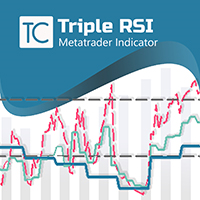
LOOK AT THE FOLLOWING STRATEGY WITH THIS INDICATOR. Triple RSI is a tool that uses the classic Relative Strength Indicator, but in several timeframes to find market reversals. 1. ️ Idea behind the indicator and its strategy: In Trading, be it Forex or any other asset, the ideal is to keep it simple, the simpler the better . The triple RSI strategy is one of the simple strategies that seek market returns. In our experience, where there is more money to always be won, i
FREE

MidPrice_A — The Hidden Power of the Market in a Single Number Looking for a way to see the true market direction without noise, lag, or overloaded charts?
MidPrice_A is a minimalistic yet powerful tool that reveals the pure price impulse , based on a professional market movement logic. What does MidPrice_A do? Unlike traditional indicators that rely on closing prices and often lag behind, MidPrice_A analyzes the candle mid-price and measures how far the market has actually shifted over the last
FREE
Binary Options Assistant (BOA) BURN Signals Indicator provides signals based on Ana Trader Binary Options Strategy. Indicators: MACD & Stochastic
Stop missing trades, stop jumping from chart to chart looking for trade set-ups and get all the signals on 1 chart! U se any of the BOA Signals Indicator with the Binary Options Assistant (BOA) Multi Currency Dashboard .
All BOA Signal Indicator settings are adjustable to give you more strategy combinations. The signals can be seen visually and
FREE
LimitGridEA Pro – Smart & Clean Grid EA for Gold and Forex Trade confidently with a Buy/Sell Limit Grid System powered by technical filters, equity control, and a user-friendly interface. Key Features : Buy/Sell Limit Only – Structured order placement, no spamming, no chaos RSI + Bollinger Band Filters – Ensures entries happen only with clear technical signals Combined TP (per side) – Automatically closes all orders on each side when profit target is hit Average Price TP (opt
FREE

Smart Martin 交易顾问可自动执行基于支撑/阻力水平的交易策略,适用于 EURUSD(H1 时间框架)。 主要特点: 基于突破/反弹的精准入场。 严格的风险管理:固定止损(Stop Loss)和止盈(Take Profit)。 通过波动性分析过滤虚假信号。 策略详情 入场规则
交易水平基于价格技术分析建立。 出场规则
止损(Stop Loss): 入场价200点(固定)。
止盈(Take Profit): 200点(风险回报比1:1)。 参数设置
// 主要参数
input double Lots = 0.1; // 交易手数
input int StopLoss = 100; // 止损(点数)
input int TakeProfit = 200; // 止盈(点数) 建议 交易品种: EURUSD(针对 H1 优化)。 经纪商: 推荐低点差(< 2 点)。 风险管理: 账户资金 $1000,LotSize = 0.1。 仅在高流动性时段交易 (07:00–19:00 GMT+2)。 避免在重大新闻发布期间交易 (内置新闻日历)。 购买顾问的额外福利! 购买此交易顾
FREE

Simple Grid Dynamic Engine – Expert Advisor for Automated Grid Trading Simple Grid Dynamic Engine is a flexible grid-based trading Expert Advisor designed for traders who want structured order management and dynamic position expansion in trending or ranging markets. Signal https://www.mql5.com/en/signals/2364992 Important Note: This is ideally to be used with a trade pad which will close the positions and if needed accrue a basket to TP/SL at a profit.
Compatibility with manual trade panels suc
FREE
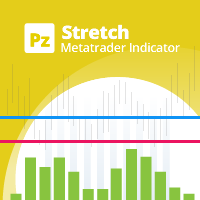
The Stretch is a Toby Crabel price pattern which represents the minimum average price movement/deviation from the open price during a period of time, and is used to calculate two breakout levels for every single trading day. It is calculated by taking the 10 period SMA of the absolute difference between the open and either the high or low, whichever difference is smaller. This value is used to calculate breakout thresholds for the current trading session, which are displayed in the indicator as
FREE

Tester Periods is the useful indicator for visual strategy tester which extend chart periods. Its designed for the trading utility Trade Shell (included Trade Shell SMC ).
Run the Trade Shell on the visual tester. Then put the Tester Periods indicator on the chart. If you wanna see timeframes M1, M5, M10, M15 , for example, then you have to run visual tester on M1 and to define multipliers like that: TimeFrame_Periods_Multiplier = 1,5,10,15 If you wanna see timeframes M5, M20, M30, H1, for
FREE

Stoch Cross 448 Scanner Scan 64 pairs x 7 timeframes for stochastic golden/dead crosses — all from a single chart. | User Manual
------------------------------------------------------------------------ 1. Overview ------------------------------------------------------------------------ Stoch Cross 448 Scanner is a MetaTrader 4 indicator that monitors stochastic cross signals across 64 currency pairs and 7 timeframes simultaneously, displaying all results in a single panel.
Drop it onto any
FREE

I was looking for a lean symbol changer. I could not find any. Normally other products hide lot's of screen space. So I developed a very lean symbol changer Just click on the 2 currencies you want to combine. The order does not matter. If you miss some pairs, you can add up to 5 custom symbols. Please make sure, your broker support your custom symbols. Drag an drop the panel with the green button.
In future I plan to include suffix and prefix als well.
FREE

Indicator automatically draw bullish and bearish engulfing without any rules. Bearish and Bullish engulf is well known area for supply and demand area marking. This indicator can be used in any strategy that required supply demand zone. Show Last Engulf : Enable this option to show unfresh engulfing Candle to calculate : set 0 will load all history bar and can use up more memory Bearish Engulfing Colour : Pick any colour that suit Bearish Engulfing Colour : Pick any colour that suit
-Use this
FREE
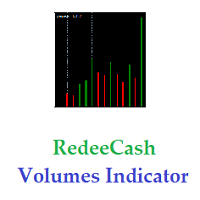
Version History : Date Version Changes 6/20/2022 1.00 Initial release 6/21/2022 1.10 Add global variables for Minimum (SYMBOL_volume_min) and Maximum (SYMBOL_volume_max) History Volumes Description : RedeeCash Volumes Indicator is the Volumes indicator that you have come to trust for market entry and exit with the added benefit of exposing key metrics as global variables. Including global variables in an indicator permits easier interaction with expert advisors (EA) and scripts. When attaching
FREE

Trend indicator derived from T3 moving averages. The cloud is bounded by a fast T3 and slow T3 lines. Buying/Selling opportunities above/below cloud. The fast and slow T3 MA lines can also be used as dynamic support/resistance for more aggressive entries. Use default values for best settings. The number of look back bars is user defined. This indicator can be used in combination with other strategies such as price action. Suitable for all time frames. Prerequisites: T3IndiSlow and T3IndiFast in
FREE

该指标创建一个相对于其他图表指标的通道: 指标 + ATR 和指标 - ATR 。了解价格是否超出您的基准线非常有用。 ATR 水平可以用乘数进行调整。 此版本比其 MT5 版本更复杂,以避免某些 MT4 限制:您需要引入基线的 名称 、 参数 (以逗号分隔的字符串)和 缓冲区 。确保您的基线在 一个 缓冲区中包含所有必要的值(或者您可能需要放置多个实例)。
不支持 基线上的字符串参数,无论引入什么值,都将始终使用默认值。 对于枚举数,使用他们的位置(从 0 开始,对于大多数人来说)。例如对于 MA 模式:sma=0; EMA=1; smma=2; lwma=3
作为一个优势,此指标还显示原始基线,因此您将在同一指标中拥有所有 3 行。您可以使用特殊名称标签访问 MT4 本地指标:在这种情况下,有用的是“<MA>”和“<ICHIMOKU>”(用于 kijun-sen)。还有更多可用,但它们在图表中没有多大意义(也许你也可以从布林带中得到一些东西:<BB>)。
还有一个MT5版本
FREE

A powerful trend analysis tool for traders of all levels Super Trend Analyzer is a technical analysis tool that uses the Relative Strength Index (RSI) and Moving Average (MA) indicators to identify trends in the market. It is a versatile tool that can be used by traders of all levels of experience.
How does it work An uptrend begins when the main trend line and the auxiliary trend line cross from below and the lower minor oscillator is on the rise. A downtrend begins when the main trend line an
FREE

Unlike classic indicators that analyze a specific currency pair, this tool analyzes and compares the individual strength of each base currency against all other major currencies in the market. How the algorithm works:
The indicator calculates the strength of 8 major currencies (USD, EUR, GBP, AUD, NZD, CAD, CHF, JPY) by analyzing 28 currency pairs. Instead of using a standard price delta, it calculates the quote increment for each bar and multiplies it by the tick volume. The strength is then s
FREE

The script tries to determine the overall direction of the market, using smoothed Heiken Ashi candles. The coloring system (using bright and dark colors) is an attempt to detect strong market and weak market conditions. There's also an oscillator within the script
These are the features: Alert condition Features: You can now set alerts in the alert dialog for events like trend switch, trend strengthening and weakening; all for both Bullish and Bearish trend.
I also added the code for custom a
FREE

This is a utility to allow you to quickly add and remove Elliot Wave numbers and letters to your charts allowing you to plot the main and sub Elliot waves for easy chart analysis. Please note, this is not an Indicator that adds the characters automatically, it is a utility to manually add them yourself with ease.
Elliot Characters and Buttons on screen: 0,1,2,3,4,5 A,B,C i,ii,iii,iv,v a,b,c Delete Input Parameters: Colors Font Size Font Type This is a free utility for MT4 only Check out th
FREE

Fast Alerts MT4 — 一次购买,终身提醒。 曾经,为了在市场中保持领先,您需要每月订阅昂贵的平台……
这里$20,那里$50 — 只为每天收到少量提醒。您支付的不是价值,而是因为别无选择。
直到现在。 这个工具由一位交易者为交易者打造,让您完全自由地设置任何您关心的价格提醒 — 并在价格进入您的关注区域的毫秒内收到通知。 想象一下:您在图表上设置价格区域,离开屏幕,当价格进入您的关注区域时,您会立即收到实时提醒。不错过任何机会,无需每月付费。 为什么选择 Fast Alerts MT4? 根据您自己的交易水平设置自定义价格提醒 不再为有限的通知支付费用 一次性购买 — 终身拥有 由真正的交易者打造,而不是试图让您订阅的公司 下载免费演示版,亲自体验 — 它确实有效 无论您是关注价格行为、供需关系,还是支撑与阻力区域 —
Fast Alerts MT4 不只是另一个指标。
它是交易者的沉默助手,为您监控图表,只在最关键的时刻提醒您。 因为聪明的交易者不会追逐市场 — 他们等待市场向他们靠近。
FREE

ForexFanclub(FFC) : For detailed instructions and our official website, please visit my profile ! InteractiveMA: Real-Time Moving Average Control Stop wasting time opening settings dialogs just to tweak your Moving Average. InteractiveMA puts complete control of your trend analysis directly at your fingertips, allowing you to cycle through MA types and periods instantly on the chart. Whether you are a scalper needing rapid adjustments or a long-term trader refining your entry, this tool ma
FREE

Rung 趋势指标。该指标识别并用不同颜色标记价格变动的主要趋势,同时消除噪音和与主要趋势相反的短期价格变动,而不对其作出反应。 指标是确定市场当前趋势的工具。在默认设置下,上升(“看涨”趋势),指标用绿线标记,下降趋势(“看跌”)趋势 - 当价格在通道中移动时,用红线标记为横向或持平的价格走势,指标没有反应。走廊或横向价格变动的值可以通过指标设置进行调整。
指标设置说明 限制点 - 走廊的大小,以点为单位。 coefficient_smoother - 平滑系数。 警报 - 显示包含用户数据的对话框。 Text_BUY - 购买信号的自定义文本。 Text_SELL - 卖出信号的自定义文本。 Send_Mail - 向在“邮件”选项卡上的设置窗口中指定的地址发送电子邮件。 主题 - 电子邮件的主题。 Send_Notification - 向移动终端发送通知,其 MetaQuotes ID 在“通知”选项卡的设置窗口中指定。 该指标表示最后一根柱线的趋势变化,该柱线正在形成并且可以改变其方向,因此等待固定柱线的信号很重要。
FREE

Shadow Height mt4 阴影指示器。
将烛台阴影的大小(以点为单位)显示为直方图。在三种模式下工作,用户可选择。 指标设置说明 Mode - 指标操作模式,三种模式:第一种高度 - 上下烛台阴影的显示模式;第二个区别 - 烛台阴影差异的显示方式,上下烛台阴影之间的差异;第三个优势是一个交易日的烛影累积差异,该模式不超过4小时。 Shadow Height mt4 阴影指示器。
将烛台阴影的大小(以点为单位)显示为直方图。在三种模式下工作,用户可选择。 指标设置说明 Mode - 指标操作模式,三种模式:第一种高度 - 上下烛台阴影的显示模式;第二个区别 - 烛台阴影差异的显示方式,上下烛台阴影之间的差异;第三个优势是一个交易日的烛影累积差异,该模式不超过4小时。
FREE

Asa Manual Grid Buy Sell with UI is made for Grid trading when orders are placed above and below a set price, creating a grid of orders at incrementally increasing and decreasing prices.
Main Features Ability to set buy grid with 3 maximum orders. (200 in full version)
Ability to set sell grid with 3 maximum orders. (200 in full version)
Easy to use with simple interface. Have 2 mode of Take Profit and 1 for Stop Loss.
Real time information for the current open positions and calculate averag
FREE

Most performance stats live scattered across the terminal's History tab — win rate isn't shown anywhere, profit factor needs a calculator, and there's no clean way to hand a summary to a prop firm, a signal subscriber, or your own records. Trade Report Generator reads your account's closed-trade history directly from the terminal and turns it into two things: a live on-chart summary panel, and a one-click, fully self-contained HTML report you can open in any browser or print straight to PDF. On-
FREE

The GPT Trading MyFXBook Dashboard is an advanced visual tool that lets you monitor multiple trading accounts in real time, in a simple, organized and intuitive way. It is designed for professional traders, multi-account managers, trading teams and prop firms. What it does It shows the account summary of all connected accounts in a single window: EA or strategy name, account number, initial balance, current balance, equity, real-time floating P/L, absolute profit and profit percentage. The EA n
FREE

Created for signal providers, as well as for participation in various forex contests(and not only), can independently open an unlimited number of orders on the indicators Stochastic Oscillator A series of experts: Lucky Star RSI and MACD, Lucky Star WPR, Lucky Star RSI, Lucky Star MA, Lucky Star SO, Lucky Star MACD, Lucky Star MA and SO, Lucky Star MA and MACD , Lucky Star SO and MACD the probability of winning real money in management or bonuses to real accounts ( read more on this in my bl
FREE

智能趋势线提示, 专业趋势线, 支撑线和阻力线提示
特点: 自动与点击模式,可将任意新绘制的线转换为提示线 (趋势线或水平线); 在较高时间帧内隐藏来自低时间帧的线,避免在图表上显示过多不同时间帧的线,从而造成混乱; 自动切换时间帧,当在较低时间帧里点击较高时间帧的线时; 自动展平水平线,如果用户使用趋势线来绘制支撑或阻力线; 自动支撑至阻力反转,反之亦然; 自动线颜色, 描述, 线形和宽度设置; 当价格触及某条线,则该线闪烁 (直到用户在图表上点击关闭); 当触及某线,该图表自动置上; 连声提示,夜间和日间模式声音类型 (直到用户在图表上点击关闭); 单声提示并弹出消息框; 移动通知; 邮件通知; 图表上的控制台; 自动隐藏控制板; 图表剪裁.
如何使用: 加载指标至图表; 控制台将出现在图表上; 使用 MetaTrader 趋势线或水平线工具,在您希望的价位绘制一条线; 如果自动模式启用, 新的线将被自动转换为提示线, 如果点击模式启用, 新线在点击后转换为提示线。
当价格触及支撑或阻力线,将会发生什么: 指标将图表带到其它图表的上面; 指标将切换到该线所属的时间帧; 该线开
FREE
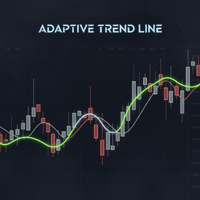
Powered by SVX Strategies Quant Team This indicator is a Smart Trend Regime Filter that changes its state based on internal market strength. Automated Trading Options:
Stop guessing the trend. Use our official algorithms for automated execution: Copy "Friday Pulse" (Conservative) Copy "SVX AI Systems" (High Growth) HOW IT WORKS
It fuses the smoothness of an EMA with the sensitivity of the RSI to filter out noise. Color Logic: Green Line: Bullish (RSI > 55). Buyers are in control. Red Line: Bea
FREE

1.每月,每周和每日枢轴计算每个时期的开始和结束数据。
这在图表上提供了一条简单的线,用于识别枢轴的位置并减少计算误差。
3.即使您不了解如何计算枢轴,该指示器也将帮助非常快速地定义仪器的主要枢轴。
4.您还可以比较每周和每日的支点,以便您更好地了解价格的位置。
5该指标将帮助您更有效地交易,更接近阻力或支撑。
1. Měi yuè, měi zhōu hé měi rì shū zhóu jìsuàn měi gè shíqí de kāishǐ hé jiéshù shùjù.
Zhè zài túbiǎo shàng tígōngle yītiáo jiǎndān de xiàn, yòng yú shìbié shū zhóu de wèizhì bìng jiǎnshǎo jìsuàn wùchā.
3. Jíshǐ nín bù liǎojiě rúhé jìsuàn shū zhóu, gāi zhǐshì qì yě jiāng bāngzhù fēicháng kuàisù de dìngyì yíqì de zhǔyào shū zhóu.
4. N
FREE

Equity Curve Overlay – MT4 Equity Curve Overlay 是一款适用于 MetaTrader 4 的指标,可将账户的净值曲线直接显示在主图上,与交易品种的价格走势进行可视化对比。 主要功能: 在主图上绘制净值(Equity)曲线 实现净值与价格走势的直观对比 可调节的缩放因子与垂直偏移,用于精准对齐 可选显示前一交易日的最高价与最低价水平 输入参数: EquityScaleFactor :用于调整净值曲线与价格值匹配的缩放因子 EquityOffset :净值曲线的垂直偏移(可正可负) ShowPrevDayHighLow :是否显示前一交易日的高低点标签 ColorHighLabel 、 ColorLowLabel :高点与低点标签的颜色设置 使用场景: 本工具适用于以下用途: 在回测中可视化评估策略表现 对比净值增长与市场价格行为 提供基本参考,用于策略优化与调整 兼容性: 适用于 MetaTrader 4 平台 可在实时行情与策略测试器中使用 不会影响其他指标或 EA 的正常运行 由 LM | Trading & Development 开发
FREE

Drawdown Alerts Free ! Meta Trader 4 Indicator. Please leave a review about this product to help other users benefit from it. This Drawdown Alerts indicator shows the drawdown percentage in real time and alerts you when the limit you specify is reached. Calculation of drawdown depends on the amount of the trade balance. ! New version upgraded :: + Drag & Drop + Symbol + TF + Alert On Off Button You can customize Drawdown Alerts for Corner - Left , Right , Up , Down X Y Color Number of deci
FREE

Cat趋势VZ是一个不断改进的指标,具有准确和有利可图的入场信号。
Cat Trend vz指标线根据趋势方向改变颜色,指标在价格反转点绘制箭头。
此外,Cat趋势VZ指标实现了关于箭头外观的声音和文本警报。
重要提示:指标不重绘。
猫趋势VZ的主要特点: 分析函数
它可以在任何货币对和时间框架上使用; 指标不重绘; 这是其他指标的一个很好的补充; 不需要过滤器进入; 图形功能
占据图表上最小数量的位置; 柔性酊剂; 简单易学;
猫趋势VZ的主要特点: 设置
长度-平滑深度; 相位是在-100内变化的参数。.. +100,影响过渡过程的质量; 移位-指示器沿时间轴的移位; 输入价格海关-计算指标的价格选择(0-"关闭",1-"开放",2-"(高+低)/2",3-"高",4-"低"); JMA移动线No.1-设置JMA的第一个移动平均线; JMA移动线2号-设置第二个JMA移动平均线; CCF移动平均线-设置CCF移动平均线; Cjcf移动平均线-设置CJCF移动平均线; 平均周期MA-平均MA的周期; 计数条-要读取的条数; 线路显示
行-显示行真/假;
FREE
MetaTrader市场提供了一个方便,安全的购买MetaTrader平台应用程序的场所。直接从您的程序端免费下载EA交易和指标的试用版在测试策略中进行测试。
在不同模式下测试应用程序来监视性能和为您想要使用MQL5.community支付系统的产品进行付款。
