 MetaTrader 5
 专家
专家
 指标
指标
 程序库
程序库
 实用工具
实用工具
 窗口小部件
窗口小部件
 规则
规则
适用于MetaTrader 4的新EA交易和指标 - 232
 EA交易自动执行市场交易,而指标可使您更准确地分析报价并预测价格行为。
通过这些应用程序,您将能够更明智地在MetaTrader 4执行交易,抓住更多的交易机会。
EA交易自动执行市场交易,而指标可使您更准确地分析报价并预测价格行为。
通过这些应用程序,您将能够更明智地在MetaTrader 4执行交易,抓住更多的交易机会。 
Vision Expert Advisor is based on two strategies working one with each other . One strategy uses limit orders with small stops and high profit target and the second strategy uses market orders with small profits , placed at the peaks or bottoms of the price movements .
Limit orders are placed at most probable return points of the price and then it rides the trend until the profit target is achieved .It also has a built-in Breakeven function in case the price returns and goes towards the stop
~*~*~*~* ~* ~* ~* ~* ~* ~*
*2023/07/19 Ncon1.91公開しました。 ~*~*~*~* ~* ~* ~* ~* ~* ~*
**************************************************************************************
ストラテジーテスターでトレードの練習を出来ます。 デモ口座でトレードの練習を出来ます。 動作保証はありません。 利益を保証するものではありません。
如何なる損失をしたとしても使用者の自己責任となります。
機能によってストラテジーテスターとデモ口座のどちらかで動かないものもあります。
**************************************************************************************
::主な設定項目:: マジックナンバー コメント 通貨ペア同期 コントロールボタンロック
ミニコントローラー ロットサイズ自動計算 リスクパーセント自動計算
最大ポジション数 最大スプレッド
FREE

Risk Disclaimer: Foreign Exchange is one of an unpredictable market in the universe. Backtest which author provided could not guarantee that they will have an excellent result in forward trading. As the above reason, please be aware if you use this EA with large amount funding which you could not effort to lose. Live Results !!
Live Signal 1 -> Please PM for link Summary:
The Collector, same as its name, this EA is semi-fully automated Expert which will act as your representative. It will ru

̶D̶i̶s̶c̶o̶u̶n̶t̶e̶d̶ ̶p̶r̶i̶c̶e̶ ̶u̶n̶t̶i̶l̶ ̶A̶p̶r̶i̶l̶ ̶3̶0̶:̶ ̶1̶7̶5̶$̶ ̶ ̶!̶!̶!̶
This is a scalper, only trades in high volatility situations, and keep trades open for a short time. The EA is sensitive to delay (latency) in data transmission to the broker, so the use of a low latency VPS is highly recommended. The timeframe does not matter! EA currently only operates on 4 currency pairs: EURUSD, GBPUSD, USDJPY, EURJPY. This expert not use martingale and grid system! In the comments you wi

This EA takes trades based on the 4hr time frame as an intraday trading strategy with respect to the lining up or confluence of the other time frames.. This robot works well on all asset classes listed on MetaTrader 4 or MT5 platform. The Strategy is a high probability one as it seeks to depend on other time frames for considerable momentum to trend so beautifully. There is no Martingale. It executes one trade at a time. It's a true trend EA and you will love the results.. Cheers The input par

EMA Loop Daily Chart (69% wins backtest data) Has an open trade all of the time except when a trade is closed by the take-profit. Buy or sell signal triggered when EMA 1 crosses EMA 2. No stoploss is used. Trade is closed when a signal for the opposite trade entry is received. Has promising results for the Daily chart of EUR/USD Parameters Used EMA 1 – (6) < (20) Buy EMA2 – (6) > (20) Sell Money Management Uses Betting Fibonacci with the initialization value being (0.01 lots). Lot size determine

Round Numbers Osw - 心理与机构水平 Round Numbers Osw 是一款专业指标,旨在自动在任何 MetaTrader 5 图表上绘制整数和心理价格水平,使交易者能够快速直观地识别供应、需求和机构流动性集中的关键区域。
配置参数指南 输入面板按点数规模区块(10、100、1000、10000、100000 和 1000000 点)划分,允许独立自定义每个级别:
每级参数 (Round Number Points) Show: 激活或取消激活对应点数规模的整数水平网格投影。 Color: 定义图表上线条的颜色,以在主要和次要级别之间保持清晰的视觉层级。 Style: 选择线条样式(点线、实线、虚线),以轻松区分每个价格点的重要性。 Width: 调整线条宽度,以在视觉上强调具有更大机构影响力的水平。 Show Numbers: 激活或取消激活每条投影线上精确价格数值的标签。
视觉解读 该指标在图表上投影出一组动态的水平线网格,对应资产的整数关口。颜色鲜明的粗实线代表宏观机构级别(流动性区块和大型参与者的反应区),而虚线则标记日内微观支撑和阻力位。
操作指

用户手册:SRO 智能标记系统
1. 简介
SRO 指标是一款适用于 MetaTrader 5 的动态绘图工具,专为价格行为和 SMC 交易者设计。其竞争优势在于清晰的视觉效果:它允许您绘制仅指向未来的关键水平线,避免线条穿过整个图表历史。此外,它还会自动为每个对象标注其创建的时间周期。
2. 快速执行命令
该系统使用快捷键操作。只需将鼠标悬停在所需价格上,然后按下:
“S”键(支撑):从光标向右绘制一条水平线。非常适合标记底部和需求区域。
“R”键(阻力):绘制一条水平上限线。用于识别供应区域和高点。
“O”键(订单块):自动为选定的蜡烛图添加边框。绘制最高价、最低价和一条中心线(50%),该中心线代表盈亏平衡点或机构最敏感的区域。
3. 参数设置
在输入菜单中,您可以自定义外观,无需修改代码:
线条(支撑/阻力):
颜色:以视觉方式区分您的区域(例如,红色代表支撑,蓝色代表阻力)。
宽度:调整线条粗细以突出显示更高的时间框架级别(H4、D1)。
样式:选择实线、虚线或点划线。
订单块:
颜色/宽度/样式:自定义高反应区域的边界框。
4. 交易指南和

特别优惠!50美元代替90美元 获取MT5版本 点击这里 ! 让你的移动均线策略实现自动化! "MA crossing bot"是依赖移动均线交叉这一强大且经过时间验证策略的交易者的终极助手。这个多功能交易机器人可以在两条移动均线交叉时提醒你或自动开仓,帮助你精准把握关键市场趋势。不论你是经验丰富的交易者还是自动化系统的新手,MA crossing bot都能无缝地实现策略自动化,让你专注于其他任务或交易机会。 但这个EA远不止一个简单的交叉提醒系统。它包含多个高级过滤器,如添加第三条移动均线、使用RSI (Relative Strength Index)过滤低质量交易,甚至结合枢轴点以提升准确性。这确保了你不是交易所有交叉信号,而是只交易最有胜算的设置。 真正让MA crossing bot脱颖而出的是其全面的订单管理系统。你可以完全自定义交易日,选择固定手数或按账户百分比管理风险,甚至可以设置在达到一定利润或亏损时停止交易。这种灵活性使你可以根据自己的风险承受能力和交易目标调整EA,提供高度个性化的交易体验。 EA还包括Break Even、Trailing Stop以及在盈利时

购买奖励 购买此 Expert Advisor 后,您可以免费获得我在 Market 中的任意其他 Expert Advisor,无需额外付款。购买后请通过 MQL5 内部消息系统联系我,以安排领取奖励。 概览 EA Perfect Balance EURJPY H1 是适用于 MetaTrader 4 上 EURJPY 的 Expert Advisor。工作周期为 H1。每笔交易都使用止损和 Take Profit。 交易逻辑 策略使用多个信号模块。信号按照计算出的强度进行分组,交易手数可以通过基于余额的资金管理进行选择。默认配置以 0.01 的起始手数为基础。最终手数必须根据经纪商合约规格进行检查。 资金管理 设置包括 Enable Balance、mmLotsStart 以及余额管理允许的最大手数。如果更改起始手数,请在测试前重新计算所需保证金和最大风险敞口。 风险与测试 平均交易数量和历史测试结果可能因经纪商数据及市场条件而变化。请使用计划中的手数在模拟账户中测试。只使用风险资金。历史结果不保证未来结果。 支持 有关安装和设置的问题,请通过 MQL5 内部消息系统联系我。

Ethereum Finisher 是一个专业的自动交易系统,专为 MT4 平台和 ETH/USD 对设计和优化。
该系统在您的终端上独立运行,您可以在您的计算机或 VPS 上运行它,因为在机器人运行时必须打开计算机。
机器人一天 24 小时分析市场,因此它比人类更有效。
更新和优化是持续进行的,并将提供给买方。
机器人将得到进一步发展,这将有助于在未来实现更好的交易效果。
不要使用危险的策略。只有真正的止损和获利。
即使您的互联网连接或电力中断,您的订单也会受到保护止损。
机器人 Ethereum Finisher 的工作原理。
机器人很少进行交易,但它们的质量很好,所以请耐心等待,让机器人启动并在几个月内检查结果。 机器人的工作,为了让机器人以最佳方式工作,在您的终端上的 ETHUSD(5M 时间范围)图表上运行它,最低存款为 250 美元。
购买后记得联系我获取设置文件
推荐杠杆为1:500
如果您想使用不同的杠杆,请在资金管理中使用适当的设置。
交易的杠杆百分比余额 1:500 1% 1:100 5% 1:50 10% 1:30 17
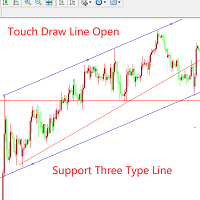
如果对该产品感兴趣或者有疑问,以及需要任何帮助,可以添加作者微信或者whatsapp:17317545896 这个EA是一个辅助交易工具。 第一次触碰到手动画的线会自动开单入场,支持3钟线:1.趋势线 2.横线 3.通道线。试用的时候,请将描述字段改成“1”,触摸一次后,线将会失效,变成白色。 使用教程请看图片!!!!!!!!!!!!!!!!!!!!
订单管理功能:1.逆势加仓 2.顺势加仓 3.移动止损 4.移动止盈 5.特殊时间段关闭所有订单。 使用者可以根据自己的需求,灵活的设置参数。下面是所有参数的介绍。
extern string TouchTrendLineTrade = "------Open an order when touch the lines-----";
extern bool UsingTouchTrendLineOpen = true; //是否开启触碰趋势线入入场
input bool UsingTouchChannelLineOpen = true; //是否开启触碰通道线入场
extern int PointsAwayFromLin

Investment Castle 指标 — 一眼看懂趋势
一款简洁、不重绘的趋势指标,能在任何时间周期上即时告诉您市场倾向哪个方向。它与 Investment Castle EA 内置的趋势引擎完全相同——让您的决策始终站在行情的正确一侧。
它能为您做什么 清晰的趋势方向: 在每个时间周期上一眼看清主导方向。 图表上的表现数据: 命中率和胜率直接显示在图表上,您可自行判断。 不重绘: 信号固定不变——您看到的就是实际发生的。 体系的一部分: Investment Castle EA 的趋势核心,可与心理关键价位(支撑与阻力)指标自然搭配。 处处适用: 任何品种、任何周期。
适合人群: 希望在入场前快速、真实地判断方向的趋势交易者。
风险提示: 交易存在重大亏损风险。请务必先在模拟账户上测试,并使用您能接受的风险设置。过往表现不代表未来结果。
FREE

Investment Castle 支撑与阻力 — 自动买卖位
不再手动绘制支撑与阻力。该指标自动为您标出关键的买入和卖出价位,并按方向为K线着色,让市场倾向的一侧一目了然。它与 Investment Castle EA 内置的支撑与阻力引擎完全相同。
它能为您做什么 自动买卖位: 支撑与阻力自动检测并绘制——无需手动画线。 方向颜色提示: K线默认买入变蓝、卖出变红(可在参数中调整)。 更快决策: 立刻看清价格可能反应的位置以及偏向哪个方向。 体系的一部分: Investment Castle EA 的支撑与阻力核心,与心理关键价位配合使用。 处处适用: 任何品种、任何周期。
适合人群: 希望获得干净、客观的支撑/阻力位而免去手动绘图的交易者。
风险提示: 交易存在重大亏损风险。请务必先在模拟账户上测试,并使用您能接受的风险设置。过往表现不代表未来结果。
FREE

EA TOUMED
****** Only 10 copies Availible for $399 ******* ****** Final price $1499 *****
EA Toumed 是 低风险 的 专业剥头皮专家。 专家选择最佳切入点,然后使用价格分析。 专家不使用网格,mar,套利。 每个位置都有视觉止损保护。 所有未平仓交易均附有基于尾随止损和尾随获利系统的控制算法。 专家还具有防止失窃,NFP新闻和日间交易过滤器的功能,可让您以固定手数进行交易或使用基于MM模块的自动手数计算。
********非常重要******** : 在对Demo进行专家测试之前,检查点差(最大0.3点) 点差不应超过0.3点(使用ECN或Raw点差帐户) 推荐经纪人: Exness.com ; ICmarkets.com
好处 价格变动分析器; 动态偏移校正系统; 多阶段利润关闭算法; 每笔交易都有止损保护; 未使用的指标、,、套利; 高传播保护; 时间和日期过滤器; 灵活的设置。
参数
FixedLot- 固定交易手; MM- 使
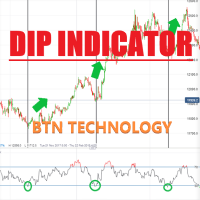
DIP指示器Oshime 该指标基于Oshimegai(逢低买入)。这基于移动平均线,因此该指标指示基于长期趋势和短期趋势的线。 因此,当您进行短时交易时,此指标非常有用。因此,当您应该出售或购买仓位时,可以轻松地在 M5 或 M15 和 M30 火焰中找到。 如何使用 蓝色向上箭头-价格将上涨(您应该获得买入的位置。) *什么是Oshimegai(逢低买入)?- https://btntechfx.com/?product=what-is-oshimegaibuying-on-the-dips 参数设置(可定制) Candle_Index Audible_Alerts
MT5版本从这里开始!
https://www.mql5.com/ja/market/product/65648?source=Site+Profile -------------------------------------------------- -------------------------------------------------- ----------------------------

PatternVol EA是根据其对市场的观察创建的,包括样式,烛台分析,烛台数量分析,并且该EA不包含指标。目前,顾问程序是我的非指标策略的小型构造函数,您可以分别禁用和启用每个策略,也可以从多个策略中进行组装。顾问的工作一直持续到今天,添加了新策略,改进了算法。将来,它将成为非指标策略的大型聚合器(构造函数),每个人都可以在其中组装自己的交易策略。
*建议将EA交易用于ECN帐户(5位数字)和带有H1时间范围的EURUSD对。
EA交易使用严格的SL和TP设置。
Test DEMO: https://www.mql5.com/ru/signals/978514
EA交易参数
Slippage - 最大滑点级别
OnOff ... - 启用/禁用策略(1 =启用\ 0 =禁用)
Lot... - 未平仓头寸的数量
TakeProfit ... - 固定利润
StopLoss1 ... - 损失固定
Volume... - 入口蜡烛的体积。
FREE

The adviser is based on breakdown of levels 2 Stochastic. Has the built-in mechanism of calculation of profit and also closes all open positions on Take Profit in the general profit. The adviser works at currency pairs: EURUSD, GPBUSD on 5 minute taymfreym. To test the adviser isn't present sense as the tester of strategy even close doesn't make those transactions which are made on the real account. Settings of the adviser for the 4th sign
Lots_St 0.01 (At a deposit of $1000 for both currency

The Trend Reversal Arrow Scalper indicator is designed to find trend reversals on the current timeframe. Trading with it becomes very simple, since the indicator does all the hard work for you to find points of entry into the market. You just have to buy if a blue arrow appears, or sell if a red arrow appears. The indicator also displays dots (red and blue following the arrow). They show the current trend and are also signals for entry (if, for example, you missed the main entry along the arrow)

The indicator is designed to display candles (bars) of a higher timeframe on the current one. The indicator has many settings for the displayed candles, as well as a sound signal that will sound a few minutes (seconds) before the bar closes. Input parameters: BarsCount = 50 - the number of displayed bars of the higher timeframe Auto_Candle_UP_TF = false - Automatic selection of a higher timeframe Candle_UP_TF = 60 - Higher timeframe, if Auto_Candle_UP_TF = false Signal_Close_Candle_UP_TF = fals
VTrende Pro MT4 - MTF indicator for trend trading with a display panel for MT5 *** Videos can be translated into any language using subtitles (video language - Russian)
Although the signals of the VTrende Pro indicator can be used as signals of a full-fledged trading system,
it is recommended to use them in conjunction with the Bill Williams TS.
VTrende Pro MT4 is an extended version of the VTrende indicator. Difference between Pro version and VTrende:
- Time zones
- Signal V - signal 1-2 wave
Developed to assist in binary options retracement operations, this indicator will show the assets with the best retracement percentages!
How it works: The indicator will calculate the total length of each candle from low to high, the total of the body and total of shadows (up and down) and calculate a total shadows percentage of various configurable assets. The counter is updated with each new candle.
ATENTION: Demo on the estrategy tester is not functional to show multiple assets.

Expert Based on Artificial Neural Networks (ANN). The EA learns market patterns from past times and uses them to optimize later tradings based on the learned strategy. Read More About Neural Networks.
Features :
More Easy and Fast Learning Without Complicated input parameters. All TimeFrames and Symbols Supported No Need to Huge and Large Optimizations Use Low Margin for Trading Money Management Options TP/SL/Averaging options Trailing Stop, Break Even Options
This indicator implements the logic behind Traders Dynamic Index to the classic MACD Indicator. It helps to find powerful trende changes and ignore meaningless ones. It is simply the classic MACD indicator plotted with volatility bands on top designed with the sole purpose of being able to ignore trend changes that do not follow an over-extension or over-contraction of the market. The indicator alerts on trend changes after the volatility bands have been breached and implements alerts of all ki
FREE

One of the secrets of short-term trading is knowing when to enter a trade. At the same time, having the potential to earn the maximum number of points, but without excessive incubation in the transaction in the hope of a ghostly profit. And in this we will be helped by a professional Forex indicator for determining goals within the day - Course Market. He will provide you with everything you need to overcome losses due to human emotions. It's time to stop wandering in the dark and gain a clear v

Victoria is a trend indicator used to identify trends in financial markets, indicates the direction of price movement. Flexible indicator settings allow you to receive more accurate signals for opening positions.
The indicator will allow you to determine the current trend. Using this algorithm, you can quickly understand what kind of trend is currently developing in the market. Victoria can be used along with oscillators as a filter.
Victoria is a true range indicator that identifies the rang

Sirius is a simple Expert Advisor that uses Price Action level conditions from the MACD Indicator for opening trades with managing and closing trades based on TEMA and BBWR. Though the algorithms are constantly monitoring the opening and closing of trades, the TP and SL will close on signals and ATR range with possible BE or trailing. The EA was created using advanced Artificial Intelligence combined with simulated walk forward designs. Recommended pairs are listed below. Working on ot
FREE
The Transition Trend indicator shows the points of potential market reversal. The indicator's smart algorithm detects the trend, filters out market noise and generates entry signals and exit levels. Simple, visual and efficient trend detection. Uses just one parameter for settings. The indicator does not redraw and does not lag.
You can set up message alerts as sound or email. Works on all currency pairs and all timeframes. Ready-made trading system.

Expert description
Algorithm optimized for Nasdaq trading The Expert Advisor is based on the constant maintenance of long positions with daily profit taking, if there is any, and temporary interruption of work during the implementation of prolonged corrections The Expert Advisor's trading principle is based on the historical volatility of the traded asset. The values of the Correction Size (InpMaxMinusForMarginCallShort) and Maximum Fall (InpMaxMinusForMarginCallLong) are set manually.
Recomme
FREE
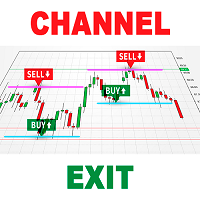
As you know, the price always moves in a certain channel and when the price goes out of the channel, it always tends to return back to the trading channel The Ind Channel Exit indicator will help you not to miss the price going out of the channel It can show an alert or send a message to the terminal on your smartphone that the next bar has closed above or below the channel levels It has a minimum number of settings and the main parameter is the Channel Multiplier , which determines the width o
FREE

'TAVOR' is an amazing trading robot by 'The Israeli tactics' group , developed by Israeli programmers who specialize in forex trading. Our bot can analyzes trading by times, so what needs to be done is a back test of which times are best, fill in TP / SL. you can set that after each losing trade then the next trade will be double the amount so the profit will be linear. This expert advisor opens one deal a day at the time you choose, so it is advisable to run several at a time each on a diff

MartBear EA - New Smart Trading Methodology!
MartiBear robot is very simple, and very promising money making machine! No complicated setup! No long-term optimization! No special set files! Working on any trading pair (best EURCHF/AUDUSD)! Recommend starting balance 500usd/eur for lot size 0.01. Low Risk with proportional profit! The robot doesn’t require any additional setup, just pick the trading lot and go ahead!
Default setting is : Step : 400 Lot : 0.01 Mult : 1.2 TP : 100 MagicBuy : 567

The free distribution of the advisor is over!
This version of the EA with limited functionality.
Full version and description here: https://www.mql5.com/en/market/product/64451 Monitoring the advisor: https://www.mql5.com/ru/signals/975873
We recommend using the EA in any market with a low spread and good liquidity.
The following currency pairs have been tested: EURUSD, GBPUSD, USDJPY
Fully automatic trading with the calculation of entries based on the analysis of the pattern shadow and fi

The Incognito RSI indicator is an advanced internal strength index. It transforms the signal so that the low-frequency components lag behind much more than the high-frequency components. In general, the data of the last bar has more weight than the previous data, like an exponential moving average.
The indicator demonstrates not the relative strength of the compared trading instruments, but the internal strength of a single instrument, therefore it is the “Internal Strength Index”. This is an
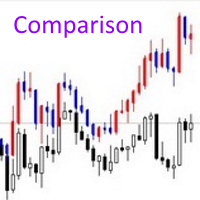
The Comparison indicator can be used as an independent trading system. It is based on the idea that some currency pairs follow each other. The indicator allows you to simultaneously display another chart on the chart of one currency pair, which allows you to anticipate some movements and quite accurately determine the beginning of trends.
The principle of trading by indicator signals is also simple: a currency pair, the chart of which is above, should be sold, and the one below, should be boug
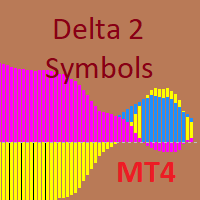
The indicator is designed for pair trading with 2 highly correlated instruments.
Indicator charts can be displayed as lines or histograms. There is an MTF mode, the maximum and minimum deltas for the calculated number of bars are displayed with a check for a specified minimum value. It is possible to enable the calculation of trade operations with checking the current correlation coefficient for the minimum specified, the current delta in points or percent of the maximum (minimum) delta and c
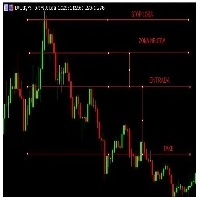
https://youtu.be/Cz76GayNqtM Com esse indicador você não precisa ficar fazendo marcações manuais para encontrar seus canais e níveis de negociação. O channels faz isso por você. Veja o vídeo : Com os canais definidos o trade pode operar seus rompimentos Analisando seu canal de referencia e zona neutra com base na tendencia e nos rompimentos. Tem uma calibragem nas opções onde você consegue estreitar ou alargar mais o canal. Pode definir as cores automáticas das linhas, seus estilos e tamanhos

https://www.mql5.com/en/signals/1217700?source=Site+Signals+Page https://www.mql5.com/en/signals/1244502?source=Site +Signals+Page https://www.mql5.com/en/signals/1258448?source=Site +Signals+My (Daily target 2,5%)
Strategi lihat di deskrisi link di atas
Strategi lain: Buat 3 sampai pada MT4 dengan menggunakan Magic Number yang berbeda, Tiap Windows punya target masing-masing
* Pasar Asia XAUUSD TP:500 SL:375 TF:M5 time start 03.00 - 08.00: ** Pasar Eropa XAUUSD TP:500 SL:
Simple but powerfull Trend and Hedge EA for Lisek Levels and Channels Indicator . 1. Download Lisek Levels and Channels Indicator . 2. Backtest and optimize in Strategy Tester. 3. For Agressive Tick Mode set your Chart to M1 Time Frame. 4. To speed up Strategy Tester, set "Show Info" to false ! 5. After backtesting, it’s important to analyse the test results (best profit and smallest drawdown). 6. Test your EA settings on Demo Account. Happy Trading !!!
FREE

Expert Advisor trading Moving Average and Stochastic strategy combined orders management. The EA uses Grid and Martingale . Default setting for USDCAD 15m / USDCHF 15m / GBPJPY 5m. Strategy working since 2010. Preferred trading account 10000 $. Works with high spread This EA operates only once per bar opening. Fast methods of strategy testing and optimization are valid. User can test / optimize by model: (control point) / (open prices only)
developed, tested and optimized on " V
FREE

Wolf FREE is my another Expert Advisor for GBPUSD . It based on Keltner Channel , Bollinger Bands and Linearly Weighted Moving Average . Wolf FREE has been tested from year 2003 to 2021 . All trades use TakeProfit and StopLoss . This Expert Advisor is "ready to use" , it means, that there is no need to set anything and just launch. Doesn't use Martingale or other dangerous startegies.
Recommendations
Symbol: GBPUSD Timeframe: H1 Deposit: 300 USD Broker: Any broker
Settings CustomCo
FREE

We all dream of becoming a foreign exchange trading expert, making a lot of money and having a large number of trading fans who adore us. There seems to be only one thing standing in our way: actually learning how to enter and leave the foreign exchange market. Most trading strategies put their emphasis on finding out when to enter the market. Whether it’s technical or fundamental, everyone is looking for an entry signal. However, this only covers half of the trade. As any trader knows, there a

I am glad to welcome you on the page of my product The trading system is suitable for both experienced traders and beginners. Eulogy EA is a conceptually new automated trading advisor using a scalping strategy. Experts use unique artificial intelligence technology for market analysis to find the best entry points. EA contains self-adaptive market algorithms with reinforcement learning elements. Reinforcement machine learning differs from supervised learning in a way that it does not need

Описание
Советник торгует от уровней поддержки/сопротивления по тренду. Если тренд развернулся будет использоваться мартингейл. Уровни размечаются на графике вручную, стандартной горизонтальной линией. Также возможна работа и с авто уровнями, описание ниже в описании настроек. Стратегия рассчитана на торговлю на часовом графике, но советник будет работать и на других таймфреймах. Каких либо ограничений в выборе инструмента нету, лиши бы были достаточные сильные уровни поддержки/сопротивления. С

This EA build -in 3 strategies has been developed, tested and traded live on below risk level, pairs and timeframe: Medium Risk - EURNZD M1 Medium Risk - CADCHF M1 Medium Risk - USDCAD M30 Medium Risk - GBPJPY H1 Multiple strategies traded together will lead to a bigger profits and high risk!!!
## ALL STRATEGIES TESTED WITH HIGH SPREAD ##
This EA with only FEW PARAMETERS. Every trade has his own logic to open order and take profit. It also allow user input his OWN STOPLOSS amount of sa
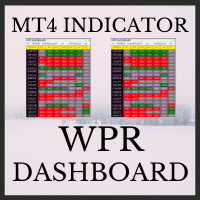
WPR Dashboard uses the value of William's Percent Range indicator. The parameters can be adjusted via the Edit boxes of this dashboard. The monitoring pairs will be selected by adding to the Market Watch (no need to set prefixes or suffixes) , you can monitor many pairs as you like. This dashboard will check almost popular time frame (M1,M5,M15,M30,H1,H4 and D1). The colors can be customized. We can have a look at many pairs and many time frames without opening the chart. In addition, we can
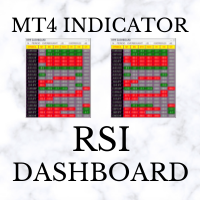
RSI Dashboard uses the value of Relative Strength Index indicator. The parameters can be adjusted via the Edit boxes of this dashboard. The monitoring pairs will be selected by adding to the Market Watch (no need to set prefixes or suffixes) , you can monitor many pairs as you like. This dashboard will check almost popular time frame (M1,M5,M15,M30,H1,H4 and D1). The colors can be customized. We can have a look at many pairs and many time frames without opening the chart. In addition, we can

Professional strategy This EA clearly controls the market and and performs a statistical price analysis. The best technologies for professional trading: universal strategy that always works! All this is available in this versatile robot!
What should be remembered. Some advice: Don't buy at the top and sell at the bottom. Play with the main trend. Calculate your entry risk. If possible, it is better to choose the market, which is the most suitable for this trading strategy. If you do not have

I am glad to welcome you on the page of my product Gold Pattern EA strategy trades purely price action with no lagging indicators which has a highly developed trading algorithm programmed that has passed through extensive testing over many years. Expert showed stable results on XAU in 2011-2020 period. No dangerous methods of money managment used. Best used with Major Pairs XAUUSD, XAUEUR and is best used with reputable Low Spread ECN Brokers.
Advantages Easy to configure It can be optimized
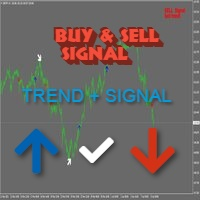
TrendSignaler Shows the best trend detection results for all currency pairs without redrawing the result. Determining the current trend is one of the most important tasks. The TrendSignaler The indicator does not change its readings 100%, the arrows always remain in their places. Each user can customize the indicator to suit his trading style and currency pair.
Indicator setting Historybars - the number of bars to determine the trend Signal - signal strength, set the value above 50 . Trend -

Bar Meter Indicator is all-in-one indicator was inspired by meter and used some of its code as a template for the graphic objects. It was designed to give alot more precision to both trade entries and exits and provide an instant snapshot of a currency pair's movement. Bar Meter Indicator works on any Currency or Timeframe. Graph of Stochastic Oscillators on timeframes M1 up to D1. Indication of the market trend using EMA's on timeframes M1 to D1. The direction of the MACD on the current chart,
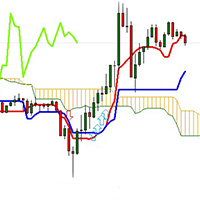
This indicator is trading Ichimoku Triple Cross strategy, that means price crosses Tenkan-sen, Chikou Span crosses price, and Chikou Span crosses Tenkan-sen. Tenkan Sen is not straight as well but towards the new trend. Triple cross happens just before Ichinoku Breakout it signals the creation of a new trend (Reversal) and it is more valid in bigger timeframes like 1 and 4 hours. When there is buy signal the indicator draws a blue arrow below price. When there is sell signal the indicator dr
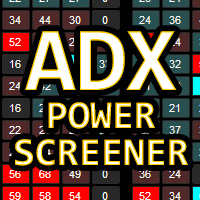
ADX Power Screener MT4 is a very powerful utility. Thanks to the information provided by the ADX indicator , it returns a table with the levels detected on the major timeframes.
Great for checking the quality of a trend and identifying excellent reversal signals which can be accompanied by normal technical analysis to find the best entry point.
The screener can be totally customized in colors and levels. It also uses 2 lists of 28 symbols each, fully customizable through the input panel.

Trading Forex has a million way!
One of the innovative ways is to go against the surf!
Here we fight the market and work out to get our bread and butter from it :) (Trading is risky, and you may loose!)
From here began the idea! Fighting the market.
The Expert uses a combination of : Hedging, Grid and trend strategies to operate.
This operation allows it to arrive safely even if it worked against the surf! (Trading is risky, and you may loose!)
Please find the 99.9% tick data back test res

I am glad to welcome you on the page of my product. Gold Raizo EA is a fully automated EA designed to trade GOLD . It is based on machine learning cluster analysis and genetic algorithms. EA contains self-adaptive market algorithm, which uses price action patterns and standard trading indicators. Expert showed stable results on XAUUSD in 2011-2020 period. No dangerous methods of money managment used. Suitable for any broker conditions. Usage Tips Load the EA and trade using the chart but

Witch Notebook EA is a trading system based on medium-term impulse price fluctuations. Each trade is opened when there is a corresponding trend. Witch Notebook conducts in-depth technical analysis of your chosen currency pair. The Expert Advisor does not use aggressive and dangerous trading methods and therefore is as stable as possible when using certain settings. With its unique filtering algorithm for false market entry signals, Witch Notebook recognizes the best possible entry point to ge
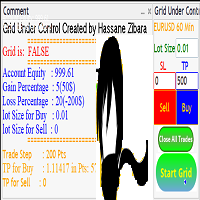
grid under control is an EA that opens an orders buy or sell or both, if the market moves an adverse move the EA will open new trade if the first trade is to buy the EA will open buy or if the first trade is to sell the EA will open sell after trade step as you insert in parameters take a look for the pictures and controller the EA is very simple and easy to use try it for free.

Keltner Channels are volatility-based bands that are placed on either side of an asset's price and can aid in determining the direction of a trend. The exponential moving average (EMA) of a Keltner Channel is typically 20 periods, although this can be adjusted if desired.( Default is 50 here..)
In the Classic Keltner Channels The upper and lower bands are typically set two times the average true range (ATR) above and below the EMA, although the multiplier can also be adjusted based on personal p

Cent Collector is the second Expert advisor of the "Collector" Series :) The first was Penny collector : https://www.mql5.com/en/market/product/61215?source=Site +Profile+Seller And here is the second EA : Cent Collector
Those Experts are designed for Scalpers who cannot wait for ages.. As soon as the Expert realizes the profit it cash out and leave.
If things went wrong, the Expert will work on managing itself by averaging and will cash out as soon as it could.
This version is called Cent

Hello all There have been updates and changes in the way open deals work It is different from the first expert, My Friend EA In opening deals only, and the rest of the conditions are as they were in the past: This expert is a type of oscillator It works on a set of indicators with the profit tracking method With the work of cooling deals with the closure of all together It is preferred to work on the M5 timing Max Spread = 0.3 Broker link from here
https://tinyurl.com/y7xkqz89 arameters:
Lot1

You can get a Bonus: Get my Bolide EA for free, after rating the Huracan Hedger
Huracan Hedger EA is a fully automated Expert Advisor for smart Hedging/Grid Trading. This System is designed very simple and it´s very easy to understand the EA, even for beginners . The EA is focused on the AUDNZD Market- But can be Optimized for every Currency Pair, Index, Stock etc. It is a system designed to restore unprofitable positions, with the integrated Martingale function , if the trade does not
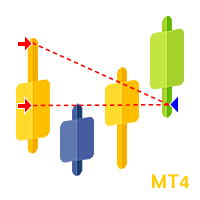
Trade History Plotter is used to draw trades historical position. It's really useful for analyzing previous trades. It can be from manual trade or expert advisor. This trade history plotter is showing open arrow, lines and closing triangle just like a backtest trade history, everything is exactly the same. It can also plot current running trade history Parameters: Plot history Plot running trades Filter by magic number Filter by trade comment Show trade levels Show chart period separator Customi

The Tachikomas Metatrader 4 Forex Robot is an algorithmic expert advisor that opens, exits and manages positions based on the MA cross overs. The logic that is used to define trade entries on TheTachikomas EA is to buy and sell when the condition above are met. All timeframes will work on The Tachikomas expert advisor but our preference falls on the 1- Hour chart. NOTE: The default settings in the EA should be left as is besides - Aggressive Trade settings Set Aggressive to true w
加速存款。
EA有7个设置:
1.Comment(对订单的评论)
2. 批次(批次仅在设置中手动更改)
3. 目标货币(目标货币为存款货币,达到顾问关闭头寸而不进行交易的目标)
4. Magik(订单号)
5. Rsi(确定潜在入口点的RSi周期)
6. Rsi输出(确定退出点的RSi周期)
7. 除了入场价格(从潜在入场水平以点为单位缩进。 设置过滤器(false takeaway)
在平盘中,RSI的退出超过70和30的水平表明即将逆转,相反,在趋势中出现新的运动。
如果你站在反对在一个单位的人群,有机会赶上一个大的运动对其他参与者的止损,但你需要进入的时刻,当他们的照片打破。 这正是顾问创建的目的。 他看到进入超过70或30的水平,并开始等待运动的继续,在崩溃时放置一个限价订单。 要退出头寸,使用周期较短的RSi,以便在大幅回调的情况下保持利润。
关于功能的一点点。
顾问喜欢趋势运动,很容易从中赚钱。
它没有特殊的点差要求,不使用鞅。
每个位置都有自己的止损。
专家顾问可以配置为几乎任何或多或少的趋势工具。
默认情况下,设置在EURUSD,M

Description:
An automatic advisor designed to work on the Forex market. The Expert Advisor belongs to the scalping category. It is based on an adaptive system and does not need indicator settings and optimization. It works on the candlestick opening prices. The optimal pair for the EA is EURUSD , M1 . Stop Loss and Take Profit are always used to protect the deposit in unexpected situations. You only need to set up a money management that is acceptable for you, as well as specify the GMT time o

你好,亲爱的朋友
在外汇市场交易的机器人"Ai Bot",当价格在一定时期内高于前一个高点时打开买入交易。 因此,当价格低于之前的低点时,它会打开卖出。
尽管所有的简单,机器人被配置在这样一种方式,它可以使利润很长一段时间与不同的设置。
"Air Bot"机器人不使用网格,对冲,当市场朝着一个方向或另一个方向前进时,它效果很好。 但即使是平坦的,它也显示出积极的结果,如截图所示。 它不会保持永久开放的交易,因此您向经纪商支付的掉期费用较少。 此外,如果您想在某些新闻或其他原因的时候禁用它,如果您怀疑它,这很方便。
在过去的3年零3个月里,当以恒定的手数打开交易时,机器人显示出显着的结果。
"Air Bot"机器人的细微差别": 1. 可以设置止损,但我不把它,因为机器人被编程为在市场变化时根据某些参数关闭; 2. 在亏损交易的情况下,第二笔交易以10*(第一手)打开,参数可以更改; 3. 您可以更改将打开交易的手数,在资金百分比或确切手数之间进行选择。
建议: 1. 找到一个最低点差的账户,因为获利是100点; 2. 限制第三个鞅交易的开仓,因为已经在第一个亏损时,第二个
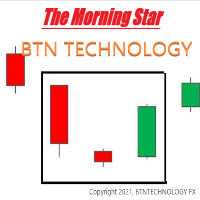
晨星 该指标基于MorningStar。您可以轻松找到何时应该买入。另外,您可以调整参数设置。 *什么是晨星? - https://btntechfx.com/?product=301 如何使用 蓝色向上箭头-价格将上涨(您应该获得买入的位置。) 当您使用 M15 或 H1 指示器时,该指示器可用。 (我们不建议在其他时间使用此指示器。) *使用实时图表代替策略测试者时会显示指标。 参数设置(可定制) AVGRANGE_VAL(您可以调整平均范围的值。) 如果您需要更多功能来添加此指示器,请随时与我们联系! 我们将完全按照您想要修改此产品的方式进行工作。 主页: btntechfx.com 电子邮件:support@btntechfx.com

This is a trading robot to work on EURUSD , with the H1 timeframe. It exploit a statistical advantage with Bollinger Bands and Parabolic SAR that is complemented by a reversion system to the short-term mean, profitable since 2012. Backtest now! Special OFFER for this week Discount price - $ 49. Next price $ 149. BUY NOW!!! Would you like a system that works on real accounts? Use the strength of the God Apollo. TC Apollon EA works with the Bollinger Bands and Parabolic SAR indicators, a
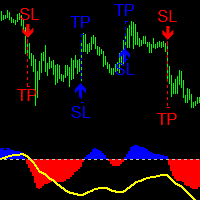
Description
The Quantum Awesome Oscillator indicator is based on the standard Bill Williams Awesome Oscillator (AO) indicator. It has two parts. The lower part is a colored histogram of the oscillator (divided into two sides - above zero and below zero and, accordingly, colored in two colors - blue for buying and red for selling) and a trend curve line (shows the direction of the global trend). The upper part - arrows showing market entry points, as well as dashed lines showing Stop-Loss and Ta
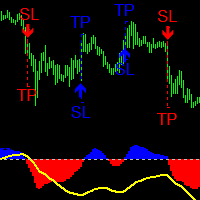
Description
The Quantum Awesome Oscillator Pro indicator is based on the standard Bill Williams Awesome Oscillator (AO) indicator. It has two parts. The lower part is a colored histogram of the oscillator (divided into two sides - above zero and below zero and, accordingly, colored in two colors - blue for buying and red for selling) and a trend curve line (shows the direction of the global trend). The upper part - arrows showing market entry points, as well as dashed lines showing Stop-Loss an
MetaTrader市场是独有的自动交易和技术指标商店。
阅读MQL5.community用户备忘更多地了解我们提供给交易者的独特的服务:复制交易信号,自由职业者开发的自定义应用程序,通过支付系统完成的自动付款和MQL5云网络。
