
Universal Breakout
- Experts
- Sergey Ermolov
- Version: 2.1
- Updated: 14 April 2026
Universal Breakout is a simple and flexible expert advisor for trading range breakouts without unnecessary complexity.
You define the time interval — the EA automatically determines the levels, places orders, and manages the trade.
HOW THE RANGE BREAKOUT STRATEGY WORKS
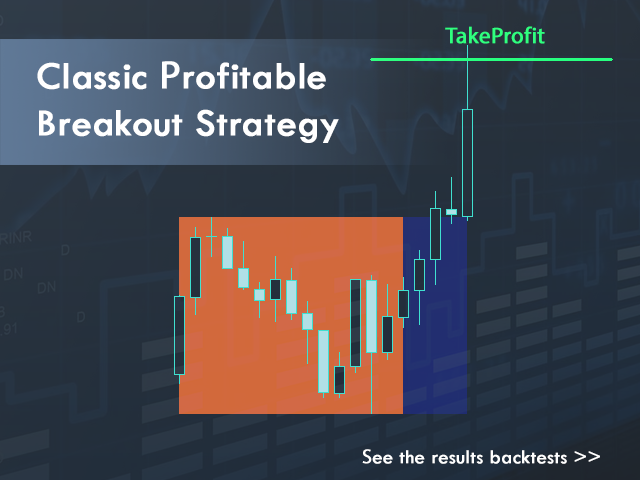
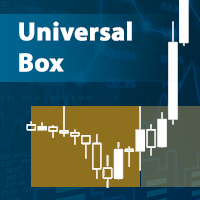
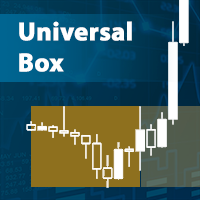
The breakout strategy is based on a simple logic: when price moves beyond a formed range, it often leads to a strong movement.
The range can be based on:
- trading sessions (Asian, European, American)
- daily highs and lows
- individual candles (for example, the first H4 candle of the week)
HOW THE EA WORKS
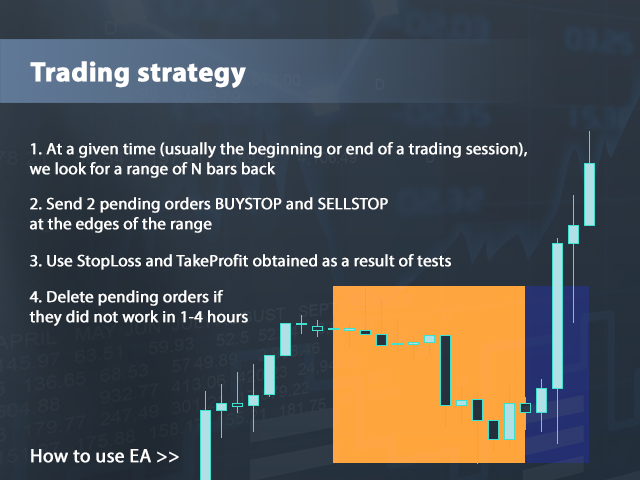
- Range formation
Within the specified time interval, the EA determines the highest and lowest price. - Entry level construction
Based on the identified extremes, levels are calculated for placing pending orders with a specified offset. - Order placement
At the specified time, the EA automatically places two orders:
Buy Stop — breakout upwards
Sell Stop — breakout downwards - Inactive order control
If the price does not trigger the orders within the specified time — they are deleted. - Trade management
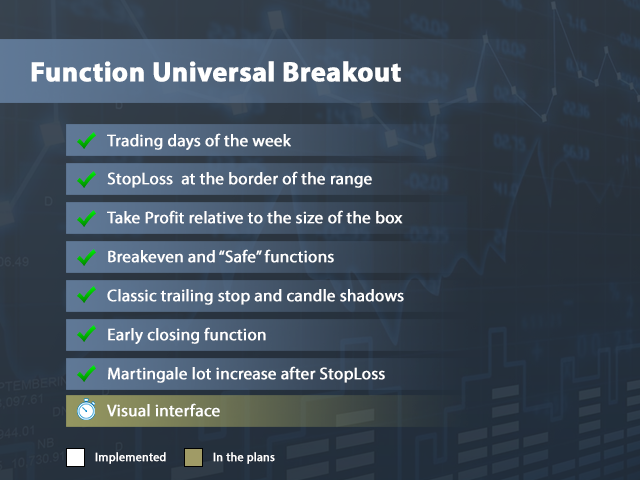
After a position is opened, the EA manages it using: Stop Loss, Take Profit, breakeven, trailing stop
Why it works
The EA does not “guess the market”, but operates based on clear breakout logic, which makes it an understandable tool for testing as well as a practical solution for live trading.
You fully control entry logic, trading time, and risk level.
WHO THIS EA IS FOR
For beginner traders
If you want to try range breakout trading without complex settings and manual analysis — the EA automates the entire process.For strategy testers
You can easily test different ideas: sessions, daily levels, candle ranges — without the need to write code.For breakout strategy users
If you already use level breakouts in your trading — the EA will help systematize and simplify entries.
ADVANTAGES OF THE EA
Flexible strategy configuration
You can use one EA for different approaches: from session breakouts to daily and candle ranges.Ease of use
It is enough to define the time interval and main parameters — the EA will execute the entire trading logic.No martingale or averaging
The EA does not use martingale, grid systems, or other aggressive position scaling methods.Suitable for different markets
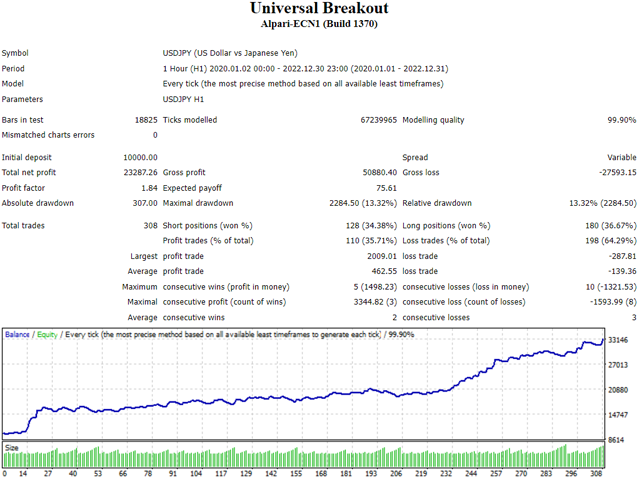
Can be used on Forex, indices, stocks, and commodities.
HOW TO TEST THE EA IN THE STRATEGY TESTER
Before using on a live account, it is recommended to test the EA in the MetaTrader strategy tester.
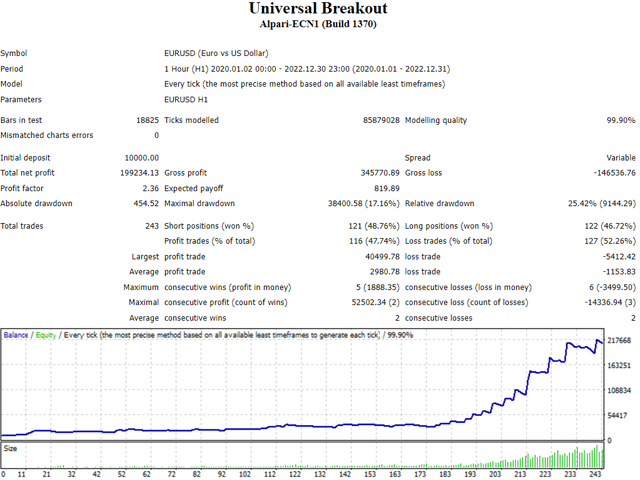
By default, the EA is configured for EURUSD (H1 timeframe). You can start testing with these parameters without additional changes.
Other settings here: download settings
Important: in the strategy tester, the EA cannot automatically determine the GMT offset, so this parameter must be set manually.
THE EASIEST WAY TO CORRECTLY SET GMT
If you have difficulty determining the time offset:
- Attach the EA to a chart during trading hours (it will not open trades immediately — you risk nothing)
- An information panel will appear on the chart
- It will display your broker’s GMT parameter
- Use this value in the strategy tester by setting it manually
IMPORTANT!
If the GMT parameter is set incorrectly:
- the range will be calculated incorrectly
- orders will be placed at the wrong time
- test results will differ from live trading
NO SETUP REQUIRED TO START
If you just want to start trading — download the EA and attach it to the EURUSD H1 chart.
No additional setup is required — the default parameters are already optimized for this instrument and timeframe.
After the first results, you will be able to explore the settings in more detail and adapt the EA to your strategy.
Note!
Do not evaluate the EA based on a single trade. For a proper evaluation, let it trade for at least 1–2 weeks, considering that on average it makes about one trade per day.
ACCOUNT REQUIREMENTS
- Minimum deposit: $100
- Leverage: from 1:10
- Instruments: Forex, stocks, indices, commodities
- Account type: ECN, NDD
EA SETTINGS
Time and range
GMT — broker time offset relative to GMT
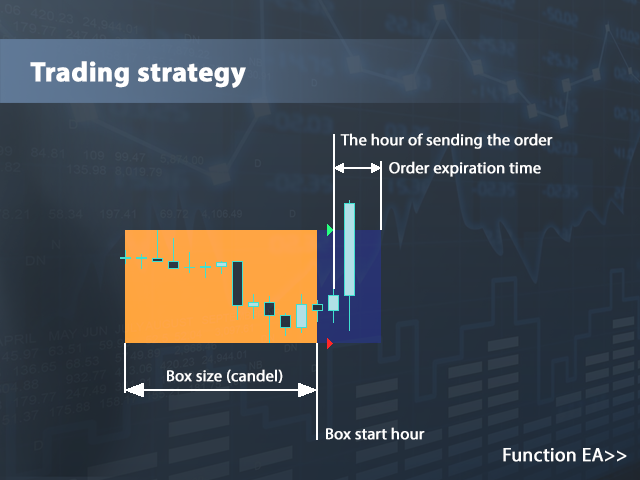
Box start hour — the hour from which the EA starts searching for extremes
Box size (candles) — number of candles used to detect extremes
Money management
Lot calculation type — type of lot calculation
Fixed lot — fixed lot size
The amount of risk per transaction — risk size in % when using dynamic lot
Percentage of the balance — lot calculation as a percentage of balance
Entry and exit
Deviation from extremes — offset from extremes for placing pending orders
Order expiration time (0 - off) — lifetime of pending orders in minutes
StopLoss type — stop type
Fixed StopLoss — fixed stop size
Offset from the opposite side — offset from the opposite extreme for dynamic stop
TakeProfit type — take profit type
Fixed TakeProfit — fixed take profit size
Coefficient from StopLoss — profit coefficient relative to stop size
Trade management
Breakeven type — selection of breakeven or safe function
Breakeven distance — distance to move order to breakeven
Breakeven profit — level to which stop is moved
Trailing type — selection of trailing stop function
Trailing distance — trailing stop distance
Trailing step — trailing step
Trailing min. profit — minimum profit to activate trailing
Trailing candles timeframe — timeframe for candle-based trailing
Number of candles — number of candles for trailing
Close order type — enable/disable early close function
Number of minutes from opening — delay before activation
Close with minimal profit — minimal profit for closing
Trading restrictions
Monday, Tuesday, Wednesday, Thursday, Friday — enable/disable trading by day
Close orders on Friday — delete orders on Friday at specified time
Closing time Friday — time to remove pending orders
Service parameters
MagicNumber — unique EA identifier
comment — order comment
FEEDBACK
If you have questions or suggestions — write in the discussions. If you have tested the EA, share your results — this will help other users make the right decision.
Your feedback and ideas directly influence the development of the EA and the addition of new features.
If the EA was useful — I would appreciate your review.
USER CHAT
You can also join the user community where you can:
- ask questions about settings
- discuss strategies
- share results
Chat link: https://www.mql5.com/en/messages/037bb407b7cbdc01
Start with the default settings and test the EA — then you can adapt it to your strategy.






































































great EA not making random trades. ill definetly buy one paid product when i enaned enough, right now i am only using cent account