
Ind4 Extra Report Pad
- Utilities
-
Vladislav Andruschenko
 👋 Welcome to Expforex
I’m Vladislav, a professional MQL4/MQL5 developer creating MetaTrader tools since 2007.
Expforex develops practical trading solutions for MetaTrader 4 and MetaTrader 5: - Version: 26.731
- Updated: 25 July 2026
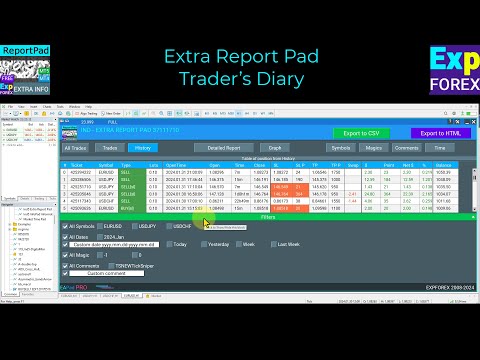
Traders Diary: This is a statistics panel providing analysis of your trading account for MetaTrader 4.
The analysis results are displayed on the chart in real time.
Multicurrency trading is quite popular nowadays. However, the greater the amount of trades, the more difficult it is to analyze the profitability of each of them.
| MT5 version | Full Description +PDF | How To Buy | How To Install | How to get Log Files | How To Test and Optimize | All products from Expforex |
- Analyzing trades by months and calculating statistics per each trade are even more challenging tasks.
- The panel provides an efficient solution analyzing your account and preparing a detailed statistics in real time.
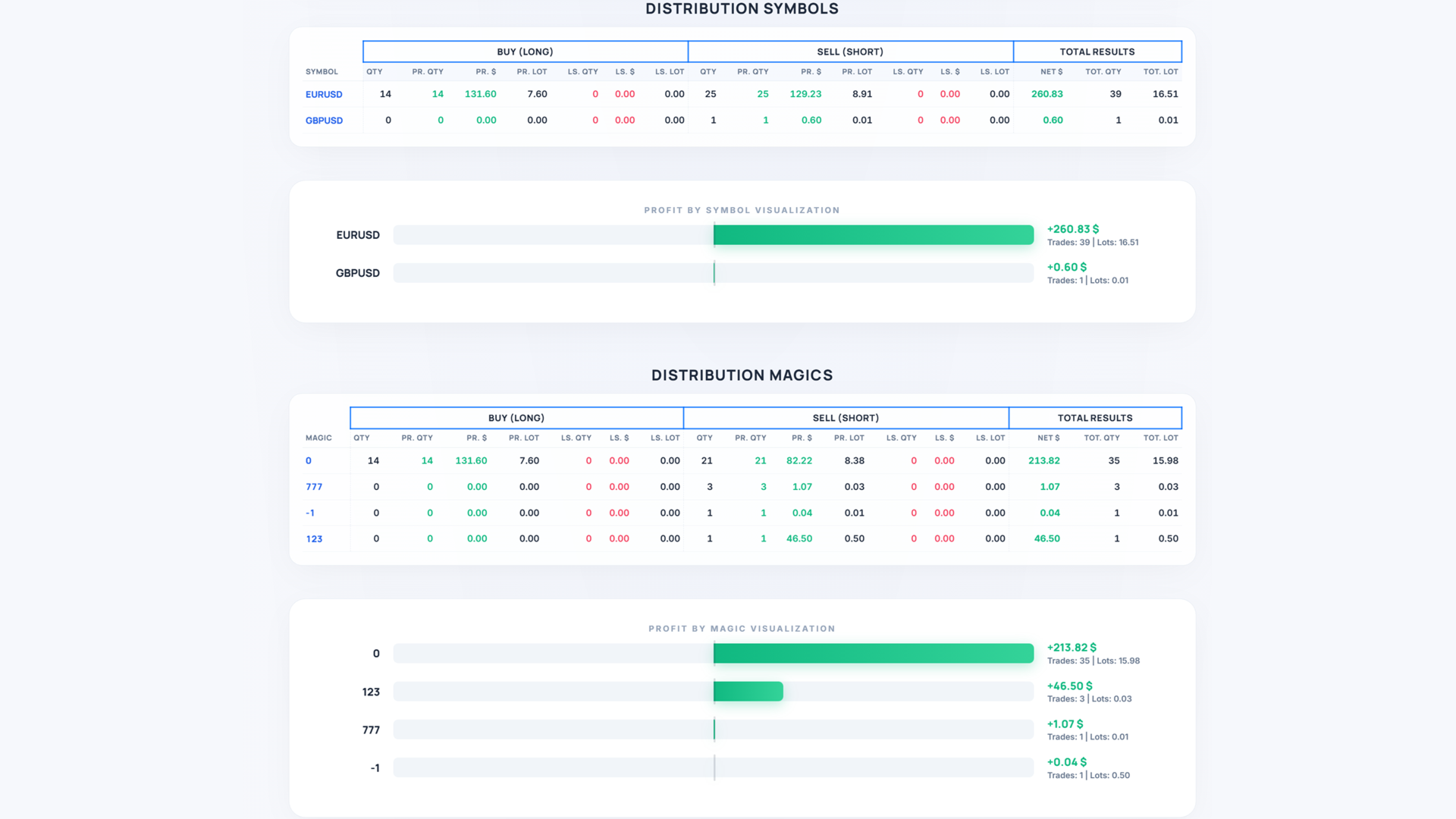
- EXPORT TO HTML is available - our indicator saves all received data in a separate HTML file!
Tabs and controls
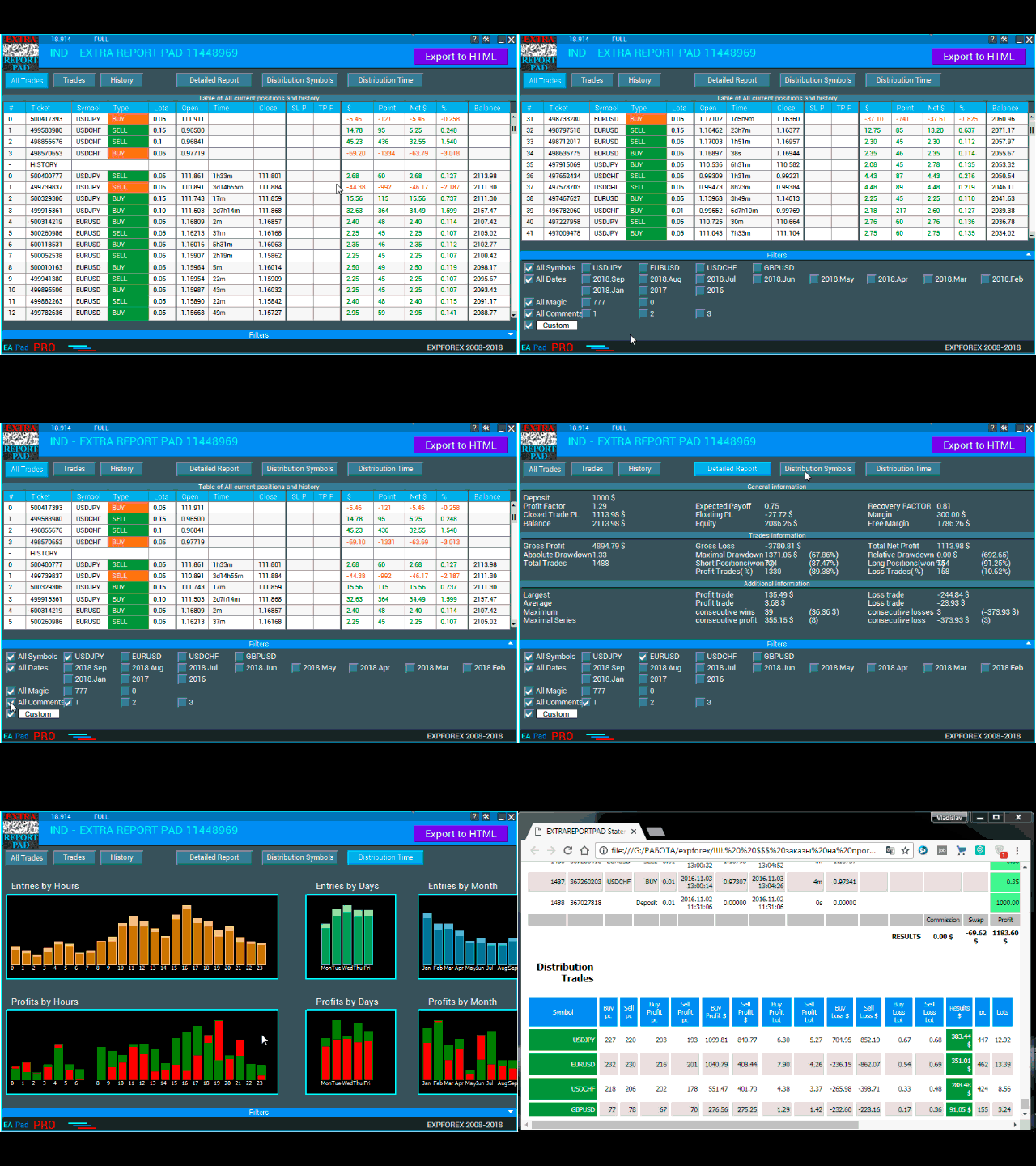
The panel currently consists of six tabs:
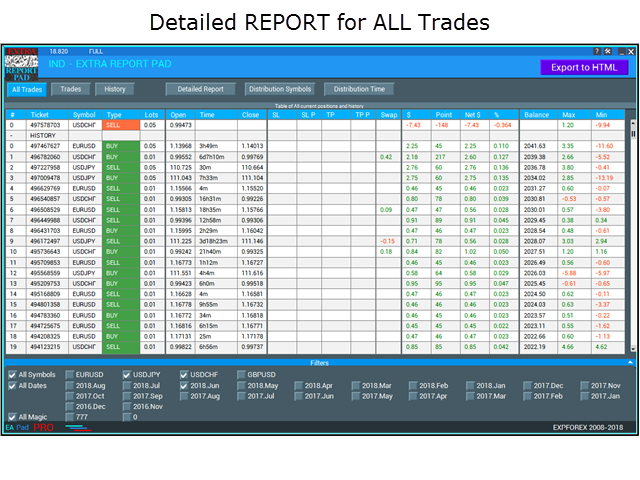
- TRADES - current open trades
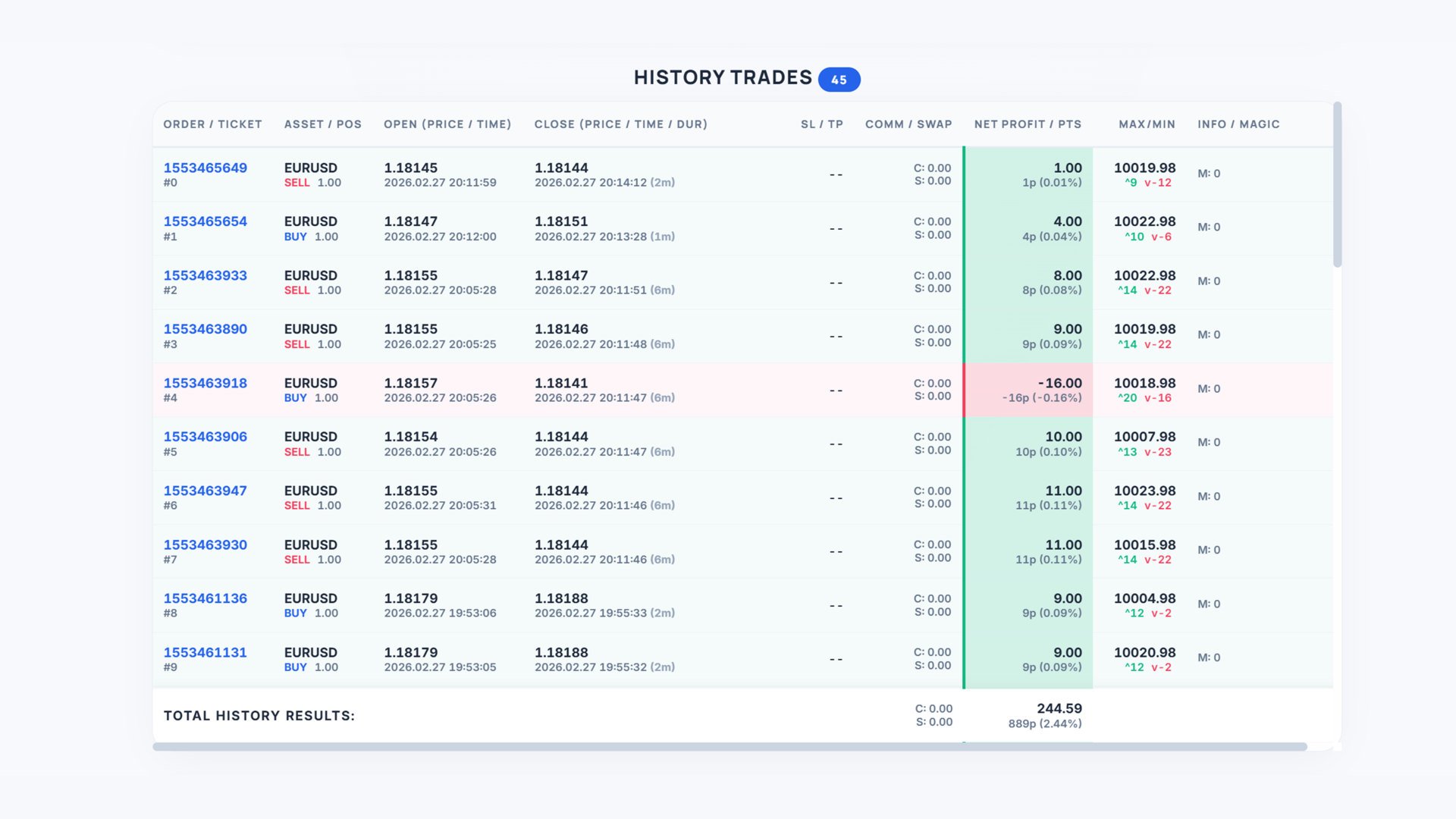
- HISTORY - closed trades in history
- ALL TRADES - open and closed trades
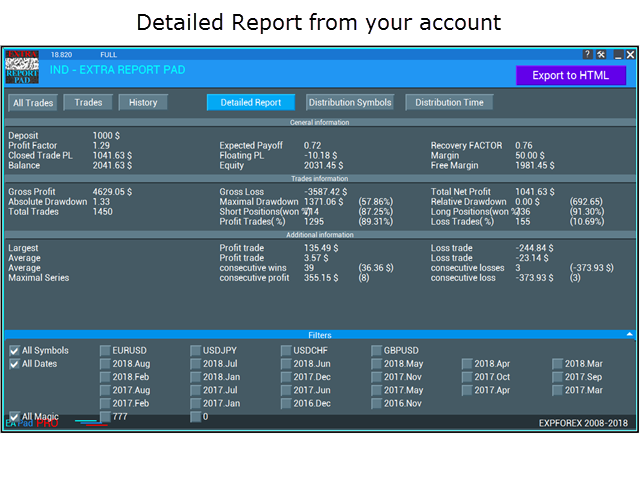
- REPORTS - detailed report on closed trades of your trading account
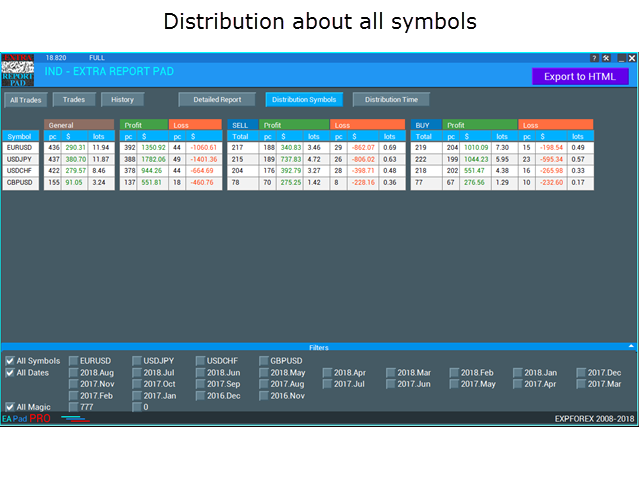
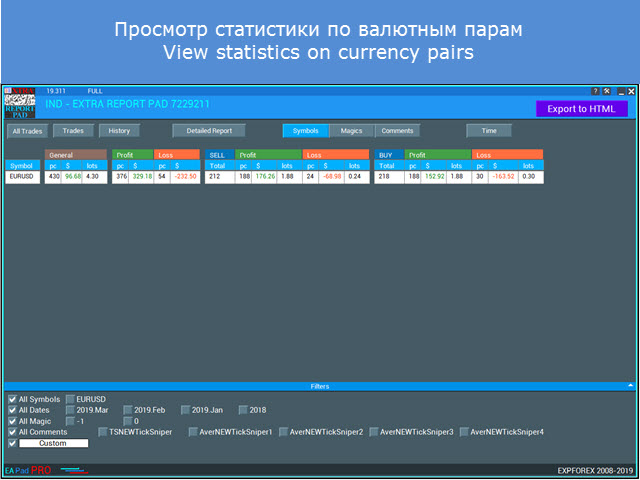
- Symbols - distribution of BUY and SELL trades relative to the total amount and the amount of profitable trades by each symbol. The tab also displays the distribution of profitable trades, including their total profit and lot by each symbol, as well as distribution of loss-making deals by each symbol.
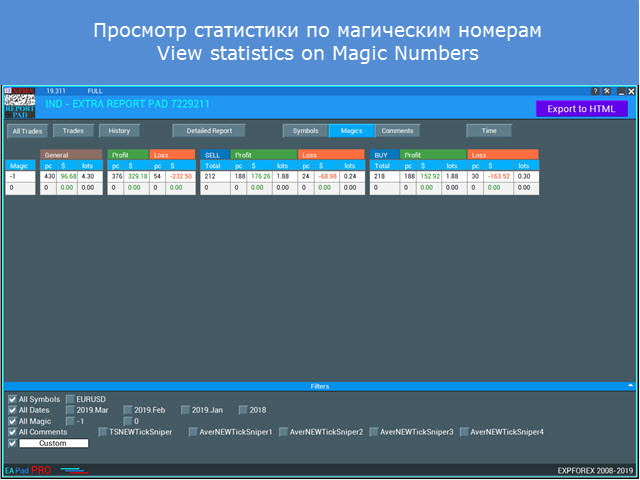
- Magics - distribution of BUY and SELL deals with the total number, as well as the number of profitable deals for each magic number separately.
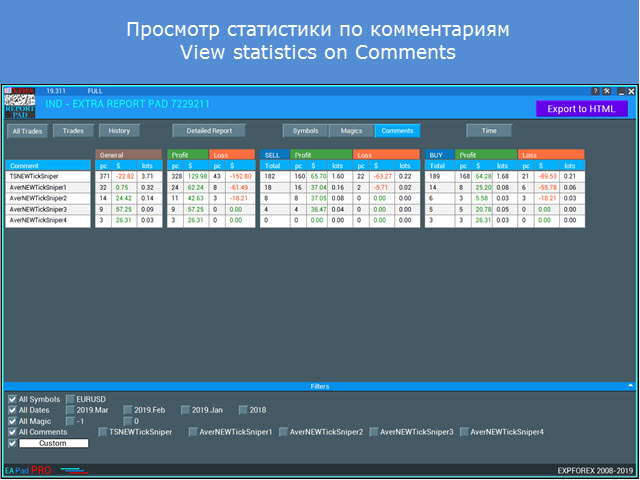
- Comments - distribution of BUY and SELL deals with the total number, as well as the number of profitable deals for each comment separately.
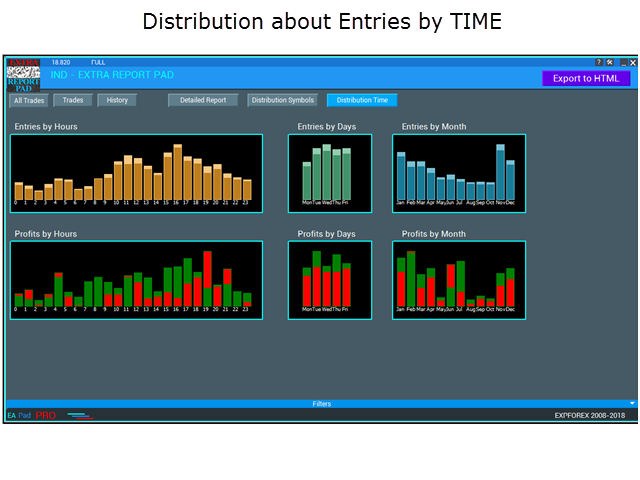
- DISTRIBUTION Time - Shows the number of entries, as well as profit or loss by hours, days of the week and months. If you look at the column name, you can get data on this column
Our panel is based on the advanced template of the VIRTUALTRADEPAD trading panel.
- Filter by symbol, date, magic , comment
Each tab allows you to sort out statistics by available symbols, trading months and magic number.
Trading positions and history tab's columns
- Column_Number - trade serial number in the report
- Column_Symbol - trade symbol
- Column_Type - trade type [what stop was activated at that trade]
- Column_3Lot - position's trade lot
- Column_OpenTime - trade open time
- Column_OpenPrice - trade open price
- Column_CloseTime - trade close time
- Column_TimeBetween - position lifetime in hours and minutes
- Column_ClosePrice - trade close price
- Column_SL - trade stop loss (highlighted, if a trade is closed by stop loss)
- Column_TP - trade take profit (highlighted, if a trade is closed by take profit)
- Column_commission - position commission
- Column_Swap - position swap
- Column_Profit - trade result in the deposit currency
- Column_Points - trade result in points
- Column_NetProfit - net profit
- Column_Percent - net profit percentage relative to the balance at the moment the trade was closed
- Column_Magic - trade magic number
- Column_Comment - position comment
- Column_Balance - balance after closing a trade
- Column_Max - maximum trade price deviation in deposit currency
- Column_Min - minimum price deviation in deposit currency
Expforex, Vladon, Report, Statistics, myfxbook, Trading Journal , account analysis, FxStat, performance statistics, analytics , Analyze your trading system, innovative dashboard































































Easily the best reporting tool I've used