Exp COPYLOT CLIENT for MT4

4.69

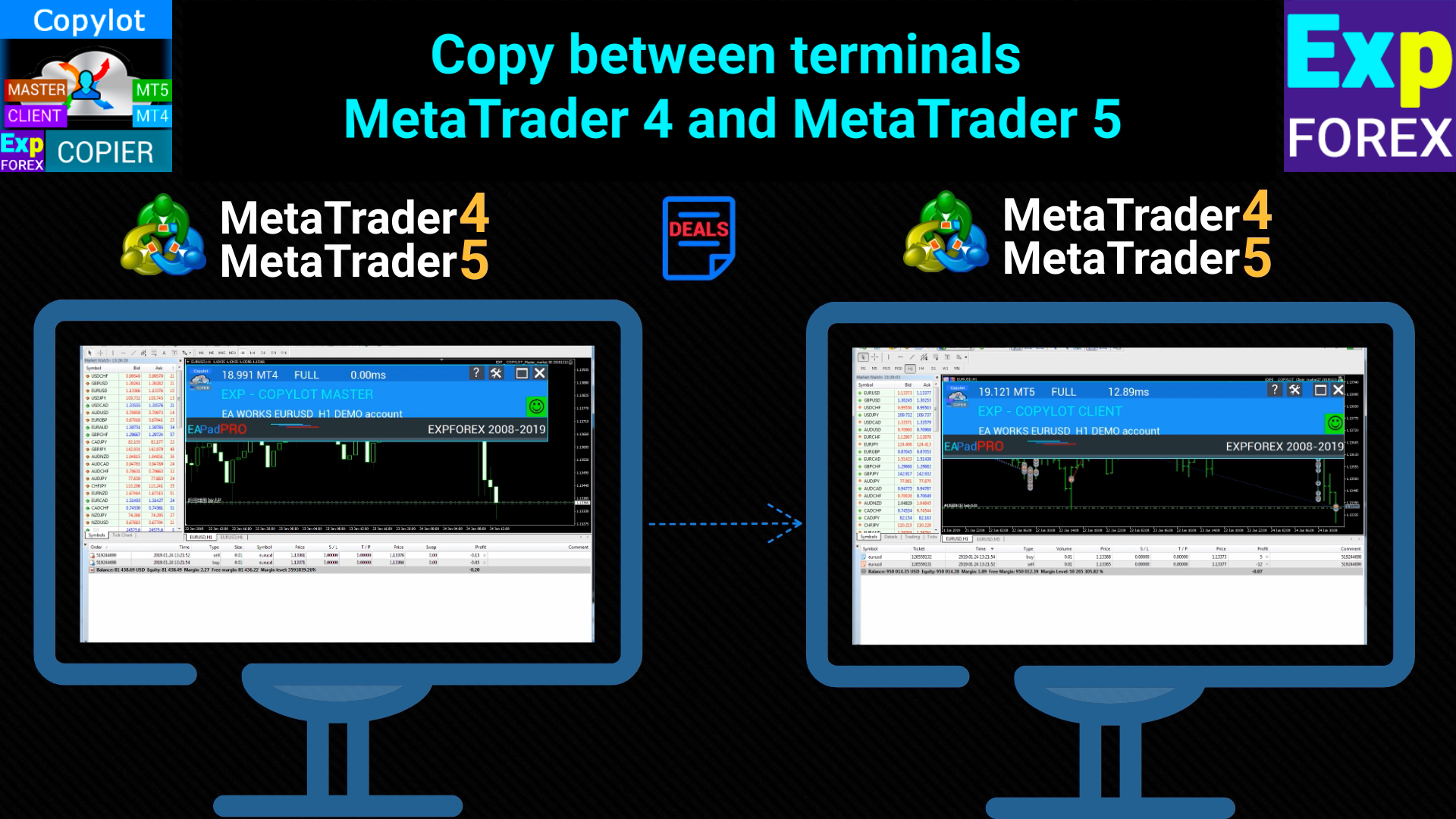
Trade copier for MetaTrader 4. It copies forex trades, positions, and orders from any accounts.

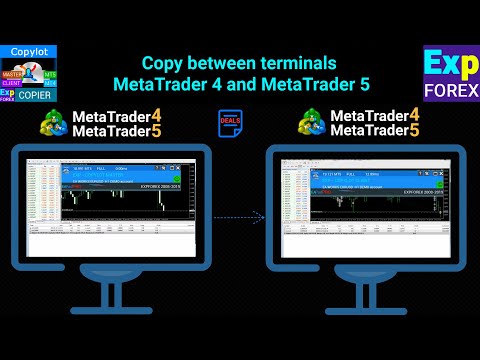
It is one of the best trade copiers MT4-MT4, MT5 - MT4 for the COPYLOT MT4 version (or MT4 - MT5 MT5 - MT5 for the COPYLOT MT5 version).

Copier version for    MetaTrader 5 terminal (МТ5 - МТ5, МТ4 - МТ5)- Copylot Client MT5 

The unique copying algorithm exactly copies all trades from the master account to your client account.
The product is also noted for its high operation speed and Tough error handling.
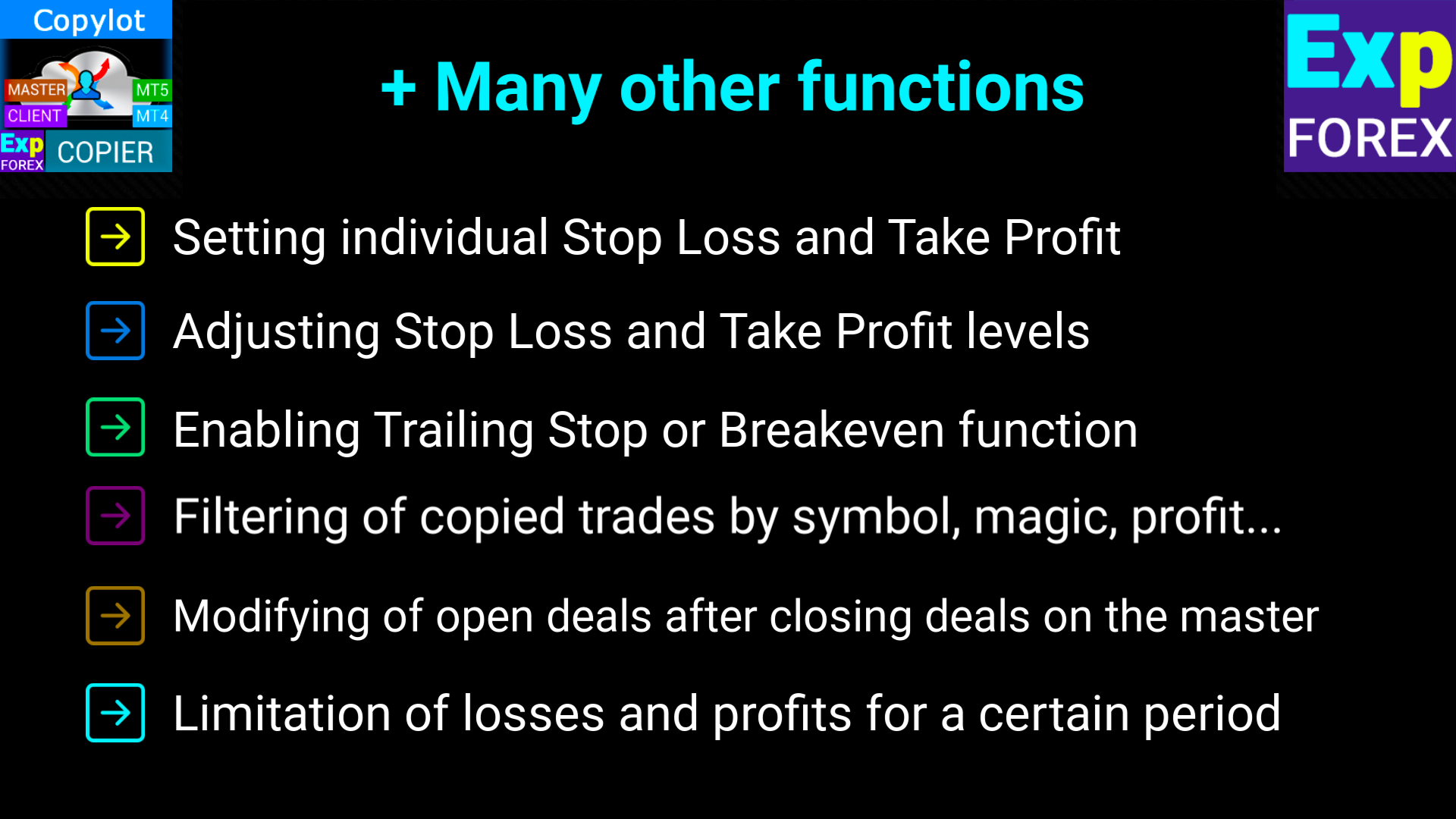
A powerful set of features.
The program can be run on multiple terminal bindings.
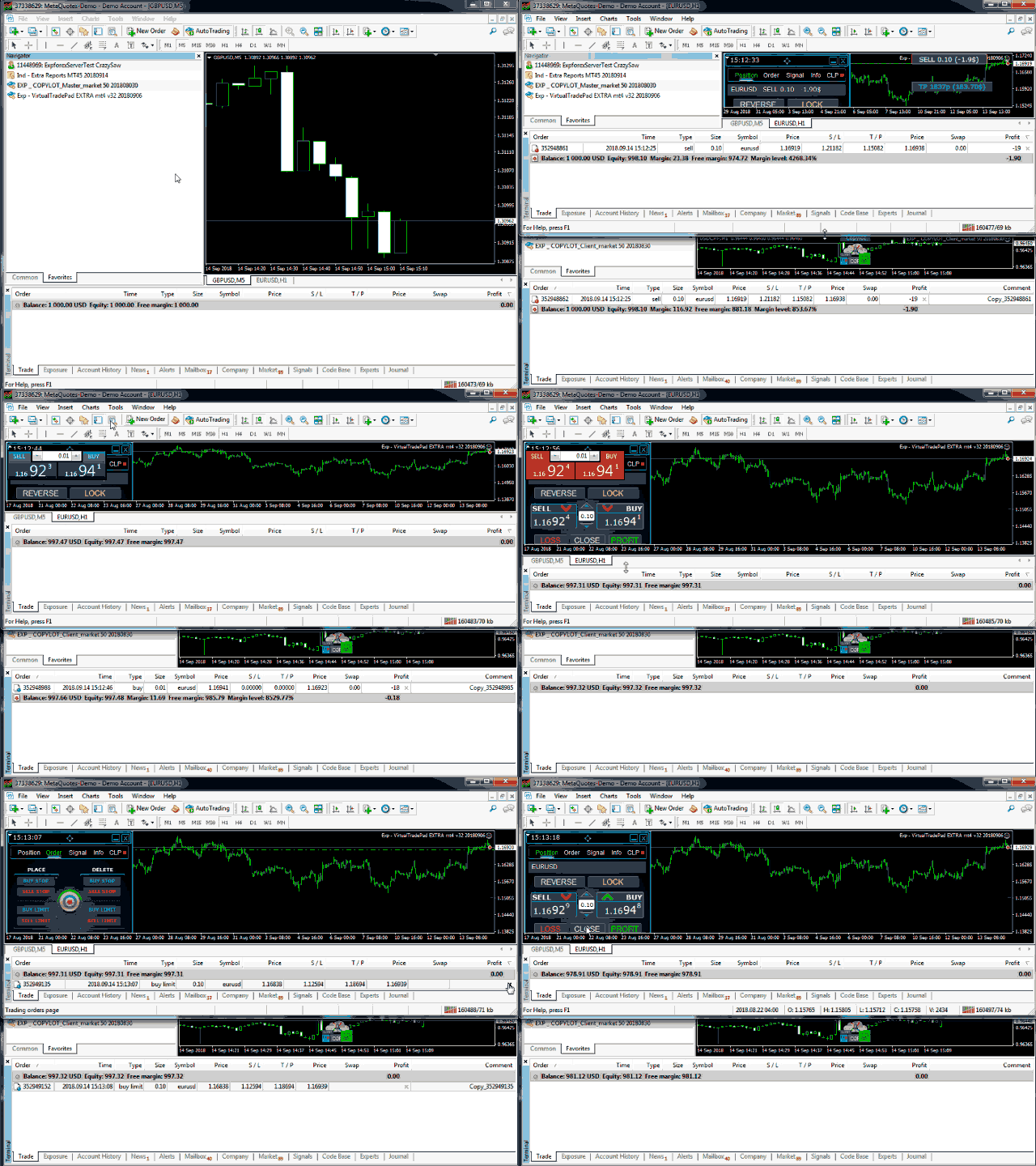
Use it as a synchronizer of your trades on various accounts trading on one account, - COPYLOT will copy your trades to other terminals.
Copy from the closed account opened on Invest password;
Partial close only from mt4 to mt4
Copy from DEMO account to real account;
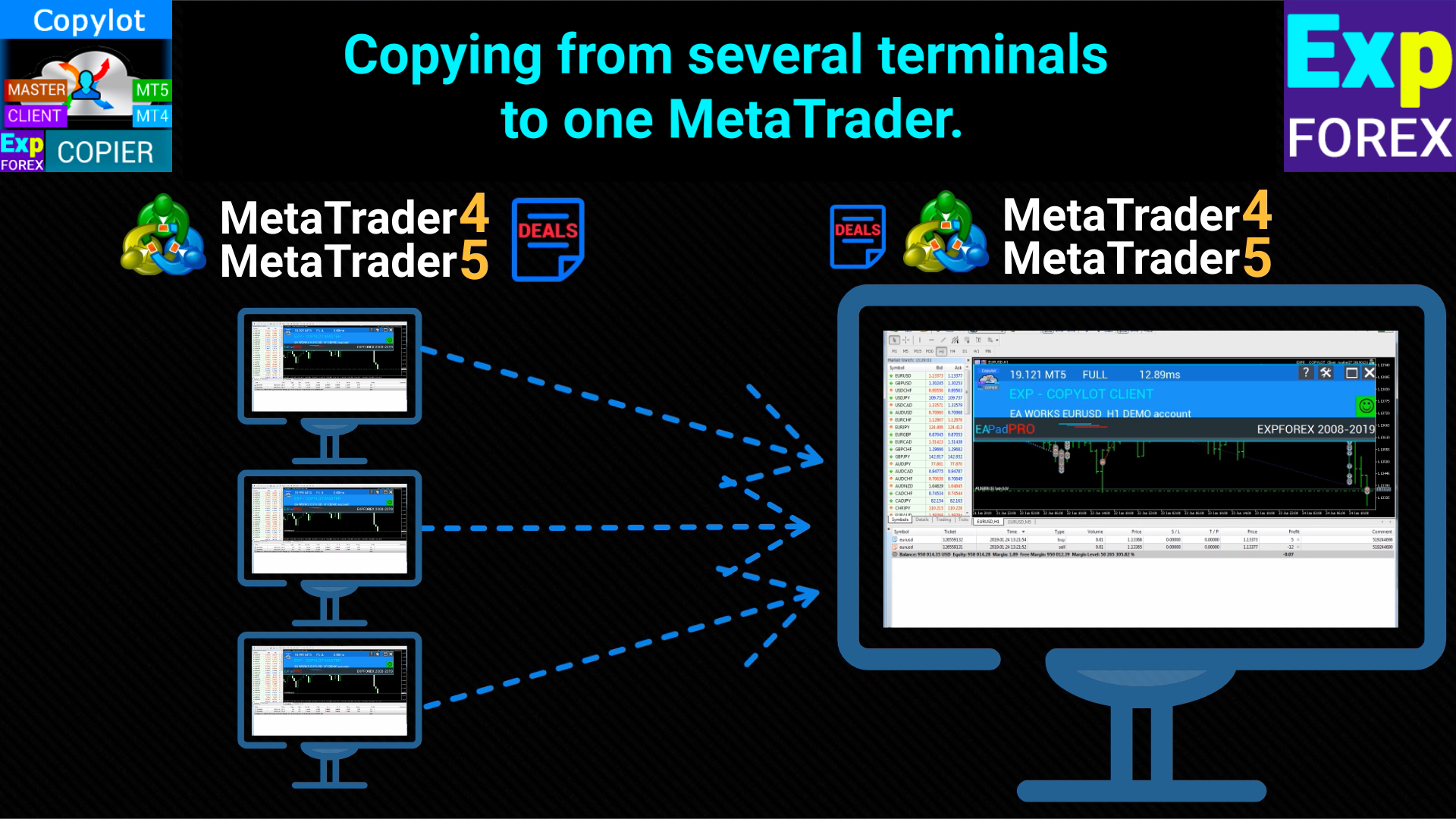
Copy from multiple terminals to one;
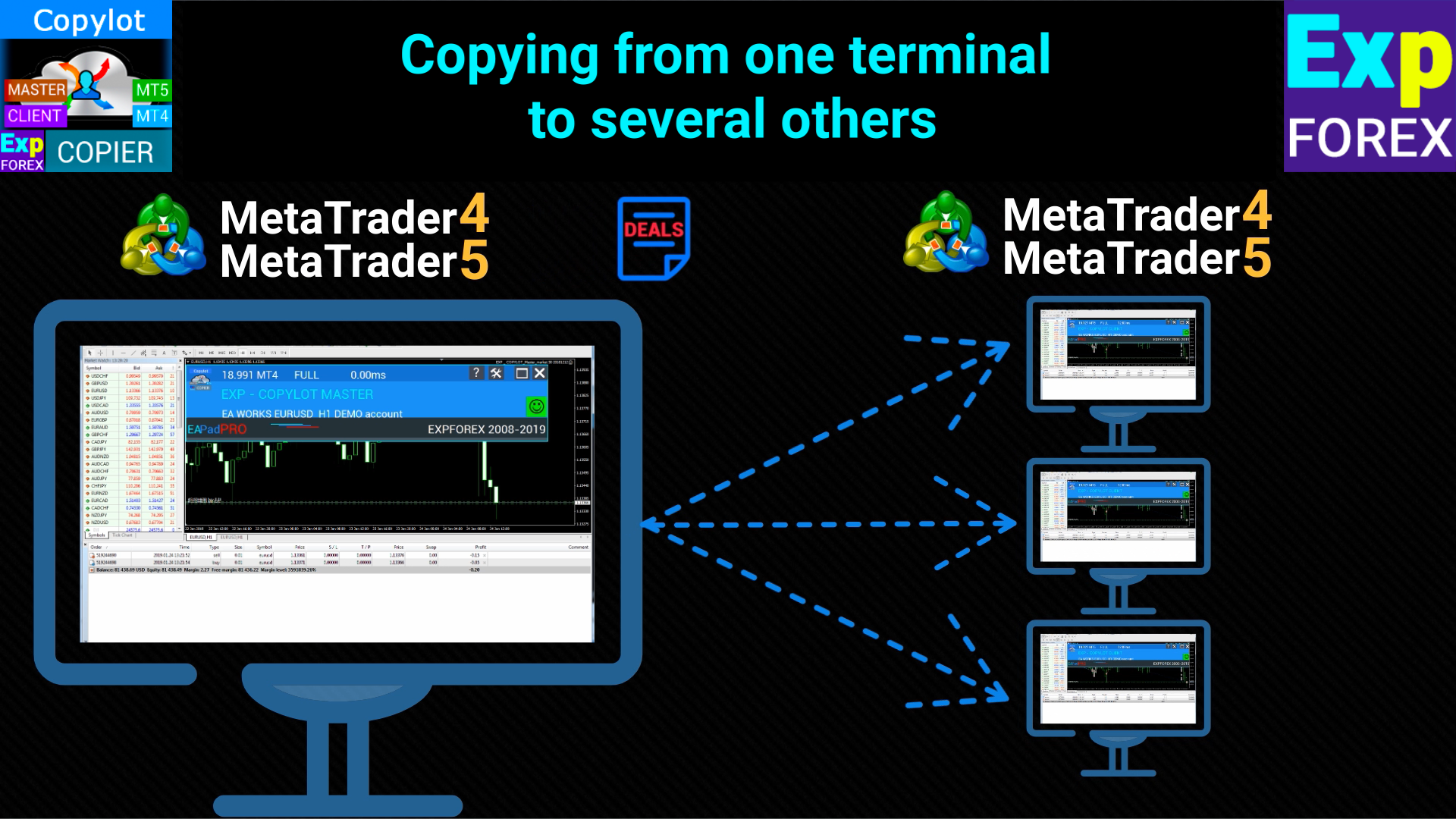
Copy from one terminal to several others;
Copy from any different brokers to any different brokers;

Installation

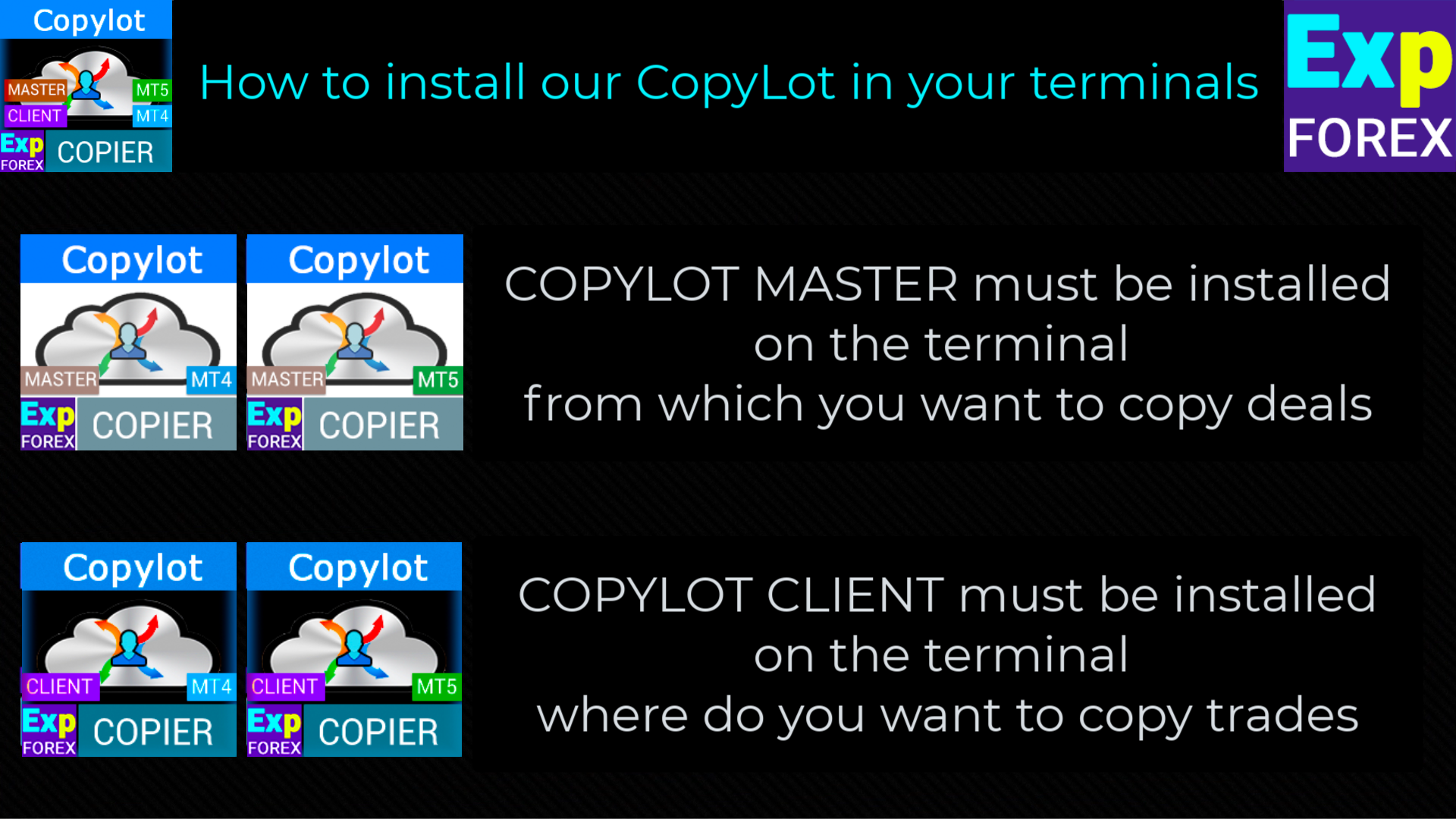
1. COPYLOT CLIENT (Slave) Install the Expert Advisor in the terminal where you want to copy trades.
2. Specify any text label name as pathRead, for example, "COPY". This should match the master terminal PathWrite (to bind the two terminals).
3. By default, our program will copy all positions and orders from one account to another!
4. Open the terminal on which Positions will be copied and set COPYLOT CLIENT to one chart
5. Open the terminal where you will copy and install COPYLOT Master MT4 on one graph

    Links

    To copy the positions, you need to install COPYLOT Master MT4  or  COPYLOT Master MT5 on the first account (Free)

    To duplicate positions on your account, you can download our duplicator of positions  Exp4 Duplicator for MT4

        Attention

        The EA needs to be set to 1 Chart! Our adviser copies all positions and orders from your account!  
        Attention! COPYLOT does not work on MetaQuotes VPS
        Attention: COPYLOT does not copy via the Internet! Copy between terminals on one computer!
        Attention! Partial closing works only between MT4 terminals!
          #tags Copy Копировщик copy trades copy trade copier 

          #tags copy trades copy trade copier fast copy kopir Expforex, Vladon,


          Client Settings: Where will the signals be copied

          pathREAD/pathWrite: Path to the file where information about current positions is stored. No spaces or special characters allowed.

          Magic: Magic number used to identify positions or trades, particularly for using the system on multiple master terminals.

          PreFixSymbol: Suffix of the client’s currency pair symbols. Automatically detects the suffix for copying trades if set to "Auto".

          ChangingNamesSymbols: Parameter to replace symbol names between master and client terminals if the symbols don’t match.

          Sounds: Enables sound notifications when new trades are opened on the client terminal.

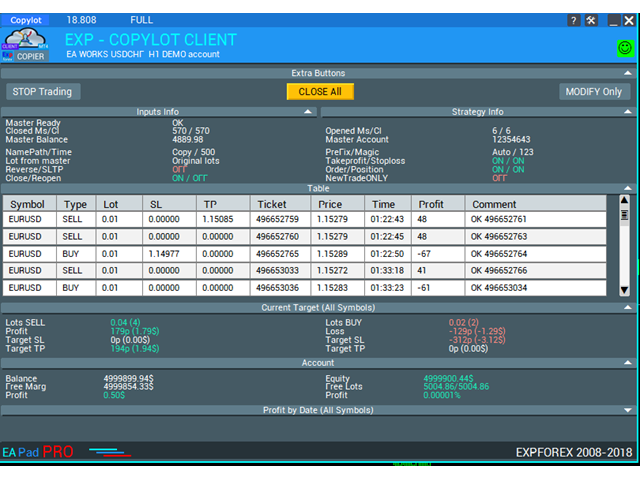
          Comentshow: Displays a table of copied trades on the client chart.

          NumberTryClose/NumberTryOpen: Number of attempts to close or open positions if errors occur.

          Slippage: Allowed slippage when opening positions. If set to 0, it will automatically adjust based on the spread.

          PricePointSlip: Limits the maximum price difference between master and client when copying positions.

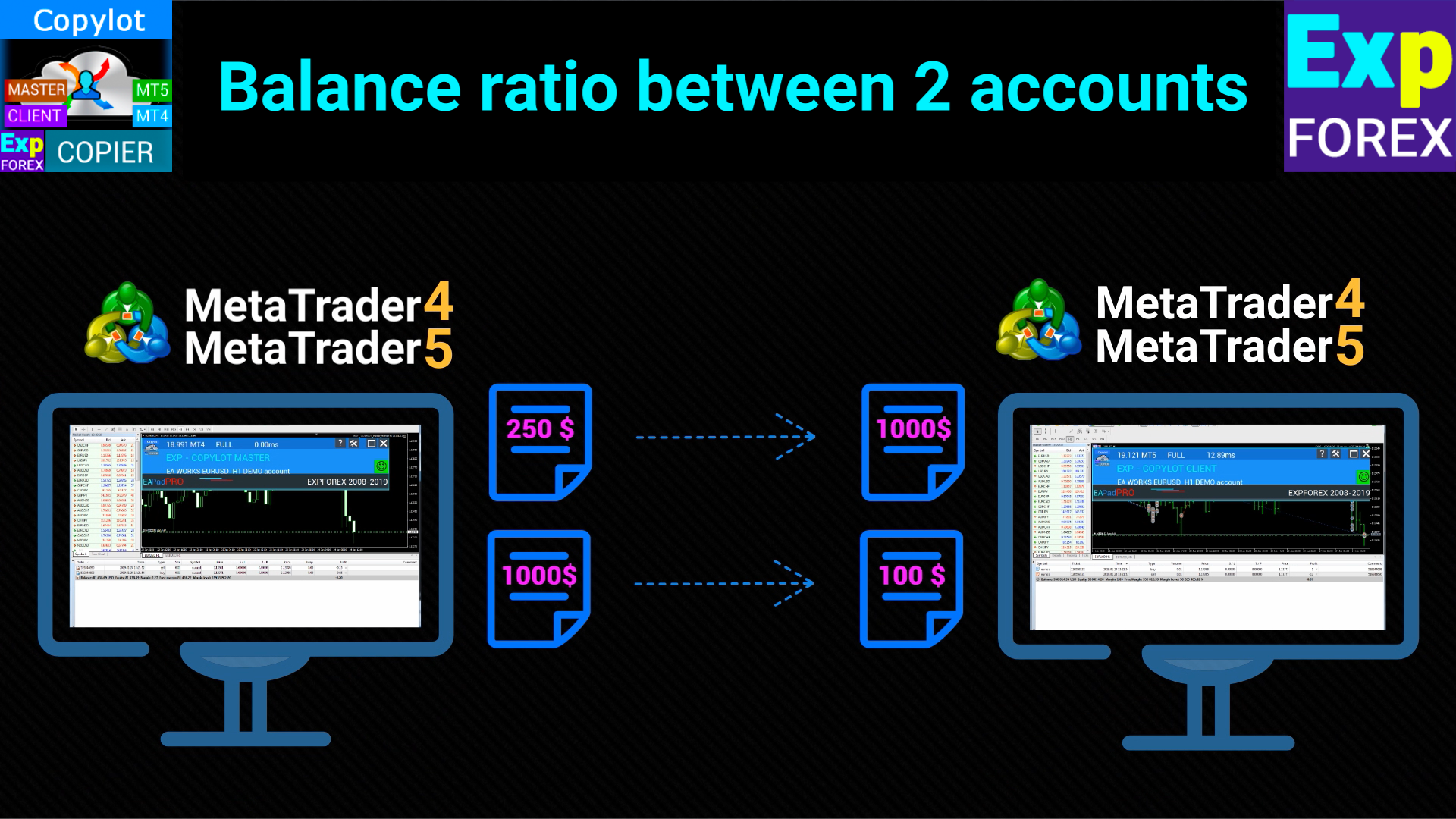
          LotRiskFromMaster: Copies risk settings from the master terminal and adjusts the lot size proportionally to the client’s balance.

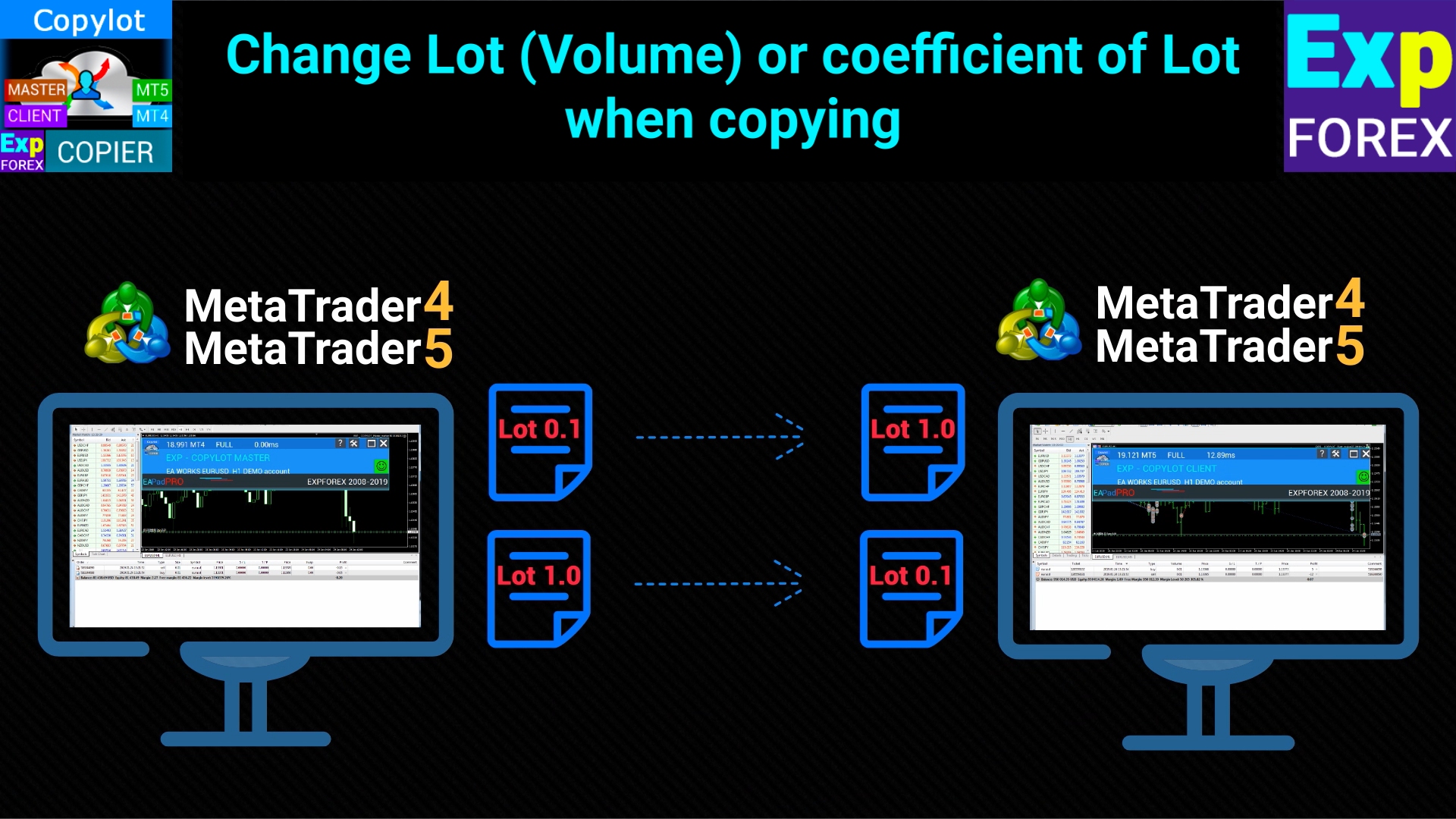
          LotExp: Multiplier to increase or decrease the lot size when copying from the master.

          Lot: Defines a fixed lot size for opening trades on the client terminal.

          RiskLot: Percentage for dynamic lot calculation. If 0, the fixed lot is used instead.

          RiskLotType: Type of risk calculation for dynamic lot sizing (based on free margin, balance, or stop-loss).

          RiskRate: Exchange rate of your account currency to USD. Automatically calculated if set to 0.

          KoefLot: Coefficient for adjusting the lot size when copying trades, based on the master’s lot size.

          AdditionalLot: Adds an additional fixed amount to the lot size when copying trades.

          MinLott/MaxLott: Minimum and maximum lot sizes for opening positions on the client terminal.

          CommentCopy (Only for MT4): Copies comments from master trades to client trades.

          TakeProfitCopy/StopLossCopy: Copies the take profit and stop loss levels from the master to the client.

          CorrectSLTPbyMaster: Adjusts the stop-loss and take-profit levels if the client’s opening price differs from the master’s.

          MarketWatch: For ECN brokers, allows opening positions first and modifying stop-loss and take-profit levels afterward.

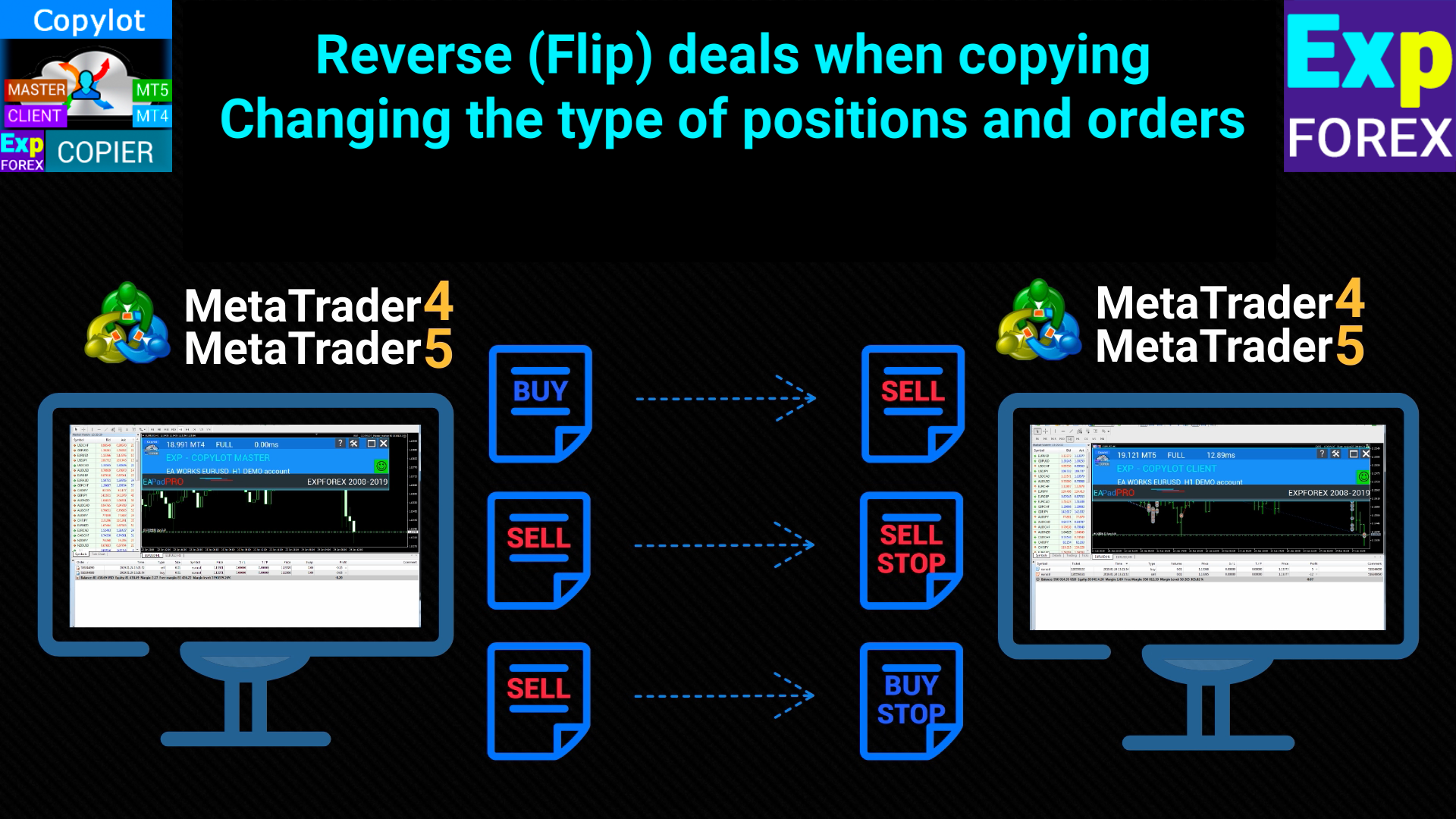
          ReverseCopy: Reverses trades when copying (master BUY becomes client SELL and vice versa).

          ReverseSLTP (Only for MT4): Reverses stop-loss and take-profit levels when copying reversed trades.

          PendingOrdersCopy: Enables or disables copying of pending orders from the master terminal.

          PositionsCopy: Enables or disables the copying of positions from the master terminal.

          PricePointSlip: Sets a limit on the price difference between master and client when copying trades.

          TimeSecondSlip: Maximum allowed time difference (in seconds) between the master and client when opening trades.

          DeleteOrderbyMaster: Deletes pending orders on the client when they are deleted on the master terminal.

          ReopenPosAfterClose: Reopens positions on the client if they are closed on the master terminal.

          Rounding: Rounds prices when opening or modifying orders (up to 1 or 2 decimal places).

          AutoRoundingGOLDSILVER: Automatically rounds prices for gold and silver when opening positions.

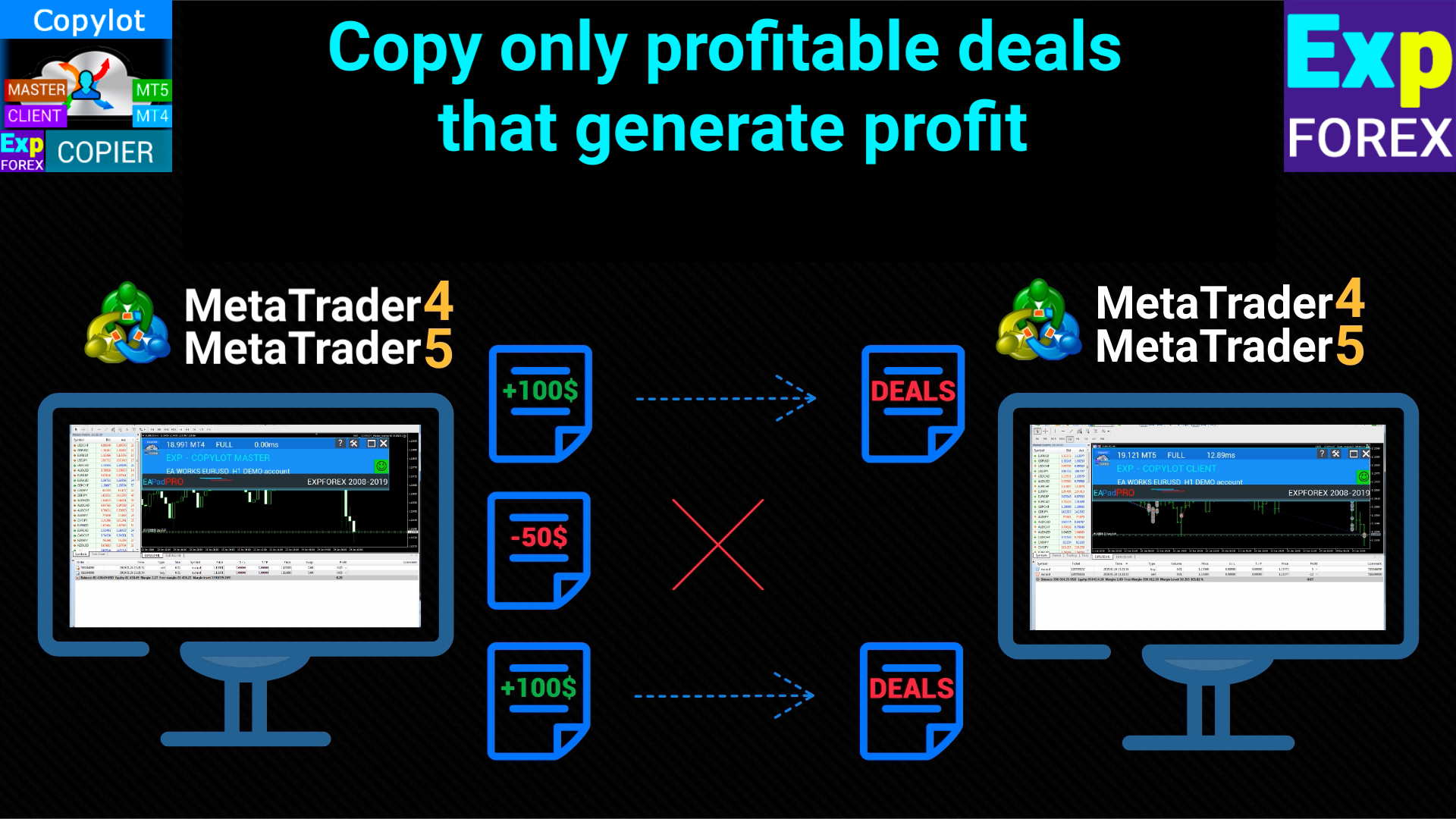
          ProfitCopyOnly: Copies only profitable trades if the profit exceeds a set number of pips.

          OnlyProfitPips: Minimum profit in pips required to copy a trade.

          LossCopyOnly: Copies only losing trades if the loss exceeds a set number of pips.

          OnlyLossPips: Minimum loss in pips required to copy a losing trade.

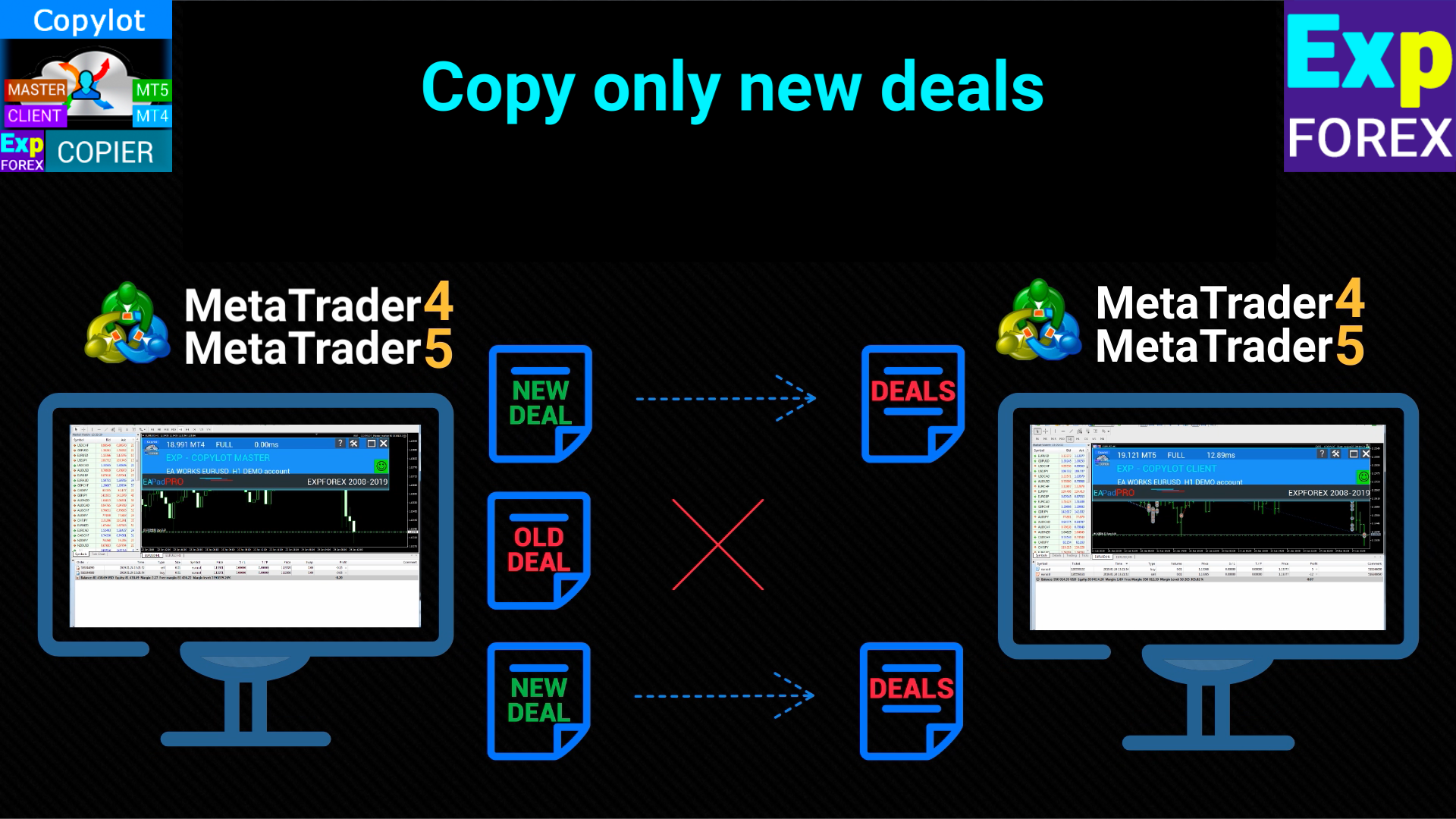
          NewTradeONLY: Copies only new trades that are opened after the client copylot is started.

          FilterLotMin/FilterLotMax: Minimum and maximum lot sizes that will be copied from the master terminal.

          SymbolToCopy: Specifies which symbols (currency pairs) to copy. Leave blank to copy all symbols.

          SymbolNotToCopy: Specifies which symbols not to copy. Leave blank to allow all symbols.

          PositionsToOrders (Only for MT4): Converts positions into pending orders if the price difference exceeds PricePointSlip.

          SLEEPING: Delay in milliseconds between code execution steps. Smaller values speed up copying but increase resource usage.

          ClosePosbyMaster: Closes positions on the client if they are closed on the master terminal.

          TP_adjust/SL_adjust: Adjusts the take-profit and stop-loss levels on the client relative to the master.

          My_STOPLOSS/My_TAKEPROFIT: Custom stop-loss and take-profit settings on the client, independent of the master terminal.

          VirtualStopLossTakeProfit (Only for MT4): Virtual stop-loss and take-profit settings that are not visible to the broker.

          TrailingStopUSE: Enables trailing stop functionality for copied positions.

          IfProfTrail: Trailing stop starts only after the position has reached breakeven.

          Trailingstop: Distance in pips from the current price to the stop-loss when using a trailing stop.

          TrailingStep: Step size for modifying the stop-loss with the trailing stop.

          Breakeven: Sets the stop-loss to breakeven after a certain amount of profit is reached.

          MaxPosBySymbol/MaxOrderBySymbol/MaxSymboll: Limits the maximum number of positions, pending orders, and symbols that can be copied.

          NumberPosbeforeCopy: Defines the minimum number of positions on the master terminal before copying begins.

          TPWCM_Use: Enables special SL/TP settings after the master position is closed.

          TPWCM_TakeProfitWhenCloseMaster: Sets a take-profit on the client after the master position is closed.

          TPWCM_TakeProfitOnlyToProfitZone: Only sets the take-profit in the profit zone after the master position is closed.

          TPWCM_StopLossWhenCloseMaster: Sets a stop-loss on the client after the master position is closed.

          TPWCM_TrailingStopUSE: Enables a trailing stop only after the master position is closed.

          TPWCM_IfProfTrail: Trailing stop works only when the client position is already in profit.

          TPWCM_BreakEven: Sets a breakeven stop-loss after the master position is closed.

          OIP_Order_Instead_Position: Converts trades into pending orders on the client terminal instead of copying positions.

          OIP_TypeOrders: Specifies whether the pending order is a stop or limit order.

          OIP_DistanceOIP: Distance in points for the pending orders.

          LimitFor/LimitForLosses/LimitForProfits: Sets limits for losses and profits over a specific period (day/week/month).

          Clients extra Delays: Adds delays when copying trades from the master terminal to the client, either in seconds or points.

          Delay_Seconds_General: Sets a general delay between adviser requests to the server (opening, closing, modifying trades).
          Reviews 105
          Cristobal Giron
          837
          Cristobal Giron 2024.12.25 11:32 
           

          Hello, I have a question. In the event that I do not want a transaction to enter because the SLIPPAGE that the account where it is being copied has is larger than the account to which it is copied, how should I set the parameter for the maximum SLIPPAGE price?

          For example, in the master account the slippage is 15 and in the copy account the slippage varies from 100 to 20.

          What should I put in the slippage box so that it does not appear if the copier slippage is greater than 30?

          Hon Kwan Max Tse
          135
          Hon Kwan Max Tse 2024.12.19 16:11 
           

          There is no IfProfTrail in MT4 client. Where IfProfTrail (Condition for Trailing Stop activation) Thanks

          36345651
          24
          36345651 2024.08.31 05:50 
           

          非常棒!

          Recommended products
          Auto Trade Copier
          Vu Trung Kien
          4.76 (84)
          Auto Trade Copier is designed to copy trades to multiple MT4, MT5 and cTrader accounts/terminals with 100% accuracy. The provider and receiver accounts must be on the same PC/VPS. With this tool, you can copy trades to receiver accounts on the same PC/VPS. All trading actions will be copied from provider to receiver perfectly. This version can be used on MT4 accounts only. For MT5 accounts, you must use Auto Trade Copier for MT5 . Reference: - For MT4 receiver, please download Trade Receiver Fre
          Trade copier MT4
          Alfiya Fazylova
          4.55 (31)
          Trade Copier is a professional utility designed to copy and synchronize trades between trading accounts. Copying occurs from the account / terminal of the supplier to the account / terminal of the recipient, which are installed on the same computer or VPS . Before buying, you can test the demo version on a demo account. Demo version here . Full instruction here . Main functionality and benefits: Supports copying MT4> MT4, MT4> MT5, MT5> MT4, including MT5 netting accounts. * Supports copying Dem
          Fast Trade Copier
          Volodymyr Hrybachov
          4.2 (5)
          The trade copier is designed for a fast and accurate copying of orders between the MetaTrader 4 terminals. The trade copier copies trades from the Master account to the Slave account by writing information to the total file, which is located in the common directory of the MetaTrader 4 terminals. This allows the trade copier to either customize various schemes for receiving and transmitting trade signals by changing the file name. Reading and writing the copier file is performed by timer. The tra
          Copier4Fee Advanced
          Vladimir Tkach
          4.75 (16)
          The utility copies trades from the signal provider accounts (master accounts, one or multiple providers) to unlimited number of receiver accounts (slave accounts).  Attention! Y ou need to use identifiers (Provider number) of the same length if you use several master copiers. For example. 1, 2, 3 or 11, 13, 22. The copying can be set in the opposite direction. The comments with all the recently performed actions are displayed on the screen to monitor the utility actions in slave mode. To avoid p
          Auto Breakeven level
          Makarii Gubaydullin
          Automatic Breakeven levels Using   this   utility ,   y ou can activate the automatic SL movement, when the trade reaches a desired profit.  Especially   important   for a   short -term   traders.   Offset option is also available: some profit may be protected. Multifunctional utility : 66+ features, including this tool  |   Contact me  if you have any questions  |   MT5 version The process of activating the automatic breakeven function: 1.   Select the Symbol or Trade   for which the Auto BE f
          Reverse copier is a tool that will open opposite buy/sell orders from your master account. It will help you with low profit EA's that lose consistenly and turn it to wins. Feel free to ask for new functions/features and I will add it. Now it's a simple MT5 to MT4 bridge with straightforward logic of one position open/close.  How to install: https://www.mql5.com/en/market/product/141604
          FREE
          We present you the indicator "Candle closing counter", which will become your indispensable assistant in the world of trading. That’s why knowing when the candle will close can help: If you like to trade using candle patterns, you will know when the candle will be closed. This indicator will allow you to check if a known pattern has formed and if there is a possibility of trading. The indicator will help you to prepare for market opening and market closure. You can set a timer to create a pre
          Black Square
          Maksim Neimerik
          This is an Expert Advisor with the elements of graphics trading. It performs trading operations using the "Rectangle" (or "Square") shape. The Expert Advisor automatically draws a square and opens a Buy or Sell orders when the price crosses its lower or upper bounds respectively. The shape can be drawn manually. For this purpose you should disable the auto drawing feature in the Expert Advisor settings. If the price moves in the wrong direction, the Expert Advisor sets up to four orders in accor
          GlodWinner
          Jia Jie Tian
          GLOD Winner EA is the most efficient EA on the market. I spent a lot of time and effort to make this software sophisticated with possibilities of high potential returns while keeping the drawdown below 20%. The algorithms of the robot provide investors of any level of training with an investment opportunity that is both safe and aggressive. Golden Coup EA imitating the work of the brain, capable of learning and adapting to changing conditions and predicting situations. When applied to trading in
          Utility for automatic order and risk management. Allows you to take the maximum from profits and limit your losses. Created by a practicing trader for traders. The utility is easy to use, works with any market orders opened manually by a trader or with the help of advisors. Can filter trades by magic number. The utility can work with any number of orders at the same time. Has the following functions: 1. Setting stop loss and take profit levels; 2. Closing trades by trailing stop levels; 3
          Local Trade Copier EA MT4
          Juvenille Emperor Limited
          4.96 (104)
          Experience exceptionally  fast trade copying with the Local Trade Copier EA MT4 . With its easy 1-minute setup, this trade copier allows you to copy trades between multiple MetaTrader terminals on the same Windows computer or Windows VPS with lightning-fast copying speeds of under 0.5 seconds. Whether you're a beginner or a professional trader, the Local Trade Copier EA MT4 offers a wide range of options to customize it to your specific needs. It's the ultimate solution for anyone looking to inc
          Set TP & SL by Price – Auto Order Modifier for MT4 Automatically set precise TP and SL price levels on any trade ️ Works with all pairs and EAs, filter by symbol or magic number This Expert Advisor lets you define and apply exact Take Profit (TP) and Stop Loss (SL) levels to your trades using direct price values (e.g., 1.12345 on EURUSD). No points, no pips. Just clean, accurate trade management across all orders or filtered by chart or magic number. Key Features: Instantly modify TP
          AnyChart MT4
          Irek Gilmutdinov
          AnyChart is a multifunctional tool allowing you to work with non-standard charts in MetaTrader 4. It includes collector of ticks and generator of charts for trading (hst files) and testing (fxt files). Supported chart types are second, tick and renko ones. Settings Starting Date - start date for chart plotting. Ending Date - end date for chart plotting. Chart Type - chart type: Time - time chart, each bar contains a certain time interval; Tick - volume chart, each bar contains a certain number

          The SMC Venom Model BPR indicator is a professional tool for traders working within the Smart Money (SMC) concept. It automatically identifies two key patterns on the price chart: FVG (Fair Value Gap) is a combination of three candles, in which there is a gap between the first and third candles. It forms a zone between levels where there is no volume support, which often leads to a price correction. BPR (Balanced Price Range) is a combination of two FVG patterns that form a “bridge” - a zone of
          Description: Please tick "Show object descriptions" in chart properties to enable hrays views That utility converts a trendline into a horizontal ray known as tool for drawing supply and demand zones. Simply create a trendline on a chart and once selected, it will get converted. Ray remains horizontal while dragging.  Quick ray plot: press "R" key to create horizontal ray. It will be snapped to the nearest OHLC value Further versions will be improved. For feature request please post new comm
          Noize Absorption Index MT4
          Ekaterina Saltykova
          5 (1)
          Noize Absorption Index - is the manual trading system that measures the difference of pressure between bears forces and bulls forces. Green line - is a noize free index that showing curent situation. Zero value of index shows totally choppy/flat market.Values above zero level shows how powerfull bullish wave is and values below zero measures bearish forces.Up arrow appears on bearish market when it's ready to reverse, dn arrow appears on weak bullish market, as a result of reverse expectation. S
          Special Launch Offer: Available at a limited-time price to celebrate the new release. [Concept: Cutting Through the Noise] In a market filled with chaotic movements and lagging indicators, clarity is the ultimate weapon. KATANA Scalper is engineered with a singular philosophy: to cut through market noise like a precision blade. By filtering out non-essential fluctuations, it reveals the pure "Momentum Structure" hidden within the price action, allowing you to execute with surgical precision. 5
          Trend Catcher EA Pro   [User manual , Recommendations] and [Tested Presets] Click the Links. Based on the Most loved Indicator   the Trend Catcher   and after so many requests, finally we have the trend catcher EA. A next-generation Expert Advisor that blends   Algorithm-driven automation   with   manual trader control   for total command of the market. It’s fast, adaptive, and built for traders who value   clarity, performance, and choice . Designed and optimized for   EURUSD   under real-tick
          FREE
          EARLY REMINDER: The Starting price is 65 price will rise soon up to 365$ and then 750$ after first 10 copies of sales. Grab this offer now! Introduction Hello, traders! Welcome to the demonstration of the Forex Beast Indicator , a comprehensive tool designed to assist aspiring traders in navigating the complexities of the forex market. This indicator incorporates seven essential components to provide a well-rounded trading experience: Moving Averages Colored Zones Support and Resistance Levels
          AntiMartingale-Execution is a pyramidal Money Management system capable of increasing positions as equity increases using the positive margin of the transaction. It is possible to set the capital for each operation, the operating and maximum margins and the target level to be reached. Once the general trade settings have been made, it is possible to preview the grid of operations that will be activated by pressing the BUY / SELL button. If necessary, it is also possible to close all operations
          Interfaceless documentary EA. It has been operating stably and efficiently for more than 5 years, and has accumulated many customers. Copier Advanced Version (On sale) Copier-MT4-FULL(click to download) Copier-MT5-FULL(click to download) MT4->DEMO Try(click to download) MT5->DEMO Try(click to download) Copier Interface Version Copier-MT4-FULL(click to download) Copier-MT5-FULL(click to download) MT4->DEMO Try(click to download) MT5->DEMO Try(click to download) Copier No Interface Version Copier
          PZ Mean Reversion MT4
          PZ TRADING SLU
          3 (4)
          Outperform traditional strategies: effective mean reversion for savvy traders Unique indicator that implements a professional and quantitative approach to mean reversion trading. It capitalizes on the fact that the price diverts and returns to the mean in a predictable and measurable fashion, which allows for clear entry and exit rules that vastly outperform non-quantitative trading strategies. [ Installation Guide | Update Guide | Troubleshooting | FAQ | All Products ] Clear trading signals Am
          ONECLICK COPIER EA – UNIFIED VERSION 1.0 Category: Trade Utility | Type: Local Trade Copier for MT4 Created by fxdancer (Hani Mabad) Version: 1.0 – May 2025 OVERVIEW OneClick Copier EA is a local trade copying utility, not a trading strategy. It is designed for manual traders, fund managers, or multi-account users who want to mirror trades across MT4 terminals running on the same computer. This EA does not generate signals or place trades by itself. Instead, it acts as a bridge between accou
          Purpose: IF you are apart of a signal group or have a losing strategy this tool is perfect for you. This Expert Adviser is a Trade Copier which Copies Trades on the same account, It takes trades in the same direction or opposite direction. You can set 100% for same trade size or 200% to double up, while the same percentage rule also work for the stop-loss and take profit distances. input: Copy All or By Magic Take only new trades = False; Take same direction of existing trade or counter_direct
          Auto Fibo Pro m
          DMITRII GRIDASOV
          "Auto FIBO Pro"   Crypto_Forex  indicator  - is great auxiliary tool in trading! Indicator automatically calculate and place on chart Fibo levels and local trend lines (red color). Fibonacci levels indicate key areas where price can reverse. Most important levels are 23.6%, 38.2%, 50% and 61.8%. You can use it   for reversal scalping  or for zone grid trading. There are plenty of opportunities to  improve your current system using Auto FIBO Pro indicator as well. It has Info Spread Swap Displa


          Instructions for use: https://www.mql5.com/zh/blogs/post/754946 MT4 version: https://www.mql5.com/EN/market/product/88205 MT5 version: https://www.mql5.com/EN/market/product/88204 ---------------------------------------------- 1. Copy orders, from 12 master accounts to 100 slave accounts. The number of slave accounts can be customized, from 12 to 100. 2. Support MT4 to MT4, MT4 to MT5, MT5 to MT4, MT5 to MT5. 3. Identify the suffixes of trading varieties on different platforms, such as EURUSD,
          CopierMT4
          Dmitry Fedoseev
          Copier for the MetaTrader4 terminal. Designed to copy trade from one terminal to another. Compatible with the version for the MetaTrader5 terminal; if available, copying can be performed between different terminals (regardless of the type of accounts: hedging or netting). The number of accounts to which copying is possible is not limited (depends only on the computing power of your computer). Directions for copying the version for MetaTrader 4 together with the version for MetaTrader 5: MT5 Net

          Copy Trader Pro v2.3 - Professional Copy Trading System Copy Trader Pro Professional Copy Trading System for MetaTrader 4 Version 2.3 FAST Key Features Ultra Fast Mode 10x faster trade copying with optimized algorithms. File change detection and smart caching system for millisecond-level performance. Single EA Solution One EA for both Master and Slave modes. Select your operating mode from settings - no need for multiple files. 3 Lot Calculation Modes Multiplier, Fixed Lot, or Balance
          Copy MT4 simply
          VLADIMIR SHEVCHENKO
          4 (1)
          A free program for copying orders between terminals on the same computer. Any orders are copied in any direction, between any accounts. The principle of operation: On the terminal from which you want to copy, the "Server" parameter is set. On the terminal or terminals where the copied positions need to be opened, the "Client" parameter is set. It is also necessary to enter the account number of the "Server" terminal on the client. In the future, it is planned to increase the functionality
          FREE
          Equity Watcher
          Gabriel Siljevinac
          Equity Watcher: Your Ultimate Risk Management Tool --------------------------------------------------------------------------------------------------------------------------------------------- Equity Watcher is a must-have for traders who value precision and control over their accounts. This powerful EA monitors all trades on your account in real time, ensuring that your equity stays within safe limits. When the drawdown exceeds a user-defined threshold, Equity Watcher takes immediate action by
          Buyers of this product also purchase
          Trade Assistant MT4
          Evgeniy Kravchenko
          4.42 (192)
          It helps to calculate the risk per trade, the easy installation of a new order, order management with partial closing functions, trailing stop of 7 types and other useful functions. Additional materials and instructions Installation instructions   -   Application instructions   -   Trial version of the application for a demo account Line function -   shows on the chart the Opening line, Stop Loss, Take Profit. With this function it is easy to set a new order and see its additional characteris
          Forex Trade Manager MT4
          InvestSoft
          4.98 (424)
          Welcome to Trade Manager MT4 - the ultimate   risk management tool   designed to make trading more intuitive, precise, and efficient. This is not just an order placement tool; it's a comprehensive solution for seamless trade planning, position management, and enhanced control over risk. Whether you're a beginner taking your first steps, an advanced trader, or a scalper needing rapid executions, Trade Manager MT4 adapts to your needs, offering flexibility across all markets, from forex and indice
          TradePanel MT4
          Alfiya Fazylova
          4.84 (89)
          Trade Panel is a multifunctional trading assistant. The application contains more than 50 trading functions for manual trading and allows you to automate most trading operations. Attention, the application does not work in the strategy tester. Before purchasing, you can test the demo version on a demo account. The demo version is here . Full instructions here . Trade. Allows you to perform trading operations in one click: Open pending orders and positions with automatic risk calculation. Open mu
          The product will copy all telegram signal to MT4   ( which you are member  ) , also it can work as remote copier.  Easy to set up, copy order instant, can work with almost signal formats, image signal, s upport to translate other language to English Work with all type of channel or group, even channel have "Restrict Saving Content", work with  multi channel, multi MT5 Work as remote copier: with signal have ticket number, it will copy exactly via ticket number. Support to backtest signal. How to
          Copy Cat More Trade Copier MT4 is not just a simple local trade copier; it is a complete risk management and execution framework designed for today’s trading challenges. From prop firm challenges to personal portfolio management, it adapts to every situation with its blend of robust execution, capital protection, flexible configuration, and advanced trade handling. The copier works in both   Master (sender) and Slave (receiver)   modes, with real-time synchronization of market and pending orders
          MT4 to Telegram Signal Provider   turns your trading account into a signal provider. Every trade action, whether manual, by EA or from your phone, is instantly sent as a message to Telegram. You can fully customize the format or use a ready-made template for quick setup. [ Demo ] [ Manual ] [ MT5 Version ] [ Discord Version ]  New: [ Telegram To MT5 ] Setup A step by step user guide is available. Key Features Ability to customize order details sent to subscribers You can create a tiered subs
          Custom Alerts AIO: All-in-One Market Scanner – No Setup Required Overview Custom Alerts AIO is the fastest and easiest way to monitor multiple markets for real-time trading signals—without any setup or extra licenses. It comes with all required Stein Investments indicators already embedded, making it the perfect plug-and-play solution for traders who value simplicity and performance. Just load it to any chart and start receiving alerts across Forex, Metals, Crypto, and Indices. Shares can be a
          LAUNCH OFFER 30% OFF! $49 instead of $69! The Risk/Reward Tool is a professional-grade Expert Advisor designed to revolutionise the way you plan, visualise, and execute trades in MetaTrader 4. Whether you're a discretionary trader who values precise risk management or a strategy developer who needs to test trade setups visually, this tool provides everything you need in one elegant, intuitive interface. Unlike basic position calculators, the Risk/Reward Tool combines visual trade planning with
          News Filter EA MT4
          Rashed Samir
          5 (9)
          News Filter EA: Advanced Algo Trading Assistant News Filter EA is an advanced algo trading assistant designed to enhance your trading experience. By using the   News Filter EA , you can integrate a Forex economic news filter into your existing expert advisor, even if you do not have access to its source code. In addition to the news filter, you can also specify   trading days   and   hours   for your expert. The News Filter EA also includes   risk management   and   equity protection   features
          Copier->Convenient and fast interface interaction, users can use it right away   ->>>> Recommended to use on Windows computers or VPS Windows Features: Diversified and personalized copy trading settings: 1. Different lot modes can be set for different signal sources 2. Different signal sources can be set for forward and reverse copy trading 3. Signals can be set with comments 4. Whether to calibrate the lot according to the contract lot Diversified and personalized copy order settings 2: 1. Dif
          Draw Agent
          Omar Alkassar
          Draw Agent is designed as beautiful and innovative way to create and manage all your chart analysis, scribbles, notes and more. This tool provides a freehand drawing method, to treat the chart space as a blackboard and draw by-hand. This Freehand Drawing tool lets you draw onto MT4/MT5 charts, in order to mark or highlight events on the chart.  Its helpful tool if you like to  to draft Elliott waves by hand, draw lines on chart, or to illustrate ideas on your chart, and  It is particularly usef
          Trade Dashboard MT4
          Fatemeh Ameri
          4.96 (53)
          Tired of complex order placement and manual calculations? Trade Dashboard is your solution. With its user-friendly interface, placing orders becomes effortless, by a single click, you can open trades, set stop loss and take profit levels, manage trade lot size, and calculate risk to reward ratios, allowing you to only focus on your strategy. Say goodbye to manual calculations and streamline your trading experience with Trade Dashboard. Download  Demo Version  right now. You can find  Details of
          The News Filter
          Leolouiski Gan
          5 (25)
          This product filters all expert advisors and manual charts during news time. It is able to remove any of your EA during news and automatically reattach them after news ends. This product also comes with a complete  order management system that can handle your open positions and pending orders before the release of any news. Once you purchase The News Filter , you will no longer need to rely on built-in news filters for future expert advisors, as this product can filter them all from here onwards
          Fast Trade MT4
          Alexey Valeev
          4.8 (5)
          This trading panel has been developed for fast and comfortable operation of the financial markets. It is equipped with the necessary functions for manual and semi-automated trading. Due to the presence of the order trailing feature, trailing stop and automatic closure by equity, profit, time. You can use it to automate your trading system. All you have to do is open a position and set the parameters for maintenance, everything else will be handled by the EA. If you want to limit your losses, set
          DFGX Dashboard
          Tsvetan Tsvetanov
          5 (2)
          Take your trading to the next level with DFGX - our second generation Dynamic Fibonacci Grid. This new, powerful and easy to use application is specially designed and optimized for contrarian intraday trading, scalping and news trading on the Forex market. This system is the ideal solution for active professional traders and scalpers who are looking for innovative ways to optimize their strategy. The system also provides excellent opportunity for new traders who want to learn to trade in a syste
          Take a Break
          Eric Emmrich
          5 (31)
          The most advanced news filter on MQL market - free demo available Take a Break has transformed from a basic news filter into a comprehensive account protection solution. It seamlessly pauses any other Expert Advisors during news events or based on your custom filters, all while safeguarding your EA settings - restoring them automatically when trading resumes for complete peace of mind. Typical use cases: A single news filter for all your EAs. Stop trading during news/high volatility (+ close all
          News Dashboard MT4
          Taras Slobodyanik
          4.5 (8)
          This dashboard displaying current news from ForexFactory.com (calendar FFC) and from the Investing.com website . You can sort news by impact and by country, and display them on the chart with one click. By holding down the 'Ctrl' key, you can select several different 'currencies' or 'impacts' to sort. Also, this utility shows not only the forecast, but also the actual values ​​after they appear on the site. You can set a separate notification for each news. You can read the news using your EA
          Averaging Helper
          Sergey Batudayev
          5 (2)
          Averaging Helper - This sort of trading helper instrument will help you average out your previously unprofitable positions using two techniques: standard averaging hedging with the subsequent opening of positions according to the trend The utility has the ability to sort out several open positions in different directions at once, both for buy and for sell. For example, you opened 1 position for a sell and the second for a buy, and they are both unprofit, or one is in the unprofit and one is in
          With this Expert Advisor, you can seamlessly integrate various channel, arrow, and reversal indicators. It offers the flexibility to use all popular channel trading strategies, while also providing powerful tools to customize your trading conditions and risk management system.   The Expert Advisor opens orders when the price crosses the channel boundaries. Multiple crossing conditions are available for customization: Price touches boundary on re-entry into the channel Price touches boundary on
          Trading History MT4
          Siarhei Vashchylka
          5 (9)
          Trading History - A program for trading and money management on the history of quotes in stratagy tester. It can work with pending and immediate orders, and is equipped with trailing stop, breakeven and take profit functions. Very good for training and testing different strategies. Manual (Be sure to read before purchasing) Advantages 1. Allows you to test any trading strategy in the shortest possible time 2. An excellent simulator for trading training. You can gain months of trading experience
          This is a simple utility which will put Automatic Stop Loss and Take Profit. It also has Trailing Stop Loss and Break Even features. The input value of the Stop Loss and Take Profit is in Pips. Whenever you open a trade it will put stop loss and take profit in pips automatically. *If you need a more practical stop loss and take profit for your trades then you may like this ATR based stop loss utility,  Here! Inputs: 1. SL and Trailing SL - This is the Stop Loss value in Pips. Also used as Traili
          DESCRIPTION: The EA is a trade manager for managing manual or other trades by EA. It can place Stoploss, Takeprofit, Trailing, and Martingale/Average all open positions. Make sure to just place 1 type of open orders for each symbols   (Examples: 1 Buy or 1 Sell). The EA will not open the initial trades, but can be backtested to see how it works. FEATURES: Multicurrency or Single Pair Mode. Placing Stoploss / Takeprofit. Auto Martingale / Average Positions. Trailing for All Open Positions (Singl
          Instantly see your closed trade history by day and week, your current open trades, and forex exposure on one chart! Use the heatmap to identify profitable trades and where your current drawdown is within your trading portfolio. MT5 Version -  https://www.mql5.com/en/market/product/132613 Quick Close Buttons Use the quick close buttons to close every trade on a single symbol, close out individual trades in full, or take partial profits or losses at the click of a button. No more hunting for trade
          Zone Trader MT4
          LEE SAMSON
          5 (1)
          Trade support and resistance or supply and demand zones automatically once you have identified the key areas you want to trade from. This EA allows you to draw buy and sell zones with a single click and then place them exactly where you expect price to turn. The EA then monitors those zones and will automatically take trades based on price action you specify for the zones. Once the initial trade is taken, the EA will then get out in profit at the opposite zone you place, which becomes the target
          Trade Manager MT4 DaneTrades
          Levi Dane Benjamin
          4.09 (11)
          DaneTrades Trade Manager is a professional trade panel for MetaTrader 4, designed for fast, accurate execution with built‑in risk control. Place market or pending orders directly from the chart while the panel automatically calculates position size from your chosen risk, helping you stay consistent and avoid emotional decision‑making. The Trade Manager is built for manual traders who want structure: clear risk/reward planning, automation for repeatable management, and safeguards that help reduc
          X2 Copy MT4
          Liubov' Shkandrii
          Discover Instant Trade Copying with the Revolutionary X2 Copy MT4. With just a 10-second setup, you'll get a powerful tool for syncing trades between MetaTrader terminals on a single Windows computer or VPS with unprecedented speed - under 0.1 seconds. Whether you're managing multiple accounts, following signals, or scaling your strategy, X2 Copy MT4 adapts to your workflow with unparalleled precision and control. Stop waiting — start copying with market-leading speed and reliability. Download t
          Remote Trade Copier   is an advanced tool designed for efficiently copying trades between accounts in both   local   and   remote   modes. It allows for lightning-fast order replication from a master account to a slave account. In local mode, trades are copied instantly, while in remote mode, the copying process takes a second.  In new version, in remote mode , the copy operation can be performed with a delay of milliseconds or zero . After purchase, ask how to activate it MT4 Version (Only Loc
          Trade Copier Pro
          Vu Trung Kien
          4.57 (14)
          Trade Copier Pro is a tool to copy trade remotely to MT4, MT5 and cTrader accounts at different computers/locations over internet. This is an ideal solution for you if you are a signal provider and want to copy your trades to other receivers globally on your own rules. One provider can copy trades to multiple receivers and one receiver can get trade from multiple providers as well. The provider can even set the subscription expiry for each receiver, so that receiver will not be able to receive t
          Seconds Chart is a unique tool for creating second-based charts in MetaTrader 4 . With Seconds Chart , you can construct charts with timeframes set in seconds, providing unparalleled flexibility and precision in analysis that is unavailable with standard minute or hourly charts. For example, the S15 timeframe indicates a chart with candles lasting 15 seconds. You can use any indicators, Expert Advisors (EAs), and scripts, operating as conveniently as with standard charts. Unlike standard tools,
          Ultimate Extractor - Professional Trading Analytics for MT4 Ultimate Extractor transforms your MetaTrader 4 trading history into actionable insights with comprehensive analytics, interactive charts, and real-time performance tracking. Ability to combine multiple accounts and MT4 and MT5 into a single dashboard. What It Does Automatically analyzes your MT4 trading history across all Expert Advisors and generates detailed HTML reports with interactive visualizations. Tracks live performance metric
          More from author
          Exp COPYLOT CLIENT for MT5
          Vladislav Andruschenko
          3.82 (34)
          Trade copier for MT5 is a trade copier for the МetaТrader 5 platform. It copies forex trades  between any accounts   MT5 - MT5, MT4 - MT5 for the COPYLOT MT5 version (or MT4 - MT4 MT5 - MT4 for the COPYLOT MT4 version)    Reliable copier!         MT4 version Full Description +DEMO +PDF   How To Buy    How To Install     How to get Log Files    How To Test and Optimize    All products from Expforex You can also copy trades in the МТ4 terminal (МТ4 - МТ4, МТ5 - МТ4):     COPYLOT CLIENT for MT4
          Exp5 AI Sniper for MT5
          Vladislav Andruschenko
          3 (3)
          Our team is thrilled to introduce Trading Robot, the cutting-edge Smart Trading Expert Advisor for the MetaTrader terminal. AI Sniper is an intelligent, self-optimizing trading robot designed for MT5 . It leverages a smart algorithm and advanced trading strategies to maximize your trading potential. With 15 years of experience in trading exchanges and the stock market, we have developed innovative strategy management features, additional intelligent functions, and a user-friendly graphical inte
          VirtualTradePad One Click Trading Panel
          Vladislav Andruschenko
          4.58 (72)
          Trading Panel for trading in One click.  Working with positions and orders!  Trading from the  chart  or the  keyboard . With our trading panel, you can execute trades with a single click directly from the chart and perform trading operations 30 times faster than with the standard MetaTrader control. Automatic calculations of parameters and functions make trading faster and more convenient for traders. Graphic tips, info labels, and full information on trade deals are on the chart MetaTrader.  
          Exp TickSniper PRO FULL
          Vladislav Andruschenko
          3.97 (58)
          Exp-TickSniper -  high-speed tick scalper with auto-selection of parameters for each currency pair automatically. Do you dream of an adviser who will automatically calculate trading parameters? Automatically optimized and tuned? The full version of the system for MetaTrader 4:   TickSniper  scalper  for MetaTrader 4 TickSniper - Full Description   + DEMO + PDF The EA has been developed based on experience gained in almost 10 years of EA programming. The EA strategy works with any SYMBOLS. The
          Exp5 The xCustomEA for MT5
          Vladislav Andruschenko
          4.27 (11)
          Universal trading adviser on custom indicators for MetaTrader 5. Builder of strategy. Write the name of your indicator with Arrow and signal buffers, and our EA xCustomEA trades on these signals. You can also use many of our built-in functions. Version for MetaTrader4:  The xCustomEA  version  for MetaTrader 4 terminal The functionality of the universal trading adviser The xCustomEA exactly duplicates all the parameters of our advisor  The X  except one: The xCustomEA  works on a custom indicat
          Exp TickSniper
          Vladislav Andruschenko
          3.97 (30)
          Exp-TickSniper is a fast tick scalper that automatically selects parameters for each currency pair separately. The EA has been developed based on experience gained in almost 10 years of EA programming. The EA performs short-term trades using smart trailing stop and based on the current currency pair data, its quotes, specification and spread. The averaging strategy is used to prevent losses caused by the signals detection algorithm. If an open position suffers a certain loss, then the function
          Exp Tick Hamster MT5
          Vladislav Andruschenko
          3.59 (17)
          Expert  with automatic optimization of all parameters for any trading symbol for MetaTrader 5. Trading EA without settings! Tick   Hamster  - This is an  automated trading expert for newbies and users who want to avoid setting up an advisor! Make trading easier than ever before with our automated trading expert, which is designed especially for beginners. Say goodbye to the hassle of setting up an advisor and hello to stress-free trading. Get started today and take your first steps towards succe
          Profit or Loss Pad
          Vladislav Andruschenko
          4.27 (11)
          Closing positions in MetaTrader 5 upon reaching the total profit/loss with the profit trailing function.   CloseIfProfitorLoss with Trailing You can enable the  Virtual stops (Separate Order) , calculating and closing for  BUY and SELL positions separately (Separate BUY SELL) , closing and calculating  all symbols or the current symbol only (All Symbols) , enable trailing for profit ( Trailing  Profit) Positions are closed based on a value  in deposit currency, points, % and drawdown . The appl
          VirtualTradePad mt4 Extra
          Vladislav Andruschenko
          4.86 (58)
          Trading Panel for trading in 1 click.  Working with positions and orders!  Trading from the chart or the keyboard. Using our trading panel, you can trade in one click from the chart and perform trading operations 30 times faster than the standard MetaTrader control. Automatic calculations of parameters and functions that make life easier for a trader and help a trader conduct their trading activities much faster and more conveniently. Graphic tips and full information on trade deals on the chart
          Exp Assistant 5
          Vladislav Andruschenko
          4.77 (122)
          Auto Setting, stop loss, take profit, trailing stop, breakeven levels, enabling virtual stop loss and take profit. Exp Assistant will help you organize maintenance of your positions. This program, the Expert Advisor, is designed to automatically set the  Real or Virtual   Stop Loss and Take Profit  levels for your positions while trading.  You can easily manage all the operations of the Expert Advisor from the control panel on the chart.  If you face any difficulty in setting stop loss, take pro
          FREE
          Averager FULL
          Vladislav Andruschenko
          4.62 (13)
          Exp-Averager  is designed to Average your trades that have received a certain drawdown by opening averaging trades. The adviser can open additional positions on the trend and against the trend! Includes an average trailing stop for a series of positions! They are increasing and decreasing the lot. A popular strategy for bringing unprofitable positions to the average Price.        MT4 version Full Description +DEMO +PDF   How To Buy    How To Install       How to get Log Files     How To Test
          Exp5 Swing PRO for MT5
          Vladislav Andruschenko
          The Swing model-based trading strategy involves placing two opposing pending orders with increased lots. As the market price moves in a certain direction, one of the orders is triggered while the lot size of the other is increased.  This approach allows traders to capture profit while minimizing risks, making it a reliable way to trade forex, stocks, and commodities. The use of this strategy in financial trading has been widely recognized for its ability to facilitate informed decision-making,
          Exp5 Tester PAD for Strategy Tester
          Vladislav Andruschenko
          4.5 (28)
          The utility allows you to manually test your strategies in the strategy tester. One-click trading on the visualization chart. Convenient and complete functionality for testing trading skills is now available in the strategy tester as well. Forex Tester Pad is a trading simulator for strategy tester. Trading using indicators. The main functions of our utility        MT4 version Full Description +DEMO +PDF   How To Buy    How To Install       How to get Log Files     How To Test and Optimize    
          FREE
          Exp Swing
          Vladislav Andruschenko
          4.49 (57)
          It uses the model of a famous strategy called Swinger (Pendulum, Cheburashka) - alternate placing of pending orders with increased lot. The strategy lies in placing two opposite pending orders. When the price moves in a certain direction, one pending order is triggered, while the lot size of the other order is increased. The EA provides three types of opening pending orders (TypeofTrade) Auto-opening after placement (Instant opening AutoTrade) Opening and management after manual opening (Manual
          FREE
          Lib5 EAPadPRO for MT5
          Vladislav Andruschenko
          4.5 (6)
          Library to add the Information Panel to your Expert Advisor for MetaTrader 5. We can not guarantee that the information and interface of the program will give you a profit on deals, but we will definitely say that even the simplest interface of the program can strengthen the first impression. Detailed description and instructions for adding our panel to your Expert Advisor are in our blog: LIB - EAPADPRO Step-by-step instruction Detailed description of our panel and instructions for using EAPADP
          FREE
          Exp4 AI Sniper for MT4
          Vladislav Andruschenko
          2.33 (3)
          AI Sniper   is an intelligent, self-optimizing trading robot designed for MT4   terminals. Utilizing a sophisticated algorithm and cutting-edge trading methodologies, AI Sniper epitomizes excellence in trading optimization. With over 15 years of extensive experience in both exchange and stock markets, our team has crafted this Expert Advisor, incorporating innovative strategy management features, intelligent functionalities, and an intuitive graphical interface. Each facet of AI Sniper is metic
          Exp5 Duplicator
          Vladislav Andruschenko
          4.75 (8)
          Expert Advisor Duplicator repeats trades/positions a preset number of times on your account  MetaTrader 5 . It copies all deals opened manually or by another Expert Advisor. It is possible to increase the lot size of the signals. Copies signals and increases the lot from signals! MQL5 Signal Lot Increase; The following functions are supported: custom lot for copied trades, copying StopLoss, TakeProfit, use of trailing stop and much more.        MT4 version Full Description +DEMO +PDF   How To
          Exp5 COPYLOT MASTER for MT5
          Vladislav Andruschenko
          4.4 (10)
          Exp5 - COPYLOT MASTER is a trade copier for МetaТrader 5 and MetaTrader 4. It copies Forex trades from any accounts. Installation This Expert Advisor is a master copier. Install the Expert Advisor in the terminal from which you want to copy trades. Specify any text label name as pathWrite, for example, "COPY". Install COPYLOT MASTER for MT5 on the terminal from which you want to copy trades.  Then install  COPYLOT Client MT4  on the MT4  terminal to which you want to copy. Or  Copylot Client MT5
          FREE
          CloseIfProfitorLoss with Trailing
          Vladislav Andruschenko
          4.87 (31)
          Closing positions in MetaTrader 4 upon reaching the total profit/loss with the profit trailing function. You can enable the Virtual stops (Separate Order) , Calculating and closing for BUY and SELL positions separately (Separate BUY SELL) , Closing and calculating all symbols or the current symbol only (All Symbols) , Enable trailing for profit ( Trailing Profit) Close on total profit and loss in deposit currency, points, or % of the balance. The application is designed for use on any account t
          Exp4 Duplicator
          Vladislav Andruschenko
          4.5 (22)
          The Expert Advisor repeats trades and positions a preset number of times on your account  MetaTrader 4 . It copies all deals opened manually or by another Expert Advisor. Copies signals and increases the lot from signals ! Increases the lot of other EAs. The following functions are supported: custom lot for copied trades, copying Stop Loss, Take Profit, use of trailing stop.        MT5 version Full Description +DEMO +PDF   How To Buy    How To Install       How to get Log Files     How To Tes
          Exp THE X FULL
          Vladislav Andruschenko
          4.79 (29)
          Universal automatic Expert Advisor for MetaTrader 5 working on standard indicators. UniversalEA  The Constructor EA is provided with a large set of functions. You can select one of 20 signals to open a position and 5 of 20 filters to sort out the signals of the standard indicators included in the MetaTrader package. Besides, you can adjust the indicator parameters, select a timeframe, and specify a signal bar for each signal. You can also download The X EA for the MetaTrader 4 terminal  The X f
          Exp4 The xCustomEA for MT4
          Vladislav Andruschenko
          4 (5)
          Universal trading adviser on custom indicators for MetaTrader 4. Builder strategy. Write the name of your indicator with Arrow and signal buffers, and our EA xCustomEA trades on these signals. You can also use many of our built-in functions. Version for MetaTrader 4:  The xCustomEA  version  for MetaTrader 5 terminal The functionality of the universal trading adviser The xCustomEA exactly duplicates all the parameters of our advisor  The X  except one: The xCustomEA  works on a custom indicator
          Exp Assistant 4
          Vladislav Andruschenko
          4.88 (76)
          AutoSetting stop loss, take profit, trailing stop, breakeven levels, enabling virtual stops. Exp Assistant will help you organize maintenance of your positions. This Expert Advisor will set all the necessary stop loss and take profit levels for your positions. All the Expert Advisor operation is managed from the control panel on the chart. If you have open positions, but your Expert Advisor cannot set stop loss, take profit, trailing stop or breakeven, and if you trade manually, you can use the
          FREE
          Exp COPYLOT MASTER for MT4
          Vladislav Andruschenko
          4.52 (27)
          Trade copier for МetaТrader 4. It copies forex trades, positions, orders  from any accounts. # It is one of the best МТ4   -   МТ4, МТ5   -   МТ5, МТ4   -   МТ5, МТ5   -   МТ4   trade copiers today. #  The unique copying algorithm exactly copies all trades from the master account to your client account. High operation speed. Tough error handling. A powerful set of features. #  All these qualities are combined in a single program - EXP - COPYLOT . #  The program can be run on multiple terminal b
          FREE
          Ind5 Extra Report Pad
          Vladislav Andruschenko
          4.76 (34)
          Traders Diary: This is a statistics panel providing analysis of your trading account for MetaTrader 5. The analysis results are displayed on the chart in real time. Multicurrency trading is very popular.        MT4 version Full Description +PDF   How To Buy    How To Install       How to get Log Files     How To Test and Optimize     All products from Expforex However, greater the amount of trades, the more difficult it is to analyze the profitability of each of them. Analyzing trades by mont
          FREE
          Exp Averager
          Vladislav Andruschenko
          4.82 (22)
          Exp-Averager  is designed to Average your trades that have received a certain drawdown by opening averaging trades. The advisor has the ability to open new positions in on trend or against the current trend.  It also includes a smart trailing stop feature that applies to a series of positions.  The advisor can increase or decrease the lot size of the positions.  This is a widely used strategy for bringing losing positions to the average price.        MT5 version Full Description +DEMO +PDF   H
          Exp4 Tester PAD for Strategy Tester
          Vladislav Andruschenko
          4.89 (19)
          The utility allows you to manually test your strategies in the strategy tester. One-click trading on the visualization chart. The latest version of the utility offers advanced features for traders to manually test their trading strategies. With the strategy tester, you can now evaluate the effectiveness of your trading strategies in a simulated environment. This functionality allows you to analyze the performance of your trading techniques and refine them to improve your trading skills. Moreover
          FREE
          Ind5 InfoPad Information Panel
          Vladislav Andruschenko
          4.89 (9)
          INFOPad is an information panel that creates information on the selected currency pair in the MetaTrader 5 terminal. There are 5 functions of this indicator: Shows the main and main information on the selected symbol: Ask BID, Spread, Stop Level, Swap, Tick value, Commission prices; Shows the future targets of SL target and TP Target (The number of points of the established stop loss and take profit, the dollar amount); It shows the profit received for the periods: Today, Week, Month, Year, Tot
          FREE
          Ind4 Extra Report Pad
          Vladislav Andruschenko
          4.62 (39)
          Traders Diary: This is a statistics panel providing analysis of your trading account for MetaTrader 4. The analysis results are displayed on the chart in real time. Multicurrency trading is quite popular nowadays. However, the greater the amount of trades, the more difficult it is to analyze the profitability of each of them.        MT5 version Full Description +PDF   How To Buy    How To Install       How to get Log Files     How To Test and Optimize     All products from Expforex Analyzing
          FREE
          Lib4 EAPadPRO for MT4
          Vladislav Andruschenko
          5 (2)
          Library to add the Information Panel to your Expert Advisor for MetaTrader 4. We can not guarantee that the information and interface of the program will give you a profit on deals, but we will definitely say that even the simplest interface of the program can strengthen the first impression. Detailed description and instructions for adding our panel to your Expert Advisor are in our blog: LIB - EAPADPRO Step-by-step instruction Detailed description of our panel and instructions for using EAPADP
          FREE
          Filter:
          Guuelias
          24
          Guuelias 2025.03.31 19:10 
           

          Boa tarde minha operação na conta master fecha positivo, mas as operações na conta cliente estão fechando negativo, algumas vezes . Oque pode ser ?

          Vladislav Andruschenko
          297641
          Reply from developer Vladislav Andruschenko 2025.04.01 03:51
          Olá Esta pode ser a diferença de cotações entre o mestre e o cliente. A diferença é derrapagem e recotações. A diferença nas condições de negociação. E assim por diante.
          Cristobal Giron
          837
          Cristobal Giron 2024.12.25 11:32 
           

          Hello, I have a question. In the event that I do not want a transaction to enter because the SLIPPAGE that the account where it is being copied has is larger than the account to which it is copied, how should I set the parameter for the maximum SLIPPAGE price?

          For example, in the master account the slippage is 15 and in the copy account the slippage varies from 100 to 20.

          What should I put in the slippage box so that it does not appear if the copier slippage is greater than 30?

          Vladislav Andruschenko
          297641
          Reply from developer Vladislav Andruschenko 2024.12.25 11:46
          Hello. The Slippage parameter can be set in the settings:
          Slippage occurs when the execution price of a trade is different from its requested price. It occurs when the market orders could not be matched at preferred prices – usually in highly volatile and fast-moving markets prone to unexpected quick turns in certain trends. If Slippage (*Deviation) = 0 , then Slippage will be considered automatically and equal to the Spread But to set the maximum difference between master and client, you can use the PricePointSlip parameter: PricePointSlip = This is a restriction (filter) to copy a position if the price (Ask and Bid) on the Master and Client differ by PricePointSlip points.
          That is when using PricePointSlip, the Client prohibits copying a position if the price difference between the Master and Client is greater than PricePointSlip points. Slippage = This is the allowed slippage (price change by the broker) when opening a position. A broker can change the price of a position when sending an order to open a position.
          If the COPYLOT receives a requote from the broker, the COPYLOT will send a new order to open a position at the new prices. If you want to limit position copying when the difference between Master and Client prices is too big, you need to use PricePointSlip.
          https://www.mql5.com/en/market/product/6226#!tab=comments&page=100&comment=55463350
          Hon Kwan Max Tse
          135
          Hon Kwan Max Tse 2024.12.19 16:11 
           

          There is no IfProfTrail in MT4 client. Where IfProfTrail (Condition for Trailing Stop activation) Thanks

          Vladislav Andruschenko
          297641
          Reply from developer Vladislav Andruschenko 2024.12.19 16:38
          If you are talking about the standard TrailingStop, then this parameter IfProfTrail is enabled by default. But I will bring it to the settings in the next update.
          Amedeo123
          41
          Amedeo123 2024.12.13 10:17 
           

          User didn't leave any comment to the rating

          Chow Raven
          47
          Chow Raven 2024.10.30 14:09 
           

          How can I solve the problem of the panel showing "#-1 Forbidden to trade by advis"???

          Vladislav Andruschenko
          297641
          Reply from developer Vladislav Andruschenko 2024.10.30 14:10
          Hello. This error means that your broker has prohibited trading experts on your account. Please contact your broker. And attach a screenshot to the Discussions section.
          36345651
          24
          36345651 2024.08.31 05:50 
           

          非常棒!

          Gary
          56
          Gary 2024.03.28 09:28 
           

          I have just purchased COPYLOT Client. In future if I need to update/upgrade to the newer version of this EA, where can I download the updated version? Would I receive an email or other sources about the available update?

          Vladislav Andruschenko
          297641
          Reply from developer Vladislav Andruschenko 2024.03.28 09:49
          Hello.
          All updates are free. You can download them from the terminal.
          How to do it: Instructions: You can install/buy/update any advisor from the terminal/website: 🏬🏬🏬
          MARKET MQL5.COM: HOW TO INSTALL ea from terminal?: https://www.mql5.com/en/blogs/post/734585
          ▶️Youtube: https://www.youtube.com/watch?v=zT76FoAjX9A
          AscendCapital
          2364
          AscendCapital 2023.12.23 16:47 
           

          User didn't leave any comment to the rating

          Heidi
          52
          Heidi 2023.11.02 07:22 
           

          If I want to only copy market order but NOT position. I make "PositionCopy" false, and make "PendingOrdersCopy" true, but does it include market order or only limit and stop order?

          Because I used "MaxPosBySymbol", when the deal remain in the queue was opened, the price was already a lot different with the OnlyProfitPips that I set. So I don't want to copy the position (in the queue), I want to copy the next coming market order instead.

          Vladislav Andruschenko
          297641
          Reply from developer Vladislav Andruschenko 2023.11.02 07:32
          Pending order = stop and limit orders.
          Guney Akgul
          130
          Guney Akgul 2023.10.03 02:46 
           

          User didn't leave any comment to the rating

          Vladislav Andruschenko
          297641
          Reply from developer Vladislav Andruschenko 2023.10.03 08:36
          FULL INFO about your problem: How to make Files https://www.mql5.com/en/blogs/post/732566
          King Yeung Chung
          145
          King Yeung Chung 2023.06.09 09:33 
           

          User didn't leave any comment to the rating

          Vladislav Andruschenko
          297641
          Reply from developer Vladislav Andruschenko 2023.06.09 10:05
          You can install Mt and download from terminal Instructions: You can install / buy / update any advisor from the terminal / website: 🏬🏬🏬
          MARKET MQL5.COM: HOW TO INSTALL ea from terminal?: https://www.mql5.com/en/blogs/post/734585
          Share Happy
          131
          Share Happy 2023.06.07 07:58 
           

          User didn't leave any comment to the rating

          Vladislav Andruschenko
          297641
          Reply from developer Vladislav Andruschenko 2023.06.07 08:06
          Hello Maybe you have suffix? FULL INFO about your problem: How to make Files https://www.mql5.com/en/blogs/post/732566
          Versace26.-
          83
          Versace26.- 2023.04.27 23:16 
           

          hi, I'm contacting you for help with an issue I'm experiencing with my two accounts. In the demo account, I have access to four different markets, while in the live account I've set a preference to only open positions for a single symbol. For example, in the demo account it opens a position on EUR/USD, which is automatically copied to the live account. Then, on the demo account, it opens a position on GBP/USD that isn't copied to the live account because the maximum number of symbols to copy has been set to one. The problem arises when the demo account closes the EUR/USD position and then opens a new position on GBP/USD, which shouldn't be opened because the symbol has already been opened previously. Instead, it should open another market, such as XAU/USD. Could you help me resolve this issue? Thank you very much for your support. Best regards,

          Vladislav Andruschenko
          297641
          Reply from developer Vladislav Andruschenko 2023.04.28 08:09
          Hello. Thanks for the feedback. I will be able to answer your question in the discussion section.
          Sunny101010
          19
          Sunny101010 2023.03.23 17:29 
           

          User didn't leave any comment to the rating

          Vladislav Andruschenko
          297641
          Reply from developer Vladislav Andruschenko 2023.03.23 18:45
          Hello. all terminals and accounts must be turned on and working. if you turned off the account, then there will be no copying. the computer and the Internet must also be turned on. install 3 terminals and enable for copy to work.
          Rosalind  Lakshmi Vasani
          54
          Rosalind Lakshmi Vasani 2023.01.22 17:09 
           

          Im using martingale strategy and want to copy specific layers of positions to from my master account to my client account. I have read the downloaded copy user guide but still cannot find the answer. So, if it is the case, what step should l do? thanks for your help developer!!

          Vladislav Andruschenko
          297641
          Reply from developer Vladislav Andruschenko 2023.01.22 18:08
          specify which filters you want to use? post on the discussion page.
          Yahaya Muhammad
          43
          Yahaya Muhammad 2023.01.19 05:18 
           

          having problem wit this EA since I bought it. Its not copying some trades ... which is puzzling.. hv fwd the querry but got no response whatsoever.

          Vladislav Andruschenko
          297641
          Reply from developer Vladislav Andruschenko 2023.01.19 08:18
          If you have problem, you need to send all information. FULL INFO about your problem: How to make Files  https://www.mql5.com/en/blogs/post/732566 I answered your question right away in the comments. Why are you cheating? look at the message. I don't email. I write on the program page. Read the site rules.
          josse correyero
          30
          josse correyero 2022.11.29 17:19 
           

          hello, I have trouble copying on the dax40 and indices, with FOREX without problem. Any solution? Thank you

          Vladislav Andruschenko
          297641
          Reply from developer Vladislav Andruschenko 2022.11.29 19:03
          FULL INFO about your problem: How to make Files https://www.mql5.com/en/blogs/post/732566
          Mohdasi
          101
          Mohdasi 2022.11.07 12:49 
           

          it's a good tool, just needs to have a filter for "how many magic numbers per symbol" I hope to add this to the settings

          hello008
          72
          hello008 2022.10.23 02:38 
           

          It is good. I would like to copy again my previous traded currency, for example, I copied my master account nzdchf and copy to client account. Then I manually took profit. And I would re - copy nzdchf again from master account. What setting can I do this? Currently, I found once I copied the currency with the same lot no. to client account. I cannot copy the same lot of the same currency from the same master account. Please kindly advise. Thank you

          Vladislav Andruschenko
          297641
          Reply from developer Vladislav Andruschenko 2022.10.23 08:11
          You can use ReopenPosAfterClose (Only for MT4) Re-opening positions, if they were closed on the client but not yet closed on the master. Only for professionals !!! It helps to open a position again if it was closed, for example, by trailing stop on the client. But the master is not yet closed.
          Claudio Ernesto Gonzalez
          588
          Claudio Ernesto Gonzalez 2022.10.06 11:31 
           

          So far so good, I use it to copy 3 signals from 3 different accounts into one MT4 account. It works as announced, no system performance / delays issues. Thanks!

          Reply to review